Launcher OS™ review
 Analysis by Appsdrops
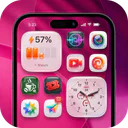
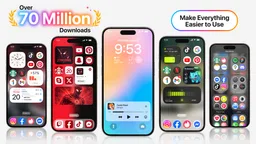
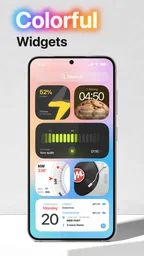
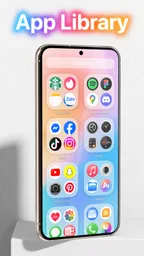
I judge a launcher less by its first impressive screen than by whether I still want it there after the novelty wears off. Launcher OS™ makes a clear first impression: it gives an Android phone an iOS-inspired look, so familiar home-screen habits feel newly arranged without changing the phone itself. I found that most appealing when I wanted a visual refresh, not a complete change to how I use Android.
A fresh look that is easy to understand
This is a personalization app from Apps Genz, built around changing the feel of your home screen. It is free to install, rated for Everyone, and listed for Android 8.0 and up. Its version 7.0.1 is a substantial choice for anyone who wants an iPhone-like visual style while keeping an Android device.
The first-week appeal is easy to understand: a launcher affects the screen you see whenever you unlock your phone. The visual change can make an older or familiar device feel less stale, and the iOS direction gives the experience a recognizable theme rather than a blank canvas that asks you to design everything yourself. If you enjoy trying different looks but do not want to replace your phone, this is a low-commitment way to experiment.
Its scale suggests that many people have been curious about that idea. Launcher OS™ has over 100 million installs, a 4.4 average from around 1.9 million ratings, and roughly 6,500 written reviews. Those figures are useful context, but they do not guarantee that its style will suit your particular Android device or routine. A launcher is personal: the right one is the one that remains comfortable after you stop noticing the novelty.
What the iOS-inspired approach changes
Rather than treating customization as an endless design project, Launcher OS™ gives you a defined visual direction. That is a strength if you want your home screen to look more cohesive quickly. It also makes the app less suitable for someone who wants a highly individual layout, a minimal text-first interface, or a very different aesthetic. You are choosing a recognizable look, not simply removing visual clutter.
There is a practical distinction between changing the launcher and changing the whole phone. You can alter the home-screen experience, but Android remains Android: your device’s settings, apps, and underlying system are still there. I would approach it as a cosmetic layer, not as a way to turn an Android phone into an iPhone or gain features that belong to another operating system.
Making the change work in daily use
A realistic test is a busy weekday morning. You unlock your phone to check a message, open a map, and find a calendar entry before leaving. In that moment, the launcher only earns its place if the new visual arrangement helps you get to the apps you need without making you pause to admire or decode the screen. A pretty layout that slows down those repeated actions is not a lasting improvement.
My practical suggestion is to judge it through your existing habits rather than by rearranging everything on day one. Keep the apps you open most often easy to reach, then give the layout several ordinary days before deciding whether it feels natural. This avoids a common customization trap: spending time polishing a home screen for screenshots while making everyday access less direct.
It can also help to separate visual preference from workflow. If you like the iOS-inspired appearance but find that your usual app locations are harder to remember, prioritize a consistent arrangement over a perfect theme. People rely on spatial memory more than they expect; moving frequently used apps repeatedly can make a familiar phone feel awkward. That is especially important if you use your device quickly with one hand or check it while distracted.
Does it keep earning its place?
After the first few days, the question becomes whether the look continues to make you happy without demanding regular attention. A launcher has recurring value when it quietly makes the screen feel more pleasant or organized every time you use it. It has less value when the main reward is the initial transformation and you soon stop noticing it—or start wishing the phone looked the way it did before.
For me, the strongest reason to keep this app would be a lasting preference for the iOS-inspired style. If that look makes an Android phone feel more personal and you can still reach your regular apps comfortably, the change may remain satisfying without constant tinkering. If you enjoy switching themes every few days, it can also serve as a starting point for a new look, though frequent changes can undermine the familiar layout that makes a launcher useful.
Compared with the usual alternatives in personalization, this is more focused than a general-purpose launcher that puts many layout decisions in your hands. That focus makes the initial choice straightforward, but it also means you should not expect the freedom of a tool designed for extensive customization. Someone who wants to fine-tune every detail may be better served by a more flexible launcher; someone who simply wants a coherent iOS-like appearance may prefer this more directed approach.
Small maintenance, but real trade-offs
The ongoing effort is less about technical upkeep than about deciding whether the new home screen still fits. If you change your app habits, add frequently used tools, or find yourself repeatedly searching for something, reassess the arrangement rather than assuming the theme is the problem. A launcher can make a phone feel refreshed, but it cannot make an inconvenient app routine convenient on its own.
There is also a learning curve whenever the screen you tap most often changes. Even a visual refresh can interrupt muscle memory. I would avoid making the switch just before a trip, a demanding workday, or another time when you need your phone to feel completely predictable. Trying it during a quiet period gives you room to decide whether the new presentation is genuinely comfortable.
Launcher OS™ is free to download, with optional in-app purchases ranging from $0.99 to $79.99 per item. I would start with the free experience and decide whether the everyday result is worth anything more before considering a purchase. The wide price range makes it sensible to check what an item offers and how it fits your own use rather than treating paid options as necessary for the basic idea.
Who may get tired of it
The main source of fatigue is the gap between the novelty of a new appearance and the value of using it repeatedly. If you are only curious about making Android look like iOS, the visual switch may be fun for a while but may not justify a permanent place on your phone. If you already have a home screen that is fast, familiar, and easy to navigate, changing it for appearance alone could be a downgrade in daily comfort.
I would also skip it if you value a distinctly Android look or want deep control over how every part of your home screen behaves. A themed launcher is not automatically better than the one your phone already uses. The useful comparison is not “which looks newer?” but “which lets me find what I need with less friction?” The answer may be your current setup, especially if it is already well organized.
On the other hand, this is a sensible choice for someone who enjoys an iPhone-like visual style, wants to refresh an Android phone, and is comfortable testing a different home-screen arrangement. Its Everyone age rating makes it broadly approachable, while its Android 8.0 minimum means the device still needs to meet that system requirement. I would not install it expecting a new operating system; I would install it to see whether this particular presentation suits my habits.
My long-term verdict
Launcher OS™ earns lasting space when its look remains enjoyable after the first-week excitement and the layout continues to support routine tasks. Its focused style is the point: it can make an Android home screen feel recognizably different without asking you to invent a design from scratch. The trade-off is equally clear—people seeking extensive control, an unchanged familiar interface, or a different visual identity may not want to maintain it.
My recommendation is to try it as a practical experiment, not a promise of transformation. Give your usual apps stable places, use the phone normally, and notice whether the new screen feels helpful once you stop thinking about the theme. If it does, the app has delivered recurring value. If you keep adjusting the layout or miss your old setup, switching back is a reasonable outcome, not a failure.
What we like
- Gives Android a familiar iOS-inspired home screen.
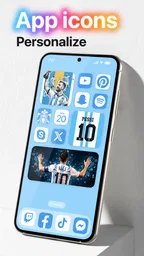
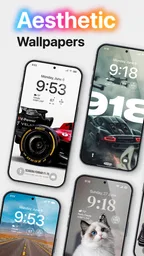
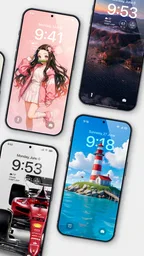
- Offers customizable app icons and wallpapers.
- Includes useful shortcuts through its control center.
- Supports app search for quicker access.
- Provides an optional assistive touch menu.
What could be better
- Some iOS-style features may require extra permissions.
- The interface can feel less flexible than standard launchers.
- Ads may interrupt the setup or everyday use.
- Some features may vary across Android devices.
- The launcher may use additional battery and memory.





