
Zedge™ Wallpapers & Ringtones review
 Analysis by Appsdrops
I reach for a personalization app when I want my phone to feel a little more like mine without spending an evening making every detail from scratch. Zedge is built for that kind of quick change: it brings wallpapers and ringtones together, with tools for creating images using AI. Its appeal is less about deep control over the whole interface and more about having a large pool of visual and audio choices to browse when a default background or alert sound has grown stale.
My overall impression is that it works best as a discovery app. If you enjoy looking through styles until one feels right, it offers more variety than the small set of wallpapers and tones that usually comes with a phone. If you already know exactly what you want, or prefer a tightly curated collection with little browsing, a simpler source may suit you better.
What matters when choosing a personalization app
For this type of app, I would judge three things: whether the selection gives me enough room to find something that fits, whether I can move from discovery to actually using an item without unnecessary effort, and whether the experience remains pleasant after the first browse. Zedge’s combination of backgrounds, ringtones, and AI image creation gives it a broader role than a wallpaper-only catalog, but the value still depends on how much choice you want to manage.
It is a free personalization app from Zedge, with a 4.7 average rating across around 18 million ratings and over 500 million installs. Those figures suggest that it has found a wide audience, but popularity alone does not tell me whether its approach fits your taste. The useful question is whether you want a broad place to explore, rather than a small collection selected for you.
The app is rated Teen, which is worth keeping in mind if you are choosing it for a younger user or sharing a device. I would still treat browsing as an active choice: a large content catalog can include material that is not equally suited to every person or setting. For a child’s device, I would look through the experience together rather than assume that a general personalization app is automatically a children’s collection.
Browsing is the main part of the experience
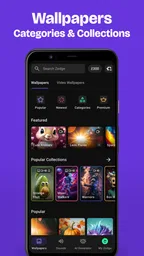
The strongest reason to try Zedge™ Wallpapers & Ringtones is that it puts two common customization jobs in one place. You can look for a new background and a different sound for calls or notifications without switching between unrelated sources. That matters most if you like to refresh several parts of your phone’s personality at once, rather than treating wallpaper as a one-off change.
The trade-off is familiar from large catalogs: more choice can mean more time spent deciding. I find this kind of app most useful when I arrive with a broad direction—calm colors, a particular mood, or a sound that is easy to recognize—rather than scrolling without a plan. A quick personal rule helps: pick a visual theme first, save a few candidates, and compare them against your actual home screen instead of judging each image in isolation.
That last step is easy to overlook. A wallpaper can look striking on its own but compete with icons, widgets, or text once it is set. I would favor a design with a quieter area where the icons sit, especially if you keep a busy home screen. For a lock screen with less clutter, a more detailed image may work better. Thinking about where the image will appear can prevent the common cycle of changing a background repeatedly because it looked better in the preview than in daily use.
Where it earns its place
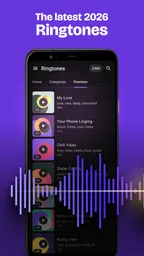
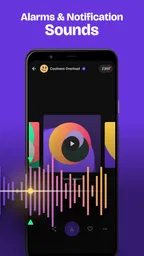
Having ringtones alongside wallpapers is useful for people who want their phone to feel distinct in more than one way. A recognizable incoming-call sound can help in a room where several phones are nearby, while a restrained notification tone is less intrusive in a shared space. I would choose a sound with the environment in mind: what feels fun at home may be distracting in a meeting, a classroom, or public transport.
One practical workflow is to make a small set of deliberate changes rather than overhaul everything at once. I would start with a wallpaper, live with it for a day, and then decide whether a new ringtone or notification sound adds anything. If I change every sound and image together, it becomes harder to tell which choice I actually like—and a sudden collection of unfamiliar alerts can be inconvenient when I need to recognize important calls quickly.
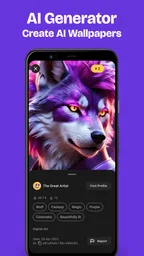
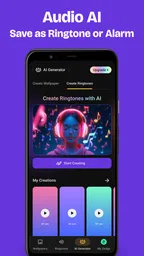
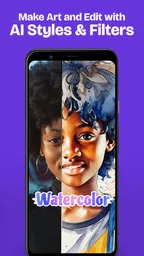
The AI creation option gives the app another route beyond choosing from existing images. It may appeal if you have a visual idea but do not already have a suitable picture saved. I would treat generated imagery as a starting point, not a promise that the first result will be exactly right. A useful approach is to keep the idea simple and think about the screen layout before making an image: the wallpaper still has to work behind the clock and icons, not just look good as a standalone picture.
This is also where expectations matter. Someone who wants a specific photograph, a polished illustration in a precise style, or a consistent set of matching screens may prefer to make or edit the image in a dedicated creative tool. Zedge is more compelling when discovery and quick personalization are the goal; it is less obviously the right home for a detailed design process.
When another route may be better
The usual alternatives fall into a few groups. Your phone’s built-in wallpaper and sound choices are convenient and direct, especially if you only want a dependable, low-effort change. A photo library is better when you already have an image you love and do not need a large catalog. Dedicated wallpaper collections can be a better fit if you want to focus exclusively on visual design, while audio-focused sources make more sense if finding a particular kind of ringtone is your only aim.
I would choose the built-in options for someone who dislikes browsing, wants to avoid installing another app, or is satisfied with a small, familiar selection. I would choose a personal photo for a meaningful background that no catalog can match. Zedge has the edge when I want to explore different moods and sound choices in one place, but its breadth is not automatically a benefit for a person who values minimalism over variety.
There is also a difference between customization and a complete phone redesign. This app can help change the things most people notice first—what appears behind their icons and what their phone sounds like—but it should not be approached as a replacement for system-level controls or a dedicated editing suite. If you want precise control over layouts, icon behavior, or elaborate visual composition, those needs may call for other tools in addition to, or instead of, a catalog app.
What to consider before changing your setup
Switching wallpaper is usually an easy experiment, but changing alert sounds has a small cost: you have to relearn what each sound means. I would avoid replacing every familiar tone at once, particularly if I rely on sound to notice calls or messages. Change one category first, keep the sound distinct from other alerts, and see whether it remains useful after the novelty wears off.
The same patience helps with backgrounds. Save a short list of candidates rather than applying each one as soon as it catches your eye. Then check whether the final choice keeps the clock and icons readable in the places you use them. This simple comparison is more helpful than repeatedly browsing for a supposedly perfect image, and it makes a large selection feel manageable rather than endless.
Price is another part of the decision. The app is free to download, while in-app purchases range from $0.49 to $399.99 per item. That is a wide range, so I would pay attention to the item and purchase prompt rather than assume that every option in a free app is included at no cost. If you only want to browse and make occasional changes, decide for yourself whether the free experience meets that need before spending anything.
The current version is 9.40.1, and the minimum operating system requirement is Android 9. That makes compatibility an important first check for anyone using an older Android device. I would also keep in mind that the app’s central benefit is access to its selection and creation options; if your phone already gives you everything you want, installing another app may add little value.
My recommendation
I recommend Zedge to people who enjoy browsing for a fresh look, want wallpapers and ringtones together, or are curious about creating a background with AI. It is especially handy when a phone feels visually familiar and you want a quick change without searching across several separate sources. My best advice is to browse with a purpose, test choices against the real home screen, and change sounds gradually so useful alerts stay recognizable.
I would skip it if you prefer a very small, curated set, already rely on your own photos, or find large catalogs more tiring than inspiring. For those users, built-in choices or a focused image-editing tool may be more straightforward. The app’s scale is its central strength and its main trade-off: it gives curious users room to explore, but asks them to do some choosing.
Overall, I see it as a flexible starting point rather than a necessary upgrade for every phone. Its mix of visual and audio personalization makes sense for anyone who likes to tailor everyday details, and the AI option offers an additional creative path. If that sounds enjoyable, it is worth trying; if you want a precise, curated result with minimal browsing, a narrower alternative will probably feel better.
What we like
- Large collection of wallpapers and ringtones to browse
- Easy search helps find specific styles and sounds
- Preview options make it easier to choose content
- Favorites let you save items for later
- Wallpaper and ringtone categories are clearly organized
What could be better
- Some content requires a premium subscription
- Ads can interrupt browsing
- Download quality may vary between items
- Popular content can feel repetitive
- Some sounds may need extra steps to set up





