
Zipper Lock Screen Customizer review
 Analysis by Appsdrops
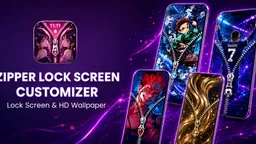
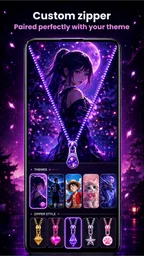
The first time I use Zipper Lock Screen Customizer, the appeal is easy to understand: it turns the moment I wake my phone into a small visual choice instead of leaving the lock screen untouched. The zipper motif is the point, not a full phone makeover, and that gives the app a clear personality. I can see it suiting someone who likes playful details and wants a lock screen that feels more personal without spending time building a complete theme.
This is an Art & Design app from Midas Studio App, and its focus is deliberately narrow. Rather than replacing a home-screen launcher or offering a broad design toolkit, it centers on wallpaper styles paired with custom zipper details. That focused approach is convenient when I want a quick change, though it also means the experience depends heavily on whether I enjoy the zipper look after the initial novelty wears off.
Why the first week feels fresh
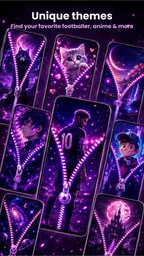
The initial attraction comes from having lots of visual directions to browse. The app’s collection is described as more than 1,000 HD wallpaper styles, with zipper customization as the signature twist. That gives me room to try different moods—bright, subdued, decorative, or more image-led—without treating every choice as a permanent commitment. I would approach it as a collection to sample, not assume that every design will suit every screen or taste.
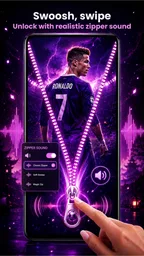
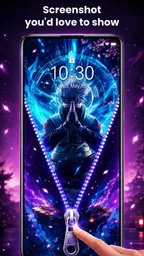
The zipper detail can make an otherwise ordinary wallpaper feel more like a chosen accessory. It is especially appealing if you enjoy tailoring small parts of your phone’s appearance: a favorite image, a matching color, or a look that fits the season. The customization is the reason to choose this over simply setting a picture from your gallery. If you only want a clean background, though, the added motif may feel like visual clutter rather than an upgrade.
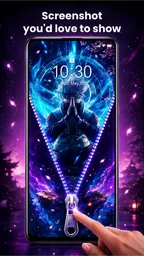
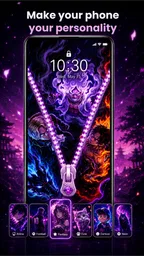
In a realistic everyday routine, I might change the lock screen before a weekend trip, choosing a lively image that feels different from the calm wallpaper I use during workdays. That is a good fit for the app’s quick-refresh appeal: the lock screen gets a visible change, but I do not need to redesign the rest of my phone. I would still check how the design looks with the clock and notifications on my device, because a wallpaper that looks balanced on its own can become busy once the usual lock-screen elements appear.
For a first pass, I would narrow the choices rather than browsing endlessly. Pick a few styles that suit the brightness and color of your screen, then compare them with the zipper treatment you prefer. This small workflow makes the app feel more like a personalizer and less like an unfiltered gallery. It also helps avoid a common trap with large collections: spending more time choosing than enjoying the result.
Where it fits beside ordinary wallpaper apps
Most wallpaper apps are useful when the main goal is finding a striking background. A phone’s built-in wallpaper picker is simpler still, especially if you already have an image you like. This app makes more sense when the zipper effect itself is part of what you want. I would not choose it as my only source for every kind of visual customization, but I would consider it when I want a lock screen with a recognizable decorative theme rather than just another photograph or gradient.
That distinction is also its main trade-off. A general wallpaper collection offers more room to change direction; a zipper-focused app gives a more distinctive style but asks you to like that style. Before spending time setting up a look, I would ask whether I want the zipper to be a lasting part of my screen or just a playful experiment. If the answer is “just an experiment,” the app can still be enjoyable, but it may not become a daily tool.
What keeps it useful after the novelty
After the first few days, the app’s value depends less on the number of designs and more on whether I find a small set that I genuinely want to keep. A large catalog is helpful for discovery, but it does not automatically create recurring value. I would treat the app as a source for occasional refreshes rather than something that needs attention every day. That is a healthier expectation for a lock-screen customizer: the best result may be a design I settle on and stop thinking about.
One practical tip is to choose for readability as well as appearance. A detailed background and a prominent zipper can compete with notifications, so a simpler design may work better for someone who checks the lock screen often. Conversely, if you mostly unlock straight to your home screen and rarely read alerts there, you may be freer to choose a busier look. This is a small but useful distinction: the right wallpaper is not only the one that looks good in a preview, but the one that works with how you actually use your phone.
I would also make changes with a reason rather than changing the screen whenever a new option catches my eye. For example, keep one design for ordinary days and switch only when you want a different mood or have an image you particularly like. That approach reduces decision fatigue and gives the app a more durable role. It becomes a handy way to mark occasions or refresh your phone now and then, rather than another collection demanding constant browsing.
The app is free to install, with optional in-app purchases ranging from $1.99 to $14.99 per item. I would begin with the free experience and decide whether the available choices already fit my taste before paying for anything. Since the core appeal is visual variety, the sensible question is whether a particular purchase gives you a style you would actually use repeatedly, not merely whether it looks attractive in a preview. The free starting point makes it easier to judge that for yourself.
The upkeep and small points of friction
A custom lock screen is not entirely maintenance-free. If you change your phone’s wallpaper often, you may need to revisit the app and choose a new design; if you prefer one settled look, there may be little reason to return after setup. That is not a flaw so much as the nature of a customization app. I would keep the process occasional and intentional, rather than expecting a continuous stream of new reasons to open it.
There is also a balance between personalization and legibility. A decorative zipper can draw the eye, but the lock screen still has a practical job: showing the time and letting you glance at alerts. If the artwork makes those elements harder to pick out, I would choose a calmer design or return to a standard wallpaper. The best customization is the one that feels personal without making the screen less useful.
As with any wallpaper-based app, the final appearance is worth checking on your own device rather than judging only from a sample image. Screen proportions and the placement of system elements can change how a design feels. I would preview a candidate, look at it with the normal lock-screen information visible, and then decide whether to keep it. That extra check is especially worthwhile for high-contrast artwork or a zipper treatment placed near the center of the image.
Compatibility is listed for Android 8.0 and later, so people using an older system should check their device’s requirements before planning around it. The current version is 1.2.4. The app is rated for Everyone, which makes its decorative focus approachable for a broad audience, though the right fit still comes down to personal taste. It has a 4.7 average from around 9.9 thousand ratings and more than one million installs, signs that many people have tried it, but those figures cannot tell me whether its particular style will suit you.
When the look starts to wear thin
The main source of fatigue is the very feature that makes the app recognizable: the zipper theme. A design that feels charming during the first week can begin to feel repetitive if you prefer understated screens or change your wallpaper frequently. More choices can soften that problem, but they cannot change the basic premise. If you already know you dislike decorative lock-screen elements, a standard wallpaper picker is likely the better choice.
Another possible frustration is spending too long comparing options. A broad selection sounds generous, but browsing can become its own task when you have no particular look in mind. I would open the app with a simple target—such as a calm background or a bright one—and stop once I find a design that works. If choosing a wallpaper already feels like a chore, a smaller curated set or the phone’s built-in picker may be more satisfying.
I would also skip it if my priority were deep control over the whole phone’s appearance. This app’s identity is lock-screen decoration, not a complete visual system. People seeking coordinated icons, widgets, or a major home-screen redesign should look for tools built around those needs instead. Zipper Lock Screen Customizer is at its best when the request is modest: give the lock screen a distinctive look without turning customization into a project.
Who should keep it installed
I would recommend trying Zipper Lock Screen Customizer if you enjoy changing wallpapers, like playful visual details, and want an easy way to make the lock screen feel less ordinary. It can also suit someone who wants an occasional themed change without rebuilding their phone’s layout. For a person who values a plain, highly readable screen above decoration, or who rarely notices the lock screen, the app is less likely to earn lasting attention.
Its lasting value is therefore personal and occasional, not something I would measure by how often I open it. Midas Studio App has made a focused art-and-design tool around a recognizable idea, and the free download makes it reasonable to test whether that idea clicks for you. I would keep it if I found a few designs I enjoyed returning to; I would move on if the zipper effect began to feel like an obligation rather than a detail I chose.
Overall, this is a charming option for a specific taste, not a universal replacement for ordinary wallpaper tools. Its strongest use is a quick, deliberate lock-screen refresh, with enough variety to explore before settling on a favorite. The practical advice is simple: choose for readability, start with the free options, and judge the result on your own lock screen. If the style still makes you smile after the first week, it has a fair chance of keeping its place; if not, a plain wallpaper will probably serve you better.
What we like
- Offers a quick way to personalize the phone’s lock screen
- Simple controls make customization approachable for new users
- Can add a distinctive look without changing the home screen
- Useful for users who enjoy refreshing their phone’s appearance
- Customization is available directly from the app
What could be better
- May require lock screen permissions to apply changes
- Compatibility can vary across Android versions and devices
- Some options may be limited without in-app purchases
- A custom lock screen may not match every phone’s layout
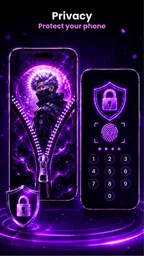
- Lock screen changes may conflict with built-in security settings





