

YouTube TV: Live TV & more review
 Analysis by Appsdrops
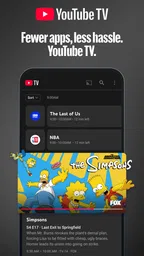
I think YouTube TV makes the most sense when you want the feel of ordinary television without making a traditional TV setup the center of your home. It is an entertainment app from Google LLC, and its appeal is straightforward: live channels are gathered in one place, so you can open it when you want to see what is on rather than hunt through separate channel apps. Whether that convenience is worth paying for depends on what you expect from it—and on a cost detail that deserves care.
What the free offer does—and does not—tell you
The app is free to download, but that should not be confused with unlimited free access to its live-TV service. Its current invitation is to try the service without charge; the length and terms of any trial can change, so I would check the offer shown in the app before relying on it. A free download lets you take a look, but it does not establish that ongoing viewing is free.
There are also in-app purchases, with listed items ranging from five cents to nearly a thousand dollars. That broad range is not a useful guide to the regular cost of watching live TV: it covers purchase items, not a clearly stated single subscription price. I would review the checkout screen carefully, confirm whether a trial converts to a paid plan, and make sure you understand the renewal terms before starting anything. Free to install is not the same as free television.
That distinction matters because the value question is different from the download question. If you only want to see whether the interface suits you, installing it costs nothing. If you are deciding whether to replace a paid TV package, compare the actual plan offered to you with your current bill and the channels you genuinely watch. I would not treat the app’s free status as proof that the service itself costs nothing after a trial.
What the channel lineup is good for
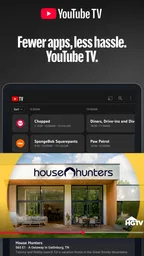
The service focuses on live programming, including news, sports, and shows, with more than a hundred channels available. That breadth can be useful when your viewing habits are mixed: a household member can want a news channel while someone else is looking for a game or a familiar program. Instead of choosing one narrow streaming app for a single type of content, you can browse a lineup built around the traditional channel-surfing idea.
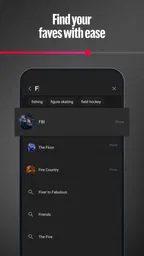
In practice, I find that the strongest use case is not simply “more things to watch.” It is reducing the small decisions involved in settling down. If you already know the channel or event you want, going straight to live TV is easier than checking several services to see where it appears. If you do not know what you want, a channel guide gives you a way to browse by what is airing now, which feels more like turning on television than assembling a playlist.
Where it fits beside other viewing options
Compared with free, ad-supported streaming channels, YouTube TV is aimed at people who care about access to live news, sports, and familiar programming in a more conventional lineup. Those free alternatives can be perfectly adequate for casual background viewing, but they may not serve someone who wants particular live channels. On the other hand, a focused on-demand subscription can be a better choice if you mostly watch a small selection of series and rarely tune in as something is broadcast.
It also differs from a collection of individual network apps. The single-service approach is more convenient when you want to browse across channels, while separate apps can make sense if you only need one network or already have access through another arrangement. I would choose based on viewing habits, not the size of a channel count alone: a large lineup has little value if the household repeatedly watches only a few channels that are available elsewhere.
Everyday viewing, with a few practical habits
Imagine coming home while a game or a news segment is already underway. With live television gathered in one app, you can check the current lineup and start watching without first deciding which on-demand catalog to search. That is the kind of ordinary moment where I see the service earning its place: it removes a bit of friction when the program matters now rather than whenever you get around to it.
A useful habit is to make a short list of the channels or kinds of live programs your household actually uses before you commit to any paid option. Then compare that list with the lineup you can access. This avoids being impressed by a broad channel selection that sounds generous but does not match your routine. It also helps answer a practical question people often have: is this a replacement for all the streaming apps at home? Usually, I would treat it as a live-TV option first, not assume that it covers every on-demand show or movie you might want.
Another trade-off is that a live lineup invites browsing. That can be enjoyable if you like discovering what is on, but it is less efficient than opening a specific show in an on-demand app. When I want one episode and no interruptions to my plan, a focused streaming service is often the clearer route. When I want to see what is happening across news or sports, the channel-based layout is more natural.
What the audience response and age label suggest
YouTube TV has an average rating of 3.8 from around 160,000 ratings, alongside roughly 59,000 written reviews. It has been installed more than 10 million times, so it is an established option rather than an obscure experiment. Those figures indicate substantial use, but they do not guarantee that the service will suit your household; the important question remains whether its live channels and paid terms fit your own needs.
The app is rated for teens. That is worth keeping in mind if you are choosing entertainment for a younger viewer, but an age label should not be mistaken for a promise that every channel or program is suitable for every teen. I would still pay attention to what is being watched, particularly because the service brings together varied kinds of programming rather than a single curated catalog.
Where the experience can fall short
The biggest limitation is the mismatch between a free app download and a service whose ongoing value depends on its paid terms. If you are trying to cut costs, the trial may help you judge the experience, but it does not answer whether continuing makes financial sense. Check the exact offer and renewal details before you start, and compare the recurring charge with the channels you would otherwise pay for. If you rarely watch live programming, even a convenient interface may not justify another bill.
There is also a basic content trade-off: a large live lineup is not the same as having every program you want available whenever you want it. Broadcast schedules dictate what is on at a given moment, whereas on-demand services let you choose from their catalogs at your own pace. If your priority is catching up on completed series, browsing a particular film collection, or avoiding scheduled viewing, I would look first at an on-demand alternative instead of expecting a live-TV service to behave like one.
Finally, channel quantity is only a starting point. A channel being part of a broad lineup matters only if it is useful to you and appears in the plan you are considering. Before switching from cable or another streaming arrangement, I would compare specific channels and the total cost rather than assuming that the app is automatically a cheaper replacement. The right choice can vary a lot between a sports-focused household and someone who turns on television only occasionally.
Who is likely to get real value
I would consider it if you regularly watch live news, sports, or scheduled shows and want those kinds of viewing in one place. It may also suit a household with different tastes, because a broad channel lineup can serve more than one person’s routine. The app is developed by Google LLC, is in the entertainment category, and has been available since April 5, 2017; those details make it a familiar, established service, though they do not replace checking the current plan terms.
I would skip it—or at least delay subscribing—if most of your viewing is on demand, you watch only occasionally, or you are trying to avoid recurring entertainment costs. A free, ad-supported option may be enough for someone who wants casual background television, while a focused subscription may suit a viewer who follows one particular series or catalog. If you care about live channels but are unsure about the expense, use any trial offer as a short test: watch at your normal times, check the channels you depend on, and decide before the offer ends.
My verdict before you commit
My recommendation is conditional rather than automatic. YouTube TV is worth considering when live programming is a regular part of your day and a single channel-based service would replace more complicated viewing habits. It is less compelling when you mainly stream on demand or are drawn in only by the word “free.” Its broad live-TV focus is clear; the ongoing price and value need to be judged against the offer you see and the channels you actually use.
If I were advising a friend, I would say to install it, inspect the current trial and purchase terms, then test it against a real week of viewing rather than browsing casually once. Keep track of whether you return for live news, sports, or shows, and compare that use with the cost after any trial. YouTube TV is most convincing when live television is a habit, not an occasional curiosity. If that describes you, it can be a practical alternative to juggling channel apps; if not, a free option or a narrower on-demand service is probably the better value.
What we like
- Unlimited cloud DVR storage is included with every plan.
- Recordings remain available for up to nine months.
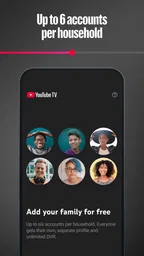
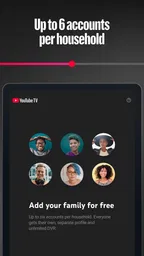
- Up to six household accounts can share one subscription.
- Personalized profiles keep recommendations separate for each viewer.
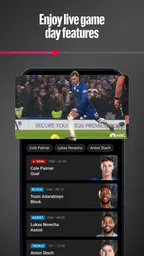
- Multiview lets you watch select live events on one screen.
What could be better
- The service is available only in the United States.
- A stable high-speed internet connection is needed for smooth streaming.
- Some channels and programs are limited by your location.
- Not every live program supports multiview.
- Add-ons can raise the monthly subscription cost.





