







ViX: TV, Deportes y Noticias review
 Analysis by Appsdrops
For anyone looking for Spanish-language series, movies, and novelas in one entertainment app, ViX is an easy name to encounter. Its focus is clear from the outset: give viewers a place to explore familiar kinds of programming without making the experience feel like a complicated media project. I find that straightforward identity appealing, especially if you want to open an app, choose something to watch, and settle in.
ViX is developed by Univision Communications Inc. and is free to download, with in-app purchases available. It has a 4.3 average from around 718,000 ratings, and more than 100 million installs. Those figures suggest a widely used service, though they can’t tell you exactly how it will perform on your particular phone or with your connection. My overall impression is that the app’s appeal rests on accessible Spanish-language entertainment, while the quality of a viewing session naturally depends on the device and network involved.
What to expect when you open ViX
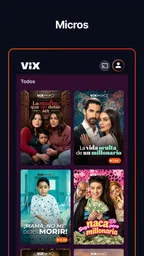
The simplest way to think about ViX is as an entertainment destination centered on series, films, and novelas. That focus makes it especially relevant for people who prefer Spanish-language programming or want those genres gathered in a single app. Rather than approaching it as a general-purpose tool, I’d treat it as a place to browse when you already have a rough idea of the kind of story or screen entertainment you’re in the mood for.
Because the app is free to download, getting started doesn’t require paying an upfront purchase price. In-app purchases range from one dollar to just under 110 dollars per item, so it’s worth paying attention to any purchase prompt before confirming it. The free entry point makes it easy to give the app a try, while the presence of optional purchases means you should make choices deliberately rather than assuming every part of the experience has the same cost.
Speed expectations in everyday use
When I judge a streaming-oriented entertainment app, I separate the feeling of moving around the app from the experience of watching a program. Menus and browsing can feel responsive on a capable device, but video playback also depends on factors beyond the app itself. A strong connection and a phone with enough available resources can make a session feel smooth; a congested network or an older device may make it less consistent.
I wouldn’t read the large install count as a promise that every screen will load instantly. Popularity tells you that many people have chosen to install the app, not that every device, operating system configuration, and connection behaves identically. A sensible expectation is to give the app a moment when it is loading content and avoid treating a brief delay as proof that something is wrong.
The same caution applies when switching between browsing and viewing. Video apps can demand more from a connection than ordinary reading or messaging, so a program may take longer to begin if reception is weak. If playback does not feel steady, checking the connection and closing other demanding apps are practical first steps before deciding that the service itself is at fault.
When viewing becomes a heavier task
Watching a long episode or film is a different kind of use from opening the app briefly to look around. A sustained viewing session keeps the screen active and relies on a continuing stream of content, which can put more pressure on both battery life and network use than casual browsing. That is normal for video entertainment, and it is something I would keep in mind before settling in for a long watch away from a charger or a reliable connection.
For a more comfortable session, I’d start with a stable Wi-Fi connection when one is available and make sure the phone has enough battery for the time I plan to watch. If I’m using mobile data, I’d be mindful of my plan rather than assuming video is as light on data as text. These are sensible habits for streaming apps in general, not special requirements unique to ViX.
There is also a practical difference between using an app on a newer phone and asking an older handset to handle a long video session. Older devices may have less available memory or battery capacity, and other apps running at the same time can add to the strain. If playback or navigation feels sluggish, I’d try closing background apps and restarting the session before drawing a firm conclusion about the app’s overall performance.
Reliability and getting back to a session
Reliability is best judged across ordinary use rather than by one moment. A temporary pause can come from a weak signal, an overloaded network, or the phone itself, while a more persistent problem may call for closing and reopening the app. I find it useful to approach these situations in a calm order: check connectivity first, give the content a little time to load, and then restart the app if it remains stuck.
That kind of recovery is familiar to anyone who uses video services on a phone. It does not guarantee that every interruption will disappear, but it avoids jumping straight to an uninstall or assuming a broader outage. Keeping the app and the phone’s software current is also a sensible general practice for maintaining compatibility and stability.
The app is rated for teens, which is useful context for households deciding whether it suits younger viewers. I’d still recommend that parents consider their own family’s viewing preferences and use their usual device-level guidance. An age rating can help set expectations, but it does not replace a parent’s judgment about what is appropriate for a particular teenager.
Device constraints and compatibility
ViX supports Android devices running version 6.0 or later. That gives many Android users a straightforward baseline to check before installing. Still, meeting the minimum operating-system requirement does not mean every compatible phone will deliver the same speed or viewing comfort. Device age, available storage, battery condition, and the number of apps running in the background all shape the real-world experience.
If your phone is near the lower end of what the app supports, I’d keep expectations practical. It may be more comfortable to close other apps before watching, avoid switching repeatedly between demanding tasks, and make sure the device has enough free space for normal operation. These steps are useful for reducing avoidable friction, although they cannot transform older hardware into a newer model.
People using iOS should check the app store on their device for compatibility before installing. More generally, the best way to assess a mobile entertainment app is to try it on the actual phone you intend to use. A service that feels smooth on one person’s device may feel less responsive on another’s, even when both users have access to a solid connection.
Content focus and the overall experience
The strongest reason to consider the app is its emphasis on series, movies, and novelas. If those are the kinds of programs you seek out, the focus is easy to understand and gives the service a clear role on your phone. I appreciate apps that make their intended audience obvious instead of trying to present themselves as everything to everyone.
That focus also shapes who is most likely to enjoy it. Someone who regularly watches Spanish-language entertainment may find the app more useful than a viewer whose preferences lie elsewhere. Before installing, it helps to think about whether you’re looking for a dedicated entertainment option or a broader collection of unrelated tools. ViX is plainly meant for watching, not for managing everyday tasks.
Its broad adoption and strong average rating are encouraging signals, but they should be treated as context rather than guarantees. People have different phones, networks, viewing habits, and expectations. I’d use ratings as one part of the picture and decide based on whether the app’s programming focus, purchase model, and compatibility make sense for me.
My performance verdict
Overall, I see ViX as a straightforward option for people who want Spanish-language series, movies, and novelas on a mobile device. It is free to download, has a clear entertainment focus, and supports Android starting with version 6.0. Its scale of adoption suggests that it has reached a large audience, while the actual smoothness of browsing and viewing will still depend on your connection and handset.
For the best experience, I’d use a reliable connection, keep an eye on battery and mobile data during longer sessions, and give the app a chance to recover before assuming a brief pause is a lasting issue. I’d also review purchase prompts carefully, since optional in-app purchases are part of the offering. Those are simple steps, but they help set realistic expectations for any video-focused mobile app.
If the programming suits your taste and your device meets the compatibility baseline, ViX is worth considering as an entertainment app. I wouldn’t promise flawless performance on every phone, but I do think its clear purpose makes it easy to evaluate: install it if you want this kind of content, try it on your own connection, and decide whether the viewing experience feels right for your routine.
What we like
- Live sports coverage makes it easier to follow matches in one place.
- Spanish-language news offers a convenient way to keep up with current events.
- A free viewing option lets users explore the service before subscribing.
- The catalog includes content from several genres for varied viewing.
- Personalized recommendations can help surface shows that match your interests.
What could be better
- Some titles are available only with a paid plan.
- Content availability may vary by country.
- Live streams can be affected by a slow or unstable connection.
- The free tier may include frequent advertising.
- Some programs may have limited seasons or episodes available.





