


Disney+ review
 Analysis by Appsdrops
I notice the network most when I use Disney+ on a phone: a show can feel effortless on a strong connection, then suddenly become a poor fit for a crowded commute or an unreliable signal. That makes connectivity more than a technical detail here. It shapes whether I browse, start an episode, or save a film for later. As an entertainment app from Disney, Disney+ has a clear draw for people who want its film and television library in one place, but it works best when I plan around how and where I’m watching.
When the connection shapes the viewing experience
On a stable home network, browsing and starting something to watch feels straightforward. I can take time choosing a film or series without worrying that a weak signal will interrupt the decision itself. The app’s appeal is strongest when I already know the kind of Disney content I want, rather than expecting it to replace every streaming service or satisfy every taste.
Streaming quality and continuity depend on the connection available at the moment. A busy household network, a weak room signal, or a fluctuating mobile connection can turn a relaxed viewing session into repeated waiting. I recommend testing the app in the place where you usually watch before relying on it for a long evening. A connection that handles casual browsing may not feel as dependable once everyone at home is online.
There is also a practical difference between choosing a title while connected and trying to decide at the last minute. I find it useful to browse when the network is behaving well, then start viewing before moving to a less reliable setting. This reduces the chance that the most frustrating part of a short break is simply getting the programme to begin.
The app is free to install, but that should not be mistaken for free access to all viewing. In-app purchases range from $2.49 to $999.99 per item, so I would check the terms shown in the app store and the choices presented in the app before committing to any purchase. If you are comparing it with services you already use, consider both the content you actually want and the cost of continued access, rather than judging only by the download price.
Mobile viewing rewards a little planning
On a phone, Disney+ is convenient for a lunch break, a quiet stretch of travel, or keeping a child occupied while waiting somewhere. But mobile viewing is where connectivity becomes hardest to predict. A signal can be good on one part of a route and poor a few minutes later, and a public network may be busy even when it appears connected. I would not begin an important episode just before entering a tunnel or boarding transport unless I already know how it behaves there.
If you expect to watch away from a dependable network, check the app’s current options while connected rather than assuming that a particular title or viewing method will be available later. The safe habit is to confirm what the app itself offers for the title you want and to prepare before leaving home. That is especially useful for parents planning a journey: choosing the programme in advance is less stressful than troubleshooting while a child is waiting.
Screen size matters too. A phone makes it easy to fit a short viewing session into spare time, but a large-screen film can feel cramped and less involving. When I have the choice, I would save a feature-length watch for a television or tablet and use the phone for an episode or a familiar favourite. That is not a limitation unique to this service, but it affects how much value I get from a mobile session.
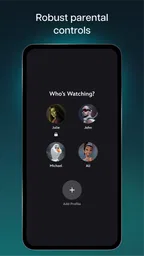
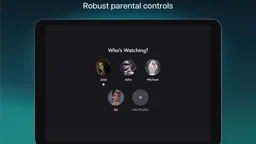
For households with several viewers, it helps to agree on what to watch before handing over the phone or settling onto the sofa. Switching between profiles or preferences can be more fiddly than simply pressing play, especially when everyone wants something different. A quick conversation beforehand avoids turning a shared viewing moment into a negotiation over the screen.
Recovering when playback goes wrong
When a stream stalls, my first step is to distinguish a network problem from an app problem. I check whether other apps or pages can connect, then try Disney+ again. If the rest of the device is online but the programme still will not start, closing and reopening the app is a sensible next step. This simple sequence is more useful than repeatedly tapping play, which often leaves me unsure whether anything has changed.
If playback fails only in one location, I would test again on a stronger connection before changing account or device settings. If the same title fails in multiple places, trying another programme can help narrow down whether the issue is tied to that selection or the broader session. These checks do not guarantee a fix, but they keep troubleshooting focused and reduce needless changes to a setup that may be working normally.
People often ask whether they can count on Disney+ during a connection outage. I would not make that assumption: verify the available viewing choices in the app before travelling or losing service, and do not plan an essential watch around an untested setup. Likewise, if a video pauses repeatedly, changing to a more reliable network is usually a better first move than repeatedly restarting the same stream.
Updates can matter when an app behaves inconsistently, so I would keep it current through the app store and check that the device meets its requirements. The current version is 26.20.0+rc3-2026.11.02, and the minimum operating system is Android 6.0. Those details are particularly relevant if you are setting up an older Android phone: compatibility is not the same as a guarantee that performance will feel smooth on every device.
Keeping mobile data in mind
Watching on mobile data can be handy, but it is worth paying attention to your plan and the amount of time you spend streaming. I avoid treating a phone connection as an unlimited substitute for home Wi-Fi. If you are unsure how much data a viewing habit uses, check your device or carrier’s usage tools after a short trial and adjust from there; the actual impact depends on your plan, settings, and viewing time.
A useful routine is to browse and make choices while on Wi-Fi, then switch to mobile viewing only when the situation calls for it. This avoids spending data on lengthy searches and previews when you could make those decisions at home. It also gives you a chance to confirm that the title you want is available in the app before you leave a reliable connection.
For families, it can help to set expectations around who uses mobile data and when. A child watching several episodes on a phone may use a very different amount of data from an adult checking one short programme during a break. I would keep an eye on usage rather than relying on a vague sense that “a little streaming” cannot add up.
Another trade-off is convenience versus certainty. Starting a stream immediately is the easiest option, but preparing in advance is more dependable when reception may vary. The app is most comfortable for people who can use Wi-Fi regularly or who are happy to make a quick check before watching away from home. If you need a service that works predictably without a connection, choose only after confirming the specific options available to you.
Who will get the most from it
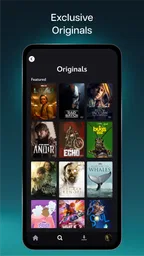
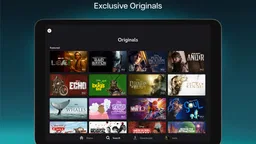
Disney+ is a strong choice if you often seek out Disney films, series, and Originals and want an easy way to browse that entertainment on a phone or other compatible device. It is less compelling if your viewing interests are spread across many unrelated genres and you want one service to cover everything. In that case, I would compare it with the streaming apps you already pay for and ask whether its particular catalogue gives you enough reason to keep it in your rotation.
It also suits people who have a reliable home connection and want a simple option for a planned evening. Someone who watches mostly during travel, in places with patchy reception, may find the experience less dependable unless they prepare in advance and confirm the app’s available choices. For that viewer, a service or format that better fits their connectivity needs may be more practical.
Disney+ is rated for Teen audiences. I would still make viewing choices based on the individual and the title, especially when younger family members share a device. The age rating is a useful broad signal, not a substitute for deciding what is appropriate for the person watching.
Its scale is reflected in an average rating of 4.4 from around 5.2 million ratings, alongside more than 500 million installs. Those figures suggest that it is widely used, but popularity does not settle the question of whether it suits your routine. I would base that decision on the content you want, the devices you use, and whether your usual connection is dependable enough for streaming.
A practical verdict on staying connected
My overall view is positive with a clear condition: Disney+ is most enjoyable when the network is stable and I know what I want to watch. It is a convenient entertainment app, particularly for viewers who return to Disney’s catalogue, but connectivity can turn a casual watch into a stop-start experience. The developer is Disney, and the app’s focus is easy to understand; the real decision is whether its library and your viewing habits line up.
Before a journey, I would open the app on a reliable network, choose a title, and check the options presented for that title rather than relying on assumptions. At home, I would test playback in the room where I plan to watch. If streaming regularly interrupts your evenings, check the network first and compare the experience with your other devices before deciding the app itself is at fault.
For a steady connection and a genuine interest in Disney’s entertainment, it is an easy app to recommend. For someone who needs uninterrupted viewing in places with weak reception or wants a broad all-purpose catalogue, I would look carefully at alternatives and test the fit before making it part of a regular routine. Disney+ earns its place when its specific content matters to you and your connection can keep up.
What we like
- Downloads let you watch selected titles offline.
- Profiles help keep viewing recommendations separate.
- Kids profiles provide age-appropriate content controls.
- GroupWatch lets subscribers watch selected titles together remotely.
- Watchlists make it easy to save titles for later.
What could be better
- Downloads can expire or become unavailable if a title leaves the service.
- Some titles may be missing due to regional licensing restrictions.
- GroupWatch availability varies by title and region.
- Not every title includes every language or subtitle option.
- Some features and content vary across devices and subscription plans.





