

VIZIO | WatchFree+ review
 Analysis by Appsdrops
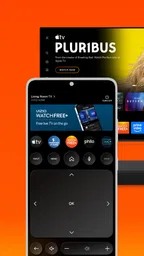
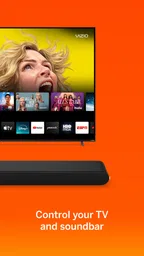
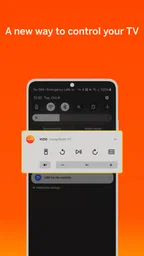
I’d think of VIZIO | WatchFree+ as a companion for a VIZIO viewing setup, rather than a universal replacement for every TV app. It brings live television, entertainment discovery, and device control together, which can make it useful when I want to find something to watch or manage a compatible device from my phone. The main question is whether that combination fits the way you already watch TV: the experience is most appealing when VIZIO is part of your everyday setup, and less compelling if you want one app to serve every screen and service.
Where the first setup can feel unclear
The app’s purpose sounds straightforward, but its three roles can lead to different expectations. Someone opening it for live TV may be looking for channels right away; someone interested in discovery may expect recommendations across their usual services; and someone wanting device control may primarily need a phone-to-TV connection. These are related tasks, but they are not interchangeable. I’d begin with the one thing you actually want to do, then check whether the app is helping with that job before exploring the rest.
Because this is an entertainment app developed by VIZIO, I would treat the connection to VIZIO equipment as central rather than assume that every device in the home will respond to it. If the control side is your priority, first make sure you are working with the VIZIO device you intend to manage and that it is available in your current setup. If you only want to browse or watch, start there instead of spending time looking for control options you may not need.
A useful first check is to separate an app problem from a TV problem. If the app opens but the TV does not react, the issue may be the connection between your phone and the device rather than the live-TV or discovery experience itself. If the TV works normally but a particular screen in the app seems stuck, it makes more sense to focus on the app session. This simple distinction prevents the common mistake of repeatedly changing unrelated settings.
The app is free, which makes it easy to try without committing to a subscription just to test the basic fit. That does not mean every viewing need is automatically covered: I would still decide whether its available entertainment suits what you want to watch, rather than treating “free” as a promise that it replaces paid services or a full cable lineup. It is best approached as an additional option in a viewing routine, not a guarantee that every favorite program is gathered in one place.
Check the connection before changing everything
When device control does not behave as expected, I’d keep the troubleshooting narrow. Confirm that the phone and the VIZIO device are set up in the way your home normally uses them, then reopen the app and try the intended action again. If the television itself is unavailable or behaving oddly, test its ordinary controls too. When those controls also fail, the app is unlikely to be the only thing worth investigating.
For a live-TV or discovery issue, I would first return to the relevant part of the app and give it a fresh attempt rather than immediately reinstalling. A temporary interruption, an incomplete load, or a momentary network problem can make an entertainment screen look broken when the wider setup is fine. If other internet-connected apps are also struggling, checking the home connection is a more sensible first move than changing the VIZIO app alone.
These checks are especially useful because the app combines viewing and control. A person might see a playback problem and assume the phone cannot reach the TV, or see a control problem and assume the entertainment content is unavailable. Testing one function at a time gives a clearer answer: can you browse, can you watch, and can you control the device? You do not need to diagnose all three at once.
A calmer way to recover a stalled session
If the app stops responding, I’d close it and open it again before making bigger changes. Then I’d repeat only the action that failed. If that does not help, restarting the phone or the relevant TV device can be a reasonable general step, particularly when other functions are also acting inconsistently. I would avoid changing several settings in one go, because it becomes difficult to tell which change actually helped.
A practical recovery habit is to note what was working immediately before the problem. If live viewing was fine but control stopped, focus on control and device availability. If the app’s screens are not loading while the TV remains usable, focus on the app session and connection. If both the television and other apps are affected, widen the check to the home network or the device itself. This is a small workflow improvement, but it saves time and keeps troubleshooting proportional.
When you are trying the app for the first time, take a moment to verify that it is current in your app store and that your device meets its minimum operating-system requirement. The listed minimum is version 10. If your phone is older than that requirement, updating the app alone may not resolve compatibility trouble; checking the operating-system version first is the more useful step.
The current release is identified as version 5.4.0.rc-4.20261019.20.release. I would not read a version label by itself as proof that a particular feature should work on every phone or television. For everyday use, the practical approach is simply to keep the installed app up to date and retest the specific task that was failing. An update can help with app-side problems, but it cannot repair an unavailable device or an unstable home connection.
When the app may not be the cause
If the phone cannot communicate with the TV, the app is only one part of the chain. The phone, television, local connection, and the device’s current state all matter. If you have recently changed networks or moved between home and another location, check that the phone and device are still in the intended setup before assuming that the app has lost its capabilities. The same logic applies if someone else has changed how the TV is connected.
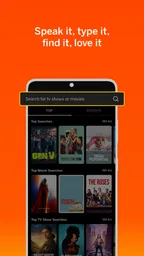
There is also a difference between discovering entertainment and finding a specific title you already know you want. Discovery tools are most helpful when you are undecided or browsing; they are not necessarily the quickest route when you already have a particular service or program in mind. In that situation, opening the service you normally use may be more direct. I’d use WatchFree+ to explore its own viewing options, not presume it searches every place you watch.
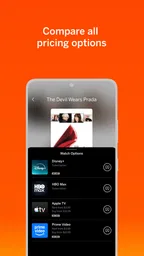
Likewise, a free live-TV experience is not automatically the right substitute for a paid service, a cable package, or a dedicated streaming app. Those alternatives may suit you better if you depend on a particular channel, show, or viewing routine that you cannot find here. The useful comparison is not which option sounds broader in general, but which one reliably carries the content you actually watch and works with the devices you use.
There are a few simple habits that make the app easier to judge. Try it during a time when you can test both browsing and device control without rushing. Keep the first session focused on one goal, such as finding something to watch. If you later want to use the phone as a control tool, test that separately. That way, a problem with one part does not unfairly color your opinion of the whole app.
Who will get the most from it
I can see this being useful for someone who already watches on VIZIO equipment and wants live entertainment, discovery, and device control within the same app. It may also suit a household member who wants a convenient way to browse rather than navigating every option directly on the television. The strongest case is practical: if the app makes a routine task quicker in your own setup, it earns its place.
It is less suitable if you mainly watch through a different television brand, expect one app to control every device at home, or want a complete replacement for the services and channels you already rely on. I would also skip it as a primary entertainment destination if you only want a specific subscription’s catalog and already know exactly where to find it. In those situations, the app may add another step instead of removing one.
Its audience is broad enough to be reflected in its Teen content rating, and it has a 4.2 average from around 95 thousand ratings. It has been installed over 10 million times, which suggests many people have tried it, but popularity alone cannot tell you whether it matches your particular TV and viewing habits. I’d use those figures as background, not as a substitute for checking the fit at home.
VIZIO first released the app on March 21, 2016, and it remains a free entertainment option. For a long-running app, the important question is not its age but whether the current version works smoothly with your setup and helps with a real task. I’d give it a fair trial, then keep it only if I find myself using its live viewing, discovery, or control tools often enough to justify another app on my phone.
My practical verdict
I’d recommend VIZIO | WatchFree+ to VIZIO users who want a convenient place to explore live entertainment and manage a compatible viewing setup, while keeping expectations grounded. Start with the feature you need, confirm the phone and TV are in the right setup, and troubleshoot one function at a time. If something fails across the television and other apps too, look beyond the app before reinstalling or changing settings.
For me, its value depends on fit more than on a promise to replace everything else. It is worth trying if VIZIO is already part of your viewing routine and you want its entertainment and control options close at hand. If your priority is a particular paid catalog, another TV brand, or a single app that unifies every service, your usual streaming app or a service designed around that need will probably be the better choice.
What we like
- WatchFree+ offers live channels without a subscription.
- The channel guide makes it easy to browse live programming.
- On-demand titles add another way to find something to watch.
- The service is built into supported VIZIO TVs.
- No separate cable box is needed to watch its channels.
What could be better
- Ads interrupt viewing on both live and on-demand content.
- Channel selection may vary by location.
- The app is limited to supported devices and regions.
- A stable internet connection is needed for streaming.
- You may find fewer familiar channels than with cable TV.





