
VifunAI : AI Video Generator review
 Analysis by Appsdrops
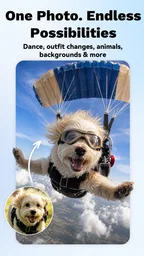
I look at VifunAI less as a general video editor and more as a quick way to turn a still photo into a stylized clip. That distinction matters: an AI-generated result can add motion and atmosphere, but it is not the same as carefully editing footage you shot yourself. If you want a fast creative experiment for a social post, a personal greeting, or a playful image, VifunAI has a clear appeal. If you need precise control or have sensitive images you would not want to process casually, I would take a more cautious route.
What kind of creative tool it is
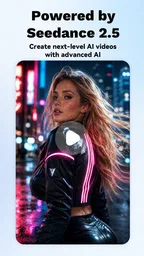
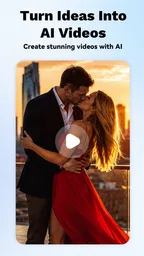
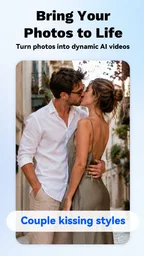
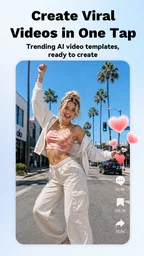
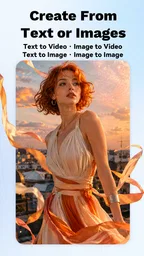
This is an Art & Design app from MOON TEMPLE LIMITED, built around making videos from photos with templates, effects, and creative tools. The focus is on getting from a single image to something with movement and visual style, rather than arranging multiple clips on a traditional editing timeline. That makes it approachable for someone who has an idea but does not want to learn a full editing suite first.
In my view, that photo-first approach is both its strongest selling point and its main boundary. A portrait, pet picture, or travel snapshot can become a more expressive piece to share, but the result depends heavily on the source image and the style chosen. It is best treated as a creative interpretation of a photo, not as a faithful record of an event or a substitute for footage.
The app is free to install, with in-app purchases listed from $2.99 to $179.99 per item. That range is worth noticing before getting attached to a particular template or workflow: free entry does not mean every creative option will necessarily be free. I would explore the available choices and any purchase screen carefully before confirming a transaction, especially if I were trying the app with a child or using a shared device.
Trust begins with sensible expectations
VifunAI has an average rating of 4.0 from around 1.8 thousand ratings, alongside about 65 written reviews and over 500 thousand installs. Those figures suggest a real audience, but they do not tell me whether a particular effect will suit my photos or how the app handles every privacy concern. I use popularity as context, not as a substitute for checking the choices shown on my own device.
The app is rated Teen, so it is not positioned as a tool exclusively for young children. That label is a useful reminder for families, but it does not replace an adult’s judgment about the photos being selected, the content being made, or purchases being enabled. For a teenager, I would explain that personal portraits and other identifying images deserve more care than a generic illustration or a picture of an object.
Its release date is February 26, 2026, and the current version is 1.3.3.1. It supports Android 8.0 and later. I would keep the app updated when using it, since a current version is generally the sensible starting point for any app, while remembering that an update alone does not answer questions about data handling or account controls.
How I would approach the controls
One practical advantage of a photo-to-video workflow is that you can make deliberate choices before generating anything. I would begin with a copy of an image I am comfortable experimenting with, rather than immediately choosing a family photo, a work document, or a picture that reveals a home address or other private detail. That small habit keeps the creative test low-stakes.
I would also pay attention to the prompts that appear during setup and while using the app. If a permission request appears, I would ask whether it fits the action I am trying to take at that moment. Choosing a photo is not the same as wanting broad access to a whole library, so I would prefer the narrowest available selection method when the device offers one. The exact options can vary by operating system and device, so it is sensible to read what is actually on screen instead of assuming a particular control exists.
Before starting a generation, I would check the selected photo and template one last time. This is a useful, often-overlooked pause: it catches accidental selections and reduces the chance of spending time or money on the wrong image. If the app presents a purchase prompt, I would treat it as a decision point rather than tapping through automatically. The listed purchase range is broad enough that checking the item and its cost matters.
Where photo choice and privacy meet
Images can contain more than the subject you intend to animate. A casual snapshot may show a child in a school uniform, a license plate in the background, a work badge, or a recognizable location. For a first test, I would choose a picture with a simple background and no sensitive details. That is not only a privacy precaution; uncluttered images can also make it easier to judge whether the effect is doing what I want.
For a birthday greeting, for example, I might use a non-sensitive portrait and create a short visual keepsake to send to relatives. I would avoid using an image of someone else without their agreement, particularly if the result changes their appearance or could be mistaken for real footage. AI-styled motion can look playful, but viewers may not know how it was made unless I explain it.
For workplace or client material, I would be more conservative. A product image intended for public promotion may be suitable for experimentation, while an unreleased design, private customer photo, or confidential document is a poor choice unless I have independently established that the processing and sharing arrangements meet the relevant requirements. I would not assume that an app’s creative purpose makes every upload appropriate.
A workflow that avoids disappointing results
When I want a better first attempt, I start with a clear subject, good lighting, and a crop that leaves the important face or object visible. Then I compare the available templates with the mood I actually want instead of choosing the most dramatic effect by default. A subtle treatment can work better for a personal greeting, while a bolder style may suit a humorous post. The point is to match the effect to the reason for making the clip.
I would make one or two small tests before building a polished post around a particular image. AI effects can interpret details in unexpected ways, so an early preview helps me decide whether to change the crop, choose another photo, or abandon that template. This is more efficient than repeatedly changing unrelated settings without knowing which choice caused the improvement.
Another useful habit is to keep the original photo untouched. The generated video is a separate creative outcome, and preserving the source makes it easy to try a different look later or use the original in another editor. If the goal is a finished video with precise timing, captions, music placement, and multiple shots, I would use a conventional video editor after this stage—or choose one from the start—rather than expecting a photo-animation tool to handle every part of a production.
Who will enjoy it, and who may prefer another app
I can see VifunAI working well for someone who mainly creates casual visual content and wants a low-friction way to make a still image feel more dynamic. It may also suit people who enjoy trying different looks without learning a complicated timeline. A small business owner could use it to brainstorm a social visual from a product photo, provided the image is approved for that use and the result is checked before publishing.
It is less suitable for a creator who needs exact frame-by-frame control, consistent character movement, detailed sound editing, or a dependable professional pipeline. In those cases, a full video editor offers a more predictable structure, and a dedicated animation tool may be better when the motion itself needs close direction. VifunAI’s appeal is speed and experimentation; those priorities do not automatically translate into precision.
I would also skip it for images that are too private to share with a creative service, or when I need a guaranteed realistic result. A generated effect can alter the impression of a face or object, and that may be a drawback for documentary, business, or archival work. If accuracy matters more than novelty, editing real footage or applying conventional visual effects is the safer fit.
A measured recommendation
For anyone curious about photo-based AI video, VifunAI is worth considering as an experiment-first creative app. Its free starting point makes it easy to see whether the style suits you, while the in-app purchase range means I would review each paid choice rather than assume all templates or tools are included. The Teen rating, substantial install base, and 4.0 average offer useful context, but none of them should decide what images you upload.
My recommendation is conditional: use a low-risk photo, inspect permissions and purchase prompts as they appear, and judge the output before sharing it. Keep sensitive portraits and confidential images out unless you have a clear reason and are comfortable with the choices the app presents. If you want a quick, playful transformation, it has a sensible niche; if you need detailed editing or stronger certainty around a sensitive workflow, a traditional editor or a more controlled process is the better choice.
What we like
- Turns text prompts into short AI-generated videos.
- Offers a simple workflow for creating clips.
- Useful for making social media content without filming.
- AI generation can inspire creative visual ideas.
- Lets users explore video creation with minimal editing skills.
What could be better
- Generated scenes may not match the prompt precisely.
- Video generation can take time to complete.
- Output quality may vary between attempts.
- Free use may have limits or require in-app purchases.
- Results may need extra editing before sharing.





