



Vidu - AI Video Generator review
 Analysis by Appsdrops
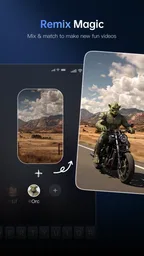
I think Vidu makes the most sense when you have an image, a visual idea, or a social post that needs motion but not a full editing project. It is an AI video app in the art and design space, developed by ShengShu AI HK Limited. Rather than treating it as a replacement for a complete video editor, I’d approach it as a way to explore and make short visual material, then decide what deserves more careful finishing elsewhere.
Vidu is free to install, rated for Teen audiences, and has a 4.8 average from around 73,000 ratings. That level of reception is encouraging, but it doesn’t tell me whether every generated result will suit a particular brief. The useful question is how well its quick creation flow fits your actual task: making a concept visible, producing a social-ready starting point, or experimenting with a look you would otherwise struggle to animate.
Begin with a clear visual starting point
Before opening an AI video generator, I find it helps to decide what the clip needs to communicate in one glance. Is the subject a person, a product, a place, or an illustration? What should move, and what should remain recognizable? This preparation matters with Vidu because a vague idea gives the generator too much room to interpret, while a simple, focused direction gives you a more useful basis for judging the output.
A practical starting condition might be a still image you already like but that feels static in a feed. Another could be a rough creative concept: a particular atmosphere, subject, or moment you want to test before investing time in a more involved production. I’d keep the first attempt narrow. Ask for one main visual event rather than a sequence of unrelated actions, and think about the clip’s intended destination before generating anything.
That last point is easy to overlook. A video meant to catch attention in a social scroll has different priorities from a polished product demonstration or a scene that must match footage shot by a team. For a quick visual hook, an unexpected transformation may be enough. For a brand asset, continuity, precise detail, and repeatability matter much more. Vidu is most appealing when the goal is exploration or a compact visual result, not strict production control.
Set up the task before asking for motion
I would make a short mental brief with three parts: the subject, the change or movement, and the mood. For example, if I were preparing a post for a small shop, I might start with a product image and decide whether I want a gentle reveal or a more expressive scene. Keeping those decisions separate helps me spot what went wrong later. If the subject changes, the input may be the issue; if the mood is off, the direction may need refinement.
A useful non-obvious trade-off is that more elaborate requests are not automatically better. Several actions, camera-like movement, and extra background details can compete for attention in a short generated clip. I’d first test the central motion alone, then add complexity only if the simpler attempt preserves the subject. That sequence is more informative than changing every part of the prompt at once, because it gives you a clearer idea of which instruction affected the result.
Vidu’s current version is 4.2.5, and the app has passed 1 million installs. Those figures suggest a substantial audience, but my recommendation is still task-specific: begin with a low-stakes idea and assess whether the output’s interpretation is close enough for your use. If you need exact choreography, consistent character details across a long sequence, or fine control over every frame, a conventional animation or editing workflow is likely a better fit.
Move from idea to a useful first attempt
Once the goal is clear, the creation stage is best treated as a draft cycle rather than a one-click promise. Give the app a focused direction, review what it produces, and compare the clip against the original intention. The important question is not simply whether the result looks striking. It is whether the key subject remains legible, the movement supports the idea, and the clip would make sense to someone who has not seen your prompt.
For social creators, that review can be surprisingly practical. A clip may have an attractive look but place the subject in an awkward position for a caption or crop. Before committing to it, consider how it will sit beside text, a profile layout, or other posts. If the visual only works when viewed full-screen, it may not serve the feed as well as a less dramatic version with a clearer focal point.
One workflow tip I’d use is to keep a small record of what you asked for and what you liked about each attempt. Not because every result needs archiving, but because visual generation can make it tempting to chase novelty without learning from the previous output. Note whether the useful part was the atmosphere, the movement, or the composition. Then make the next request address one weakness while preserving the strength.
This also helps answer a common practical concern: do you need a finished concept before using the app? No. Vidu can be useful precisely because it lets you investigate a visual direction. But I would still bring a specific question to each attempt. “Could this still image feel more alive?” is a better starting point than “make something cool,” because it gives you a standard for deciding whether the result helped.
Hand the generated clip into a larger workflow
For me, the app’s role is clearest at the handoff. A generated video can become a draft for a social post, a visual reference for a collaborator, or a rough proof of concept to discuss with a client or team. It can also reveal whether an idea has enough energy to justify more work. In those situations, the output is valuable even if it is not the final asset: it gives other people something concrete to react to instead of asking them to imagine a scene from a description.
That handoff should include a little judgment from the person who made the clip. I would tell a collaborator what to evaluate—subject identity, overall mood, or the timing of the main visual change—instead of presenting the file as an unquestionable finished result. AI-generated visuals may contain details that feel inconsistent on closer inspection, and a recipient who knows the intended purpose can help distinguish a harmless quirk from a problem that makes the clip unusable.
If the result is headed into a normal editing workflow, I’d plan for a human finishing pass. The surrounding post may need captions, sound, pacing, a title card, or a crop suited to its destination. Those are editorial decisions, not minor extras: they determine whether the generated material feels integrated or like an isolated experiment. Vidu can help supply the visual starting point, while an editor remains the sensible place to assemble and refine a complete piece.
There is another useful handoff for people working alone: use a generated clip as a test of the concept, then create the final version with a method that offers the control the project needs. A creator could use the rough result to explore a mood before filming, drawing, or editing a more deliberate version. That makes the app less of an all-or-nothing choice and more of a fast idea-testing tool.
Judge the result by the job it needs to do
After generation, I would check the clip at two levels. First, does it communicate the intended subject and feeling quickly? Second, does it hold up when watched more carefully? The first test matters for a quick social visual; the second matters if viewers will pause, if a product detail must be accurate, or if the material represents a person or organization. A result can pass one test and fail the other, so I wouldn’t judge it by novelty alone.
For a realistic everyday scenario, imagine a creator preparing a post after photographing a new handmade item. The still image is attractive, but the creator wants a livelier visual to introduce it. They can use Vidu to explore motion, pick a result that keeps the item recognizable, and then pass it into an editor to add the post’s wording and finish. If the generated movement distracts from the item or changes the details that customers need to see, the creator can keep the original photo instead. That is a sensible use of generation: it adds an option without making the AI result mandatory.
People often ask whether an AI video app can replace filming. In my view, that depends on what the clip is supposed to prove. For mood, concept exploration, and imaginative visuals, generated material may be enough. If viewers need to see how a real object works, how a place actually looks, or what happened at a real event, ordinary footage is the more trustworthy choice. Vidu is not a substitute for evidence when accuracy is the point.
It is also worth asking whether the output needs to be edited elsewhere. If the requirement is a self-contained visual experiment, the generation may be the main event. If you need a sequence with careful pacing, readable text, coordinated sound, or a consistent visual identity across multiple pieces, expect another tool or a human edit to do the finishing work. That distinction helps avoid disappointment: an AI video generator and a full timeline-based editor solve related but different problems.
Where the flow can break down
The main friction is the gap between a compelling idea and a dependable result. A generator can interpret a request in a way that looks appealing but misses the details that matter to you. That is especially troublesome when a face, logo, product shape, or precise action must remain stable. In those cases, I would not promise a client or audience that the first generation will be final. Build in time to inspect the output and choose another production route if the essential detail does not hold.
Another limitation is creative iteration without a stopping point. Because it is easy to keep testing visual directions, you can spend more time selecting among drafts than making the actual post. I’d set a purpose for the session—such as finding a viable opening visual—and stop once a version meets that purpose. If none does, that is useful information too: perhaps the original still image, a filmed shot, or a manually animated treatment is better for the job.
The app is free to download, but it includes in-app purchases ranging from $0.49 to $249.99 per item. I would check the purchase details in the app store before relying on a particular amount of ongoing use; a free installation does not mean every way of using a creative service will be free. If you only want to experiment occasionally, make sure the available free experience is sufficient for your own trial before building a production routine around it.
For alternatives, I’d separate the choice by workflow. A conventional mobile editor is preferable when you already have footage and need dependable trimming, titles, sequencing, or audio decisions. A desktop animation tool suits work that demands deliberate movement and exact control. A camera is the right tool when authenticity and factual detail matter. Vidu’s advantage is the possibility of turning a visual prompt or starting image into a moving concept without first constructing every element by hand; its trade-off is that the creator has to evaluate what the AI actually made rather than assume it followed the brief perfectly.
Who I’d recommend it to
I’d recommend trying Vidu if you make social content, enjoy visual experimentation, or often need a fast way to show an idea in motion. It is particularly appealing when a rough visual is more useful than a blank page: a creator can test a mood, a small business can explore a post concept, and an artist can see whether a still image gains something from movement. The app’s home in art and design feels appropriate for that kind of exploratory work.
I’d be more cautious if your work depends on exact continuity, predictable results, or control over every production detail. It may also be the wrong first choice if your main need is editing existing footage rather than generating a new visual direction. In those cases, a dedicated editor or animation package will give you a more direct route, even if it takes more effort to produce the first draft.
Overall, I see Vidu as a practical creative sketchbook that can produce material worth developing, not a guarantee that every idea will emerge ready to publish. ShengShu AI HK Limited’s app has a 4.8 average and around 3,400 written reviews, while its free download makes it accessible for a cautious trial. I’d start with one clear visual goal, keep the first request focused, and decide in advance what would make the result usable. If you treat the generated clip as a draft that still deserves an editor’s eye, it can be a genuinely helpful addition to a social creator’s toolkit.
What we like
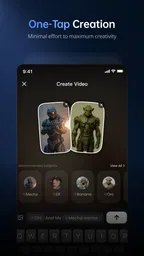
- Turns text prompts or images into short AI-generated videos.
- Offers a straightforward workflow that is easy for beginners to follow.
- Useful for creating social media clips without video editing skills.
- Multiple visual styles help shape the look of generated videos.
- Cloud-based generation avoids demanding work on the phone itself.
What could be better
- Generated details may look inconsistent or change between frames.
- Results can differ from the prompt and may need several attempts.
- Video generation may take time during periods of high demand.
- Free access may include limits on credits or available features.
- AI-generated clips may not be suitable for precise professional work.





