Universal TV Remote Control review
 Analysis by Appsdrops
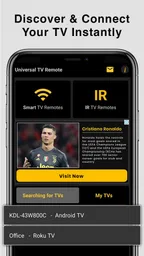
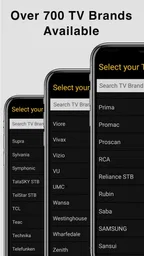
I like the idea of keeping a TV remote on my phone, but a universal remote app is only useful when it can actually connect to the television in front of me. Universal TV Remote Control is aimed at that everyday problem: it offers phone-based controls for smart TVs and TVs that use infrared. That makes it worth considering if you often misplace the physical remote, though the connection method and your particular TV matter more than the word “universal” might suggest.
What the free option is worth
The app is free to install, and its age rating is Everyone. It also offers in-app purchases, with items priced from $1.49 to $27.99. I would treat the free access as a chance to check whether the app works with my setup, not as a promise that every feature or use case is free. Before paying for anything, I’d first confirm that the basic connection is reliable and that the controls I need are available to me.
That distinction matters because a remote app has little value if it cannot reach the TV. With an infrared-capable phone, the handset can send commands directly to a compatible TV. With a smart TV, control generally depends on a supported connection between the phone and television, so network setup and device compatibility can affect the experience. I’d check those basics before treating a purchase as a solution to a connection problem.
CodeMatics Media Solutions has developed the app, which has been available since September 7, 2015. Its current version is 3.5.0, and it requires Android 7.0 or later. It is listed in the House & Home category, a natural fit for a tool intended to make everyday home entertainment easier to manage.
Value depends on a successful connection
There is a practical upside to starting at no cost: I can test the app in the room where the TV is, rather than guessing from a feature list. I’d try the controls I use most—power, volume, input, and navigation—before deciding whether it deserves a place on my phone. If those everyday commands respond consistently, the app may be useful even if I rarely open it. If the setup fails or commands lag, a paid option is unlikely to make the basic experience worthwhile.
I also wouldn’t compare the purchase range with the price of a physical replacement remote without checking what each purchase actually unlocks. The listed range runs from $1.49 to $27.99 per item, but that alone does not tell me which items are useful for my TV or whether I need them. My advice is to read the in-app purchase details carefully and avoid buying until the free setup has proved that the phone can control the television.
How I’d test it in a real living room
My first test would be deliberately simple. I’d stand where I normally sit, open the app, and try changing the volume and moving through a menu. Then I’d test it again from the other end of the room. A remote that works only when I hold the phone in an awkward position is less convenient than the physical remote, even if the initial connection succeeds.
For a smart TV, I’d check that the phone and TV are set up to communicate in the way the app expects. If discovery does not work, I would verify the home network and TV settings before repeatedly reinstalling the app or assuming the television is unsupported. For an infrared setup, I’d check that my phone has infrared hardware; many phones do not. Compatibility is the deciding factor, not the app’s universal label.
A useful, slightly overlooked test is to try the app when the TV is already on, not only during first-time setup. Some people primarily need a remote to navigate streaming menus, while others want to switch the TV on from standby. Those are different jobs, and a successful menu test does not necessarily prove that every power-related situation will work. I’d check the precise routine I care about before relying on the app as my only remote.
Where a phone remote helps—and where it adds friction
The strongest case for this app is a household where the physical remote regularly goes missing. If I’m cooking and want to lower the volume, or I’m settling in and the remote has slipped between the cushions, reaching for my phone can be faster than searching the room. It can also be handy when a spare TV remote is unavailable, provided the phone and television are compatible.
There is a tradeoff, though: a phone is not always the better remote. I need to unlock or open it, find the app, and make sure it is connected. A dedicated remote is usually ready in my hand and has tactile buttons, which makes it easier to use without looking. If I watch television with people who prefer physical controls, or if I use the remote constantly, this app may be a useful backup rather than a replacement.
Another practical tip is to keep the app’s role narrow at first. I’d use it as a fallback for simple commands while keeping the original remote nearby until I know how reliably it handles the TV’s menus and inputs. That avoids the frustrating situation of discovering during a movie night that I can adjust volume but cannot reach the setting I need. Once the key controls have proved dependable, I can decide whether to rely on it more often.
How it compares with the usual alternatives
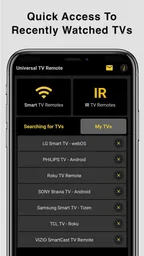
Compared with the remote that came with a TV, a phone app trades tactile buttons for the convenience of having a control device already nearby. Compared with a TV maker’s own app, a universal option may be appealing if I have more than one brand of television at home, but the word “universal” does not guarantee identical support or controls across every model. I would judge it by the TV I actually own, rather than assuming broad compatibility means complete compatibility.
A separate universal remote is another option. It can be more comfortable for frequent use and does not require me to unlock a phone, but it is another physical item to buy and keep track of. The app makes more sense when I want a convenient backup and already have a compatible phone. A TV manufacturer’s app may be the better choice if its controls are designed specifically for my model and the universal app does not handle a feature I use.
The app has a 3.9 average from around 467,000 ratings, alongside around 10,000 written reviews, and it has been installed over 100 million times. Those figures suggest that many people have tried it, but they do not tell me whether it will work with my particular television. I’d use them as context, not as a substitute for checking my device and testing the connection myself.
Who is most likely to get value
I’d recommend giving it a try if you have a compatible Android phone, regularly lose the remote, and mainly want basic television controls. It is also a sensible backup to test before travel or a move, when the usual remote may not be immediately available. The free installation lowers the barrier to checking whether it fits your setup, while the age rating means it is presented for general audiences.
I’d skip it—or keep expectations modest—if your phone lacks infrared and your TV does not work with the smart-TV connection method, if you need guaranteed control of every function, or if you strongly prefer physical buttons. It is also not a good purchase to make on hope alone. First establish that the app sees the television and performs the tasks you actually need; only then consider whether an in-app purchase offers value for you.
My verdict is that Universal TV Remote Control is best approached as a free trial for a very specific household problem, not as a guaranteed replacement for every TV remote. When it connects and the essential buttons respond, having a backup in my pocket is genuinely convenient. When compatibility or setup gets in the way, the original remote or a TV-maker-specific alternative is the more dependable choice. I’d install it, test it carefully in my own living room, and spend nothing until it proves useful there.
What we like
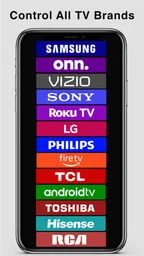
- Works with many TV brands and models.
- Offers a convenient alternative to a physical remote.
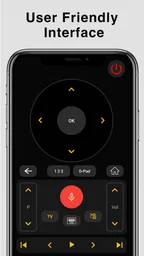
- Puts common controls within easy reach on a phone.
- Can help when the original remote is lost or damaged.
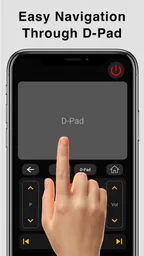
- The familiar button layout is easy to navigate.
What could be better
- Requires a compatible phone with an infrared emitter or supported network setup.
- Some TVs may not support every available function.
- Initial pairing can take extra steps depending on the TV.
- Ads may interrupt the experience in the free version.
- Phone use can drain battery faster during extended control sessions.





