



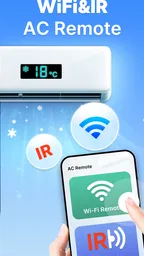
Universal AC Remote Control review
 Analysis by Appsdrops
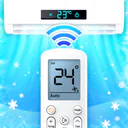
I like the idea behind Universal AC Remote Control: instead of searching for a misplaced air-conditioner remote, you can try to manage the unit from your phone. That convenience is appealing, but this app is only useful when it can communicate with your particular air conditioner. My overall take is that it’s worth trying if you want a phone-based alternative and are prepared to check compatibility; it is not a guaranteed replacement for every household remote.
A phone remote with a practical purpose
Universal AC Remote Control is a free House & Home app from TV Master - Smart TV Remote Control. Its purpose is focused: make controlling an air conditioner easier through a mobile app. The app has a 4.2 average from around 362,000 ratings, and has been installed over 10 million times. Those figures suggest broad interest in the idea, but they cannot tell you whether it will work with the specific unit in your home.
That distinction matters because “universal” can sound more certain than it is. In practice, remote-control apps depend on the phone and the appliance being compatible. Before relying on this for daily temperature changes, I would test it with the air conditioner you actually use and keep the original remote somewhere accessible until you know the app works reliably.
The app is rated for Everyone and is currently version 3.5, with Android 6.0 as its minimum operating-system requirement. It also offers in-app purchases ranging from $9.99 to $29.99 per item. I would begin with the free experience and decide whether it meets your needs before considering any paid option.
Where the convenience is strongest
The clearest benefit is having a potential backup control method close at hand. If the remote disappears between the sofa cushions, or you want to adjust the air conditioner without getting up to look for it, reaching for a phone may be more convenient than searching a drawer. That is a small everyday improvement, but it is exactly the kind of problem this app is meant to solve.
A realistic use case is arriving home on a warm evening and wanting to switch on the air conditioner before settling in. If the phone and unit work together, an app can spare you the hunt for a remote and let you make an adjustment from where you are. I would still treat that as a useful convenience rather than assume it will work from any room or in every situation.
There is also value in keeping control in one familiar place. Many people already carry a phone around the house, while a dedicated remote can be left in another room or misplaced. If Universal AC Remote Control works with your appliance, it may reduce that everyday friction without requiring you to make the phone your only way to operate the unit.
One practical tip is to test the basic actions you use most, rather than deciding based on a single successful connection. Try turning the unit on and off and making the ordinary adjustment you would reach for the remote to perform. Then repeat the test at the distance and from the room where you expect to use it. A quick check at close range is not enough to establish that the app suits your routine.
Compatibility is the deciding factor
The most important question is not whether a remote app sounds convenient, but whether this one can control your air conditioner. Compatibility is the central trade-off: a phone app can replace a physical remote only if the phone and appliance can communicate as needed. I would not make plans to discard or put away the original remote until I had tested the app with my own setup.
If nothing happens when you try to use it, that does not automatically mean you have made a mistake. It may simply be a poor fit for the devices involved. In that situation, repeatedly attempting to use the app is less useful than switching back to the original remote or checking whether your air conditioner has another supported control method. The app is not a substitute for compatibility.
This is also why I would be cautious about treating it as a dependable control method for every household member. If someone else needs to adjust the air conditioner, make sure they can use the app and that it works where they normally sit or sleep. A physical remote can remain the simpler shared option, especially when the phone owner is away or their battery is low.
Another useful way to evaluate it is to think about the cost of failure. If you only want an occasional backup, a free app that works when needed may be enough. If you depend on precise, routine control throughout the day, test it more thoroughly before changing your habits. A failed command at an inconvenient moment can make the original remote feel much more valuable than it did while it was sitting on the table.
How it compares with the usual alternatives
The obvious alternative is the air conditioner’s original remote. That device is already intended for the unit and does not depend on keeping a phone nearby or opening an app. If the remote is easy to find and works properly, it may remain the least troublesome choice. Universal AC Remote Control makes more sense as a backup or convenience option than as an automatic upgrade.
There is also the familiar workaround of placing the remote in a consistent spot. That costs nothing and avoids any compatibility question, though it does not help when the remote is misplaced or you want to use your phone instead. The app’s advantage is therefore practical rather than dramatic: it can help when phone access is easier than reaching for a dedicated controller.
Compared with trying to manage the air conditioner through other equipment or a broader home-control setup, this app has a narrower purpose. That focus can be welcome if all you want is a phone-based AC remote. It is less compelling if you are looking for a complete smart-home system or a single app for many kinds of household devices; its stated job is specifically air-conditioner control.
I would also separate the free download from the decision to pay. Since in-app purchases range from $9.99 to $29.99 per item, it is sensible to confirm that the app works for your needs before spending anything. I would not pay simply because the word “universal” sounds reassuring. First establish that the free option gives you a useful way to control your own unit, then judge whether any purchase is worth its cost to you.
Who should give it a try
I would recommend trying Universal AC Remote Control if you often misplace your air-conditioner remote, prefer using a phone for household controls, or want a possible backup. It is especially reasonable for someone who can test it without giving up the original remote. The free starting point makes that trial easier, while the large number of installs shows that many people are interested in this sort of convenience.
It is a weaker fit if your priority is guaranteed compatibility, if you need a dependable control method for other people in the home, or if the original remote already does its job perfectly. I would also skip relying on it as the sole option until it has passed repeated tests with your own air conditioner. A useful backup should reduce hassle, not create uncertainty whenever you want to adjust the room.
For Android users, the minimum requirement of Android 6.0 means the app is aimed at phones running that version or newer. The practical decision still comes down to whether your particular phone and AC setup work together. I would install it, try the controls in the real room where the air conditioner is used, and keep the original remote nearby during the test.
A measured verdict
My verdict is positive but qualified: Universal AC Remote Control addresses a genuine small annoyance, and when it works with a household’s equipment, phone-based control can be handy. Its strength is convenience, not a promise that every air conditioner will respond. That makes compatibility testing the most valuable step a new user can take.
If you want an easy backup and are comfortable checking whether your setup is supported, this is a reasonable free app to try. If you need certainty or already have a reliable remote, the familiar physical controller may still be the better choice. I would keep both options available until the app has proved itself in everyday use.
What we like
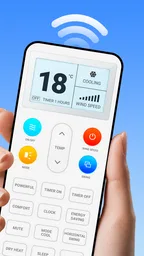
- The remote layout is straightforward for basic temperature adjustments.
- It can help when the original remote is misplaced.
- Quick access to common controls can simplify everyday use.
- A virtual remote is convenient when your phone is already nearby.
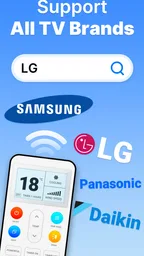
- It may support multiple air conditioner brands and models.
What could be better
- Compatibility depends on your phone having an infrared emitter.
- Some air conditioner models may not be supported.
- Setup can take time if the exact model is hard to identify.
- The app cannot control an AC when the phone is out of infrared range.
- Some features may require permissions or in-app purchases.





