

AlfredCamera Home Security app review
 Analysis by Appsdrops
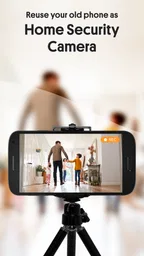
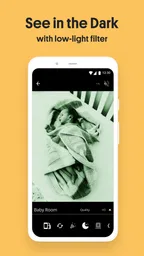
I find AlfredCamera most useful when I want a quick view of a room I already know, rather than a complicated security system to install and manage. It turns compatible phones into a way to check in remotely, with live video and a walkie-talkie function, so it can suit a household that has an unused device and a practical reason to keep an eye on a space, pet, or sleeping baby. The main appeal is the low barrier to trying that setup; the main caveat is that a phone-based camera is not automatically a substitute for dedicated security equipment.
What you get without paying
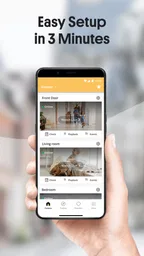
AlfredCamera is a free House & Home app from Alfred Systems Inc. Its basic proposition is easy to understand: set up a camera phone and use another device to view it from elsewhere. The app is listed as free, which makes a trial run possible without committing to a purchase at the outset. It also offers in-app purchases, with items listed from $1.99 to $99.99, so “free” should not be read as a promise that every option or use will remain free.
I would treat that distinction as important when deciding whether it fits. Start by checking what you can do in the free version on your own devices, then consider whether any paid option solves a real need for you. The listed purchase range is broad, and the exact value depends on what is offered in the app and what you want to accomplish. I would not spend simply because a feature sounds reassuring; first make sure the everyday camera-and-viewer workflow works reliably in your home.
The app has a 4.7 average from around one million ratings, and it has been installed over 50 million times. Those figures suggest that many people have tried it, but they do not guarantee that it will suit a particular room, phone, or home network. AlfredCamera is rated for Everyone, and its current version is 2026.23.0, with Android support listed from version 5.0 onward. It first appeared in 2012, so this is a long-running app rather than a new experiment, though I would still judge it by how it behaves on the devices I plan to use.
Where the value comes from in daily use
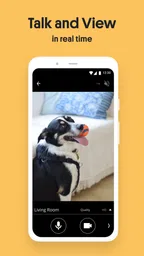
The practical value is not just seeing a live image; it is being able to check without being in the room. Imagine leaving a dog at home while you run a nearby errand. A camera phone positioned to cover the dog’s usual resting area can let you confirm whether it is settled, while the walkie-talkie feature gives you a way to speak through the setup. That can be more useful than a silent camera when a familiar voice might help, though it should not be treated as a guaranteed way to calm every animal.
For a parent, the same arrangement can offer a quick visual check from another part of the home or while away. I would use it as an extra source of reassurance, not as a replacement for attentive care or a purpose-built monitor when specialized monitoring is essential. A live view depends on the camera device being positioned well and available when you need it. Before relying on it, I would test the whole routine from the place where I expect to view, rather than assuming that setup in the same room proves remote access will be convenient.
One useful setup tip is to think about the camera phone’s job before choosing its location. A wide view of a room may be more informative than a close-up of a doorway if the real question is whether a pet is resting comfortably. At the same time, a phone tucked away for a broad view may make the person or animal harder to see clearly. I would try a few sensible positions, check what the viewer actually shows, and settle on the one that answers a specific question without exposing more of the room than necessary.
A second practical point is to make the camera device part of a repeatable routine. Keep it in a known place, aim it at the area that matters, and confirm that it is ready before leaving. A spare phone that is often moved, switched off, or borrowed by someone else is an unreliable camera, even if the app itself is straightforward. That small bit of household planning is easy to overlook, but it often matters more than adding extra settings or buying an option before you know what you need.
The walkie-talkie function is also worth testing in context. A brief spoken message can be useful when you want to check in, but the result depends on the people or pets at the other end being able to hear and respond. I would try it while at home first, at a normal speaking volume, rather than making the first test during a stressful moment. For a baby, it should not replace physically checking on them; for a pet, it is a communication aid rather than proof that everything is fine.
How it compares with familiar alternatives
Compared with a dedicated security camera, a phone-based arrangement can be appealing if you already have a spare device and want to avoid buying another camera just to test the idea. A dedicated camera may be the better choice if you want hardware designed to stay in one place or need a more permanent installation. The tradeoff is that AlfredCamera asks you to supply and manage the camera phone, so the convenience depends on keeping that device available and positioned correctly.
Compared with a simple audio baby monitor, the app’s live image can answer visual questions that sound alone cannot. But some households may prefer a purpose-built monitor for a routine centered on a child’s sleep, especially if they want a dedicated device rather than configuring phones. And compared with asking a neighbor or family member to check in, AlfredCamera gives you a direct view when you have access to the setup, but it does not provide the human judgment or physical help a person can offer.
That makes the app strongest as a flexible, low-friction check-in tool, not as a universal answer to home security. A camera view can help you notice what is happening in the frame; it cannot tell you everything about the home or respond on your behalf. If you need a system for serious security concerns, or a monitor with capabilities beyond a general live camera and talk function, I would compare dedicated products against your specific needs before relying on this app.
Tradeoffs I would plan around
The first tradeoff is device dependence. Your camera is a phone, so the setup is only useful while that phone remains available, placed sensibly, and ready for the task. If you plan to use an old handset, test it for a full ordinary routine before counting on it. Make sure you can access the view from where you will actually be, and check that the camera angle still works after the device has been left in its chosen spot.
The second is the difference between a live check and continuous assurance. Looking in at a moment can settle a small uncertainty, but it does not mean you have constant awareness or that every important event will be apparent. I would use it for questions like “Is the dog in its bed?” or “Is the room as I left it?” rather than treating a glance at the screen as a complete security assessment. That more modest expectation makes the app easier to evaluate honestly.
Privacy deserves thought, too. A camera pointed into a home records a view of a private space, so I would choose its angle deliberately and tell other household members how it is being used. Avoid pointing it at areas that do not need monitoring, and turn the setup off or reposition it when the original reason for using it has passed. This is sensible practice for any indoor camera, but it is especially easy to neglect when the camera is a phone that can be moved from room to room.
Finally, free access and optional purchases do not answer every value question by themselves. The free starting point is attractive if you already own a spare phone and only need occasional remote checks. If you are considering an in-app purchase, weigh its cost against how often you will use the relevant option and whether a dedicated camera or monitor would better match your routine. Since the purchase range runs from $1.99 to $99.99 per item, I would inspect the particular offer in the app rather than assume that one price or feature applies to everyone.
Who is most likely to benefit
I would recommend trying AlfredCamera if you have a spare compatible phone, want to check a pet or room from elsewhere, and are comfortable managing a phone as a stationary camera. It is especially sensible for someone who wants to test whether remote viewing is useful before investing in separate hardware. The same is true for households that want an occasional visual check and can accept that the setup is a practical convenience, not a professionally installed security system.
I would skip it, or look at a different kind of product, if you do not have a suitable spare device, need equipment designed to remain installed, or want a specialized baby-monitoring or security setup. I would also avoid relying on it as the only response to a serious safety concern. In those cases, dedicated hardware or direct human support may fit the job better. The right choice depends less on the app’s popularity than on whether a phone in the right place can answer the question you actually have.
My verdict is that AlfredCamera offers a worthwhile free starting point for simple, remote household check-ins, with the walkie-talkie function adding a useful way to communicate rather than merely watch. I like the idea most when the user has an unused phone and a clear, modest purpose for it. I would set expectations, test the view and talk function before depending on them, and only pay for an in-app option after confirming that it addresses a recurring need. If that is the sort of flexible setup you want, AlfredCamera is easy to consider; if you need dedicated, specialized monitoring, I would choose equipment built for that job instead.
As a House & Home app, its best value is straightforward: use a device you already have to get a little more visibility into everyday life. It cannot replace careful supervision, a purpose-built system, or someone who can physically step in, but it can make small check-ins easier. For me, that is a sensible reason to try it—and a clear boundary for when to move on to another solution.
What we like
- Turns an old phone into a live security camera.
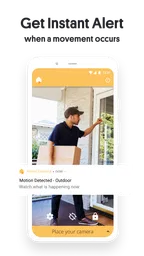
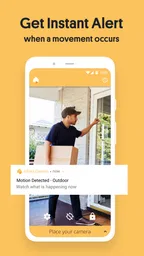
- Sends motion alerts to a paired viewing device.
- Supports two-way audio for remote communication.
- Offers cloud recording for reviewing past events.
- Includes a siren to help deter unwanted visitors.
What could be better
- Both devices need a stable internet connection.
- Continuous monitoring can drain the camera phone battery.
- Some recording features require a paid subscription.
- Motion alerts may trigger from pets or changing light.
- Camera phones need careful placement for useful coverage.





