

Trulia: Homes For Sale & Rent review
 Analysis by Appsdrops
I would use Trulia when I’m trying to understand not just which homes are available, but what it might feel like to live around them. It’s a real-estate app for browsing places for sale or rent, and its neighborhood focus gives the search a useful second dimension: a home can look right in photos yet still be a poor fit for your daily routine. My overall impression is that it works best as a discovery and comparison tool, not as a substitute for checking a property carefully or speaking with the people handling a listing.
Trulia: Homes For Sale & Rent is a House & Home app from Trulia, which is owned by ZillowGroup. It is free to download, so you can start exploring without paying an upfront app price. That makes it easy to try alongside other property-search tools. Free access is a practical advantage, but it should not be confused with a guarantee that every listing is complete, current, or suitable; I’d still verify the details that matter before making a decision.
What free access is worth in a home search
The app has a 4.7 average from around 320,000 ratings, with roughly 61,000 written reviews, and it has been installed over 10 million times. Those figures suggest that it is widely used, but they don’t tell me whether a particular listing is accurate or whether the app will fit my search. I treat them as context, not as a reason to skip checking the homes themselves.
For a renter, free access is especially handy during the early stage, when the search may change from one neighborhood or budget to another. You can explore possibilities without first committing money to a search tool. For a buyer, the value is more about convenience: keeping a broad set of options in view while deciding which areas deserve a closer look. In either case, I’d judge the app by whether it helps me make a better shortlist, rather than by how many listings I can scroll past.
The app is rated for Everyone, and its current version is 14.53.0. It runs on operating systems from version 10 onward. Trulia first appeared on March 17, 2011, so this is an established product rather than a new name in property search. Those details may help you decide whether it is compatible with your device and appropriate for your household, but they don’t change the basic advice: use it to explore, then confirm the important particulars through the relevant listing contact.
Why neighborhood context changes the shortlist
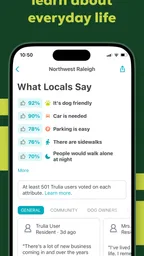
The most useful way I’d approach Trulia is to treat a home and its surroundings as one decision. A listing that seems appealing at first can become less attractive once you think about how far you’ll travel for work, errands, school, or a visit to friends. Conversely, a place that is not your obvious first choice may become worth viewing if the surrounding area suits your routines better. The app’s emphasis on finding a home in a neighborhood that fits you makes this broader comparison central to its appeal.
Here’s a realistic use case: imagine I’m looking for a rental while working full-time and trying to keep my weekday commute manageable. I’d first browse homes in several areas rather than fixating on one attractive listing. Then I’d compare the options against my actual routine: where I need to go regularly, what I can reasonably afford, and which compromises I’m willing to make. That workflow keeps a polished photo from dominating the decision. It also gives me a better set of questions to ask when I contact someone about a property.
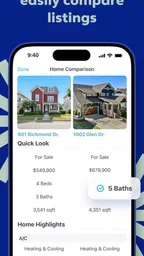
A useful, less obvious habit is to keep a “maybe” option alive for a specific reason instead of treating every non-favorite as a wasted result. One home might be appealing because of its location, another because its layout looks more workable, and a third because it appears to fit the budget. Comparing these tradeoffs side by side, even informally in your own notes, can clarify what you actually value. That is more helpful than repeatedly changing search preferences without a clear idea of what you’re trying to solve.
Use the app to compare, not to make assumptions
Property photos and short descriptions are starting points, not a full inspection. I would avoid deciding that a room is spacious, a street is quiet, or a property is ready to move into based only on what appears in an app. A picture can frame a room favorably, and a listing can leave out details that only become clear in a conversation or visit. Trulia can help me identify candidates; it cannot replace seeing a home, asking specific questions, or confirming the terms directly.
That distinction matters even more when you are comparing a rental with a home for sale. The two searches involve different commitments and questions, so I wouldn’t assume a listing’s basic presentation tells me everything I need. As I shortlist, I’d write down the points that could change my decision: what is included, what the timing looks like, what condition the property is in, and what the next step would involve. The app is most valuable when it helps me reach a focused set of inquiries rather than making me feel that browsing alone has settled the choice.
Another practical tip is to separate location preferences from must-haves. If I decide that a certain area is non-negotiable, I may miss a home that offers a better day-to-day fit a little farther away. If I treat every preference as flexible, on the other hand, I can end up with a large, tiring list. I’d use Trulia to explore the boundary between those positions: begin with the areas I know, then deliberately consider a few alternatives and compare what each would mean for my routine.
Where the tradeoffs show up
The first tradeoff is that browsing can create a false sense of certainty. A promising listing is not the same thing as a confirmed opportunity, and a neat presentation does not settle questions about condition, availability, or the terms of a deal. I would verify those details with the person responsible for the property before making plans around it. If a detail affects whether I can afford or occupy a home, I would want a direct answer rather than relying on an impression formed while scrolling.
The second is that a broad search can become distracting. It is tempting to keep opening attractive homes across many areas without deciding what a realistic commute, budget, or household need looks like. That makes every option feel possible and comparison harder. My remedy would be to set a few firm criteria before browsing, then allow myself only a small number of flexible preferences. The app supports exploration, but the discipline to narrow a search still has to come from me.
There is also a difference between a property-search app and a local, person-to-person recommendation. If I already know the area and want a professional to guide the search, a conversation with a local agent or a direct inquiry may be more efficient than browsing. Likewise, if I am looking for detailed advice about financing, legal terms, or a property’s physical condition, Trulia is not the right place to settle those questions. I’d use other qualified sources for that work and keep the app focused on discovering and comparing homes.
Compared with the usual alternatives, Trulia’s strongest reason to earn a place on my phone is the neighborhood angle, not merely the fact that it shows properties. A search tool that focuses on listings can be enough if I already know exactly where I want to live and only need to scan available homes. Trulia feels more useful when I am still deciding which area might suit me. On the other hand, anyone who wants a personal adviser, a definitive view of a property’s condition, or confirmed transaction details will need help beyond any browsing app.
Who is likely to get the most from it?
I’d recommend trying Trulia if you are moving to an unfamiliar area, weighing several neighborhoods, or starting a rental or purchase search without a settled shortlist. It can also help people who are not ready to contact anyone yet and want to learn what kinds of homes appear in different parts of a city. Since the app is free, it is a low-commitment way to begin. The main return is a clearer picture of the possibilities and a more considered list of homes to investigate.
It is less compelling for someone who has already chosen a specific property and simply needs to complete the next steps. In that case, direct communication and careful review of the relevant documents matter more than another round of browsing. I would also skip relying on it as my sole source if my requirements are unusually strict or time-sensitive. A search app can help organize attention, but a narrow deadline or a must-have condition makes confirmation from the people involved essential.
For households making a joint decision, I’d use it as a prompt for a focused conversation. Each person can identify what they care about most: commute, surroundings, room arrangement, or the general feel of a place. Then compare candidate homes against those priorities instead of arguing from a vague sense that one listing “looks better.” That approach turns a collection of options into a useful discussion, while keeping the final choice grounded in the household’s real needs.
My verdict: a sensible first step, not the whole journey
I think Trulia earns a place in an early-stage home search because it encourages you to think about the area as well as the property. Free access makes it easy to explore, and the app’s popularity gives it a substantial audience, though neither fact guarantees a perfect search experience. Its best use is practical and limited: find possibilities, compare locations, and prepare sharper questions before taking the next step.
If I were choosing whether to install it, I’d say yes for a renter or buyer who is still exploring neighborhoods and wants a convenient way to build a shortlist. I’d say no to treating it as a complete source of truth or as a replacement for direct checks, professional advice, and an in-person look where appropriate. Use Trulia to decide what deserves a closer look, then verify the details that could change your decision. That is where its free access delivers real value—and where its limits are easiest to manage.
What we like
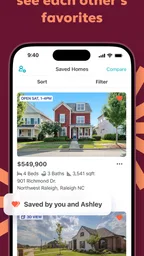
- Save favorite homes to review them later.
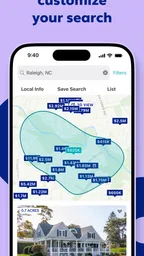
- Draw custom search boundaries on the map.
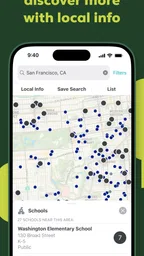
- View nearby schools and local amenities.
- Browse photos and details for many listings.
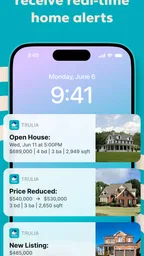
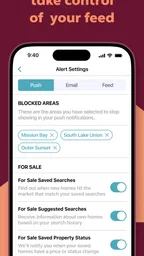
- Get alerts when matching homes are added.
What could be better
- Listing availability may change before you contact an agent.
- Some listings may have incomplete or outdated details.
- The app requires location access for location-based searches.
- Browsing rentals may involve contacting third-party providers.
- Some features may vary by location.





