Universal Tv Remote-Cast to TV review
 Analysis by Appsdrops
Universal Tv Remote-Cast to TV sets out to make your phone a practical companion for controlling a television and casting to compatible screens. That promise is handy, but the experience depends on more than the app itself: your phone and TV need to communicate in a way the app can use. I find that connection is the key question to keep in mind before treating a mobile remote as a complete replacement for a physical one.
A remote that depends on the connection
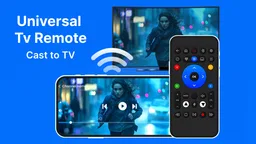
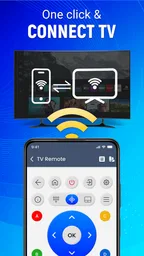
The app’s central idea is straightforward: use a smartphone as a universal TV remote, with casting support for Chromecast and other TVs. That makes it appealing when the regular remote is out of reach or when you want to try a phone-based way to control your television. It is free to install, while in-app purchases are available, so you can get started without paying upfront.
In practice, network-dependent tools are only as convenient as the devices’ ability to find each other. When the phone and TV are reachable through the connection setup the app expects, a digital remote can feel like a natural extension of the living room. When they are not, even a simple action can turn into a search for the cause: the phone, the television, or the network between them.
I would approach the first launch with a little patience. Give the app a chance to identify the TV or casting target, and make sure the devices are set up in a way that lets them communicate. This is not a criticism unique to this app; it is part of the bargain with a phone-based remote. A physical remote usually speaks directly to its television, while an app-based alternative depends on compatible devices and a working connection.
Why connectivity shapes everyday use
For a remote-control app, responsiveness matters more than a long list of promises. A tap should lead to a recognizable result on the TV, and casting should feel like a clear path from phone to screen. If that link is available, the phone can be a convenient control point. If it is unsettled, the app may feel less immediate than the remote you already know.
That distinction is especially important if you are installing the app to solve an urgent problem. If your remote has gone missing, the app may be worth trying, but it is sensible to think of setup as part of the task rather than assuming the phone will control every TV instantly. The word “universal” makes the goal easy to understand, but actual use still depends on compatibility and connection.
Using it around the home
A phone is often already nearby, which is the strongest everyday argument for a TV remote app. I can see the appeal when you are settled on the sofa, moving between rooms, or simply tired of keeping track of another small device. Instead of looking for a separate controller, you can try using the phone you have in hand.
That convenience has a trade-off. Your phone is also the device you use for messages, browsing, and other tasks, so it may not always be the ideal dedicated remote. If you put it down, lock it, or switch to another activity, controlling the TV can take a little more attention than using a physical controller. The app is most compelling when the phone is already close and the connection is ready.
In a shared home, expectations matter too. A phone-based remote works best when the person using it understands how to reach the TV through the app. If several people rely on one television, a traditional remote can remain the simplest option for quick, familiar control. I see this app as a useful alternative to try, not an automatic reason to retire every physical remote.
Casting from phone to television
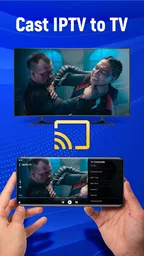
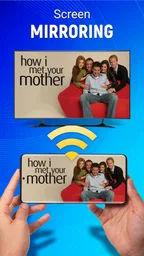
The casting angle gives the app a broader purpose than button replacement. Its store summary describes casting for Chromecast and other TVs, which may interest anyone who wants to send content from a mobile device to a larger screen. The practical appeal is easy to grasp: the phone becomes a bridge between what you are using and the television you want to watch on.
Here, too, the quality of the connection sets the tone. Casting involves getting the phone and receiving screen to work together, so a stable, compatible setup is central to a smooth session. I would treat the feature as a convenience to explore rather than assume every TV and every network arrangement will behave identically. The broader the range of devices an app aims to serve, the more important it is to check how your own setup responds.
For users who mainly want a remote, casting is an additional reason to give the app a look. For users who mainly want casting, the key question is whether their television and phone cooperate reliably. Keeping that distinction in mind makes the app’s purpose clearer and helps avoid expecting one tool to solve every home entertainment issue.
When the connection falters
No connection-based control method is immune to a frustrating moment. A TV may not appear when you expect it to, an action may not produce an obvious response, or a casting attempt may need another try. When that happens, I find it useful to slow down and check the basic path between the phone and the screen instead of repeatedly tapping and hoping for a different result.
A practical recovery routine can stay simple: confirm that the television is ready, check that the phone is using the intended connection, and reopen the app if the control session seems stuck. If the app can no longer reach the TV, restarting the relevant devices or reconnecting them may help restore the link. These are general troubleshooting steps for network-dependent control, not a guarantee that every issue has the same cause.
The important point is that recovery can be less immediate than picking up a physical remote. A conventional controller does not ask you to think about device discovery or the network path, while a phone app may. That does not make a digital remote a poor idea; it simply means its convenience comes with a small setup and troubleshooting cost.
I would also keep an alternative available if you rely on the television for a planned viewing session. A phone app is useful as another way to interact with a TV, but if the connection is acting up, having the usual remote nearby can save time. That balanced approach lets you enjoy the flexibility without making a network-dependent tool the only way to control the screen.
Keeping use deliberate
Because the app works in a connected home context, it is sensible to use it with the same care you bring to other apps that interact with devices. Choose the television you intend to control, pay attention to what screen you are sending content to, and avoid treating casting as an automatic action. A quick check before starting helps ensure the right phone and TV are involved.
Some people will also want to be mindful of the phone’s own data and battery while using it. The app’s role is to control or cast to a TV, but how much of your phone’s resources a session uses can vary with what you are doing and the surrounding setup. I would avoid making assumptions about exact usage and simply keep an eye on your device during longer sessions, particularly if you are away from a charger.
There is a broader privacy and comfort consideration with any app that connects a phone to home electronics: use it in a way that makes sense for your household. If others share the TV, a clear understanding of who is casting or controlling it can prevent confusion. This is ordinary good practice for connected devices, and it helps make the app feel like a useful household tool rather than an unexpected interruption.
Who may find it worthwhile
Universal Tv Remote-Cast to TV is aimed at people who want a phone-based route to TV control and casting. Its appeal is easiest to see if you often have your phone nearby, like the idea of reducing dependence on a separate remote, or want to explore sending content to a larger screen. With more than 50 million installs and an average rating of 4.1 from around 173,000 ratings, it has attracted a substantial audience, though individual results will still depend on the devices and connection at home.
The app is free, and its in-app purchases range from $0.99 to $99.99 per item. It is rated for everyone, runs on Android 6.0 and newer, and its current version is 7.0.2. Those details make it straightforward to assess whether it fits your device and spending preferences before installing. I would pay particular attention to the in-app purchase range if you prefer to keep optional spending under close control.
The app’s scale suggests it is a familiar option for many people looking for a universal TV remote, but popularity does not remove the need for a compatible setup. Think of it as a tool to test with your own television rather than a promise that every connection will work the same way. That expectation makes the first attempt more realistic and helps you judge whether the convenience is worth keeping.
The connectivity verdict
My overall impression is that this app’s value rests on a simple trade: it can put TV control and casting in the same place as your everyday phone, but it relies on the phone and television being able to connect properly. When that relationship is smooth, the idea is convenient and easy to understand. When the connection needs attention, the app is less effortless than a traditional remote.
If you want a TV remote app for Android that also presents casting as part of its purpose, this is a reasonable option to try, especially if your devices are already set up to work together. I would install it with realistic expectations, test it at a relaxed moment, and keep a backup control method available until you know how dependable it is in your home.
Ultimately, connectivity is the deciding factor. The app’s core appeal is not just replacing a remote; it is making the phone a bridge to the television. If that bridge works consistently for your setup, the convenience can be worthwhile. If it does not, the network and compatibility demands may outweigh the benefit. That makes this a practical app to explore, with its best results coming from a ready, well-matched home connection.
What we like
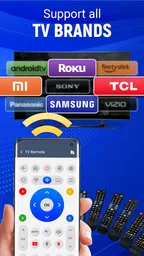
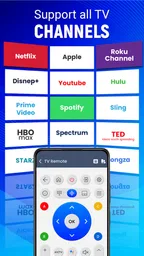
- Works with many popular smart TV brands.
- Offers convenient control from a phone.
- Cast support makes sharing media easier.
- A phone keyboard can speed up text entry.
- A remote app can replace a misplaced physical remote.
What could be better
- Some features may require a compatible smart TV.
- Phone and TV may need to share a Wi-Fi network.
- Casting support can vary by TV model.
- Some functions may be restricted to a paid version.
- Remote controls may not work with older televisions.





