

Surveillance Camera: Visory review
 Analysis by Appsdrops
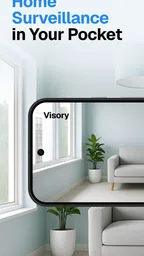
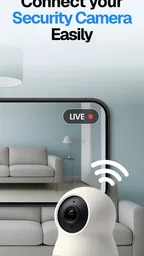
Surveillance Camera: Visory is built around a practical idea: put an unused phone to work as a home camera, then check in from another device. I like that kind of reuse because it can solve a short-term monitoring problem without immediately buying a dedicated camera. But it is important to set expectations: a phone-based setup is most appealing when convenience matters more than the reliability and purpose-built design of a traditional security system.
A spare phone can make a useful home camera
Visory is a free House & Home app from Saby Baby monitor Ltd. Its central job is to turn an Android phone into a camera for watching a room remotely. That makes it a natural fit for people who already have an old handset in a drawer and want a simple way to keep an eye on a familiar space. The app is rated for Everyone, and its broad audience makes sense: the basic idea is easy to understand even if you have never used a home camera app before.
My main recommendation is to treat it as a convenient extra set of eyes, not as a complete replacement for a dedicated security setup. A spare phone can be positioned where you need it, and you can avoid buying another piece of hardware for a temporary need. On the other hand, using a phone this way means making a camera, its power supply, its placement, and its connection part of your home-monitoring routine.
The app has an average rating of 4.5 from around 544,000 ratings, with more than 10 million installs. That level of adoption suggests the phone-as-camera idea has broad appeal, though popularity alone cannot tell you whether it suits your room, network, or expectations. I would judge it by the task you need done: casual check-ins are a very different requirement from dependable overnight surveillance.
Where the phone-camera approach makes sense
A realistic example is checking on a pet while you are in another room or away for a short errand. You could position a spare phone to cover the area where the pet usually rests, leave it in place, and use your usual phone to look in. The benefit is flexibility: you can try a different position without committing to a permanent camera installation. For a temporary situation, that can be more useful than buying hardware that may later sit unused.
The same approach can help when you want a view of a room during a one-off visit from a repair person or while waiting for a delivery inside the home. I would still keep the setup transparent and respect the privacy of anyone who shares the space. A phone camera is easy to overlook when it has been left in place, so thoughtful placement and clear household boundaries matter as much as the app itself.
There is also a practical difference between watching a room and securing a property. A live view can help answer “What is happening right now?” It does not automatically provide the dependable coverage, recording arrangements, or resilience people may expect from a dedicated security system. Before relying on Visory for anything important, I would test the entire setup under ordinary conditions and decide what I would do if the viewing phone loses power or connection.
Small setup choices have a big effect
One useful tip is to test the camera angle from the remote viewing position before leaving the phone unattended. A view that looks broad when you hold the handset may miss the doorway or the part of the room you actually care about once the phone is set down. I would also check for glare, backlighting, and objects that could be moved into the camera’s line of sight. These are basic placement issues, but they often determine whether a phone camera is genuinely useful.
Power deserves its own planning. A phone doing camera duty is no longer simply sitting idle, and the length of time you can rely on it will depend on how it is powered and used. I would place it near a suitable charging point, keep cables away from walkways, and avoid putting the handset somewhere that could overheat or be knocked down. If you need dependable monitoring while nobody is home for long stretches, a purpose-built camera may be the less fussy choice.
Another trade-off is the phone itself. The camera and microphone are part of a general-purpose device, not a camera designed to be mounted permanently in one spot. That can be an advantage when you want to move it between rooms, but a disadvantage if you need a discreet, tidy installation. A stand or stable surface may be necessary, and the handset can take up more space than a compact home camera.
What to expect before making it part of your routine
Visory’s current version is 1.52.1, and it requires Android 8.0 or later. That makes checking the spare phone’s software compatibility a sensible first step before building a setup around it. If you are planning to use an older device, confirm that it can install and run the app before you rely on it; an unused phone is only useful here if it remains functional and can stay connected in the place you need.
The app is free to install, with in-app purchases ranging from $0.99 to $149.99 per item. I would look through the available purchase options in the app store and decide what you actually need before paying for anything. The price range is wide enough that it is worth understanding the value of a particular purchase for your own use case rather than assuming the free download includes every option you might want.
One point I would not gloss over is that a home camera involves a private space. Think carefully about who can access the viewing setup, where the camera points, and whether anyone else in the household is comfortable with it. I would avoid placing a monitoring phone in a room where people reasonably expect privacy. That advice applies regardless of the app, but it becomes especially important when an ordinary handset is repurposed and may look like an everyday object.
How it compares with buying a dedicated camera
Compared with a conventional home camera, Visory’s clearest advantage is reuse. If you already have a compatible Android phone, trying a phone-based arrangement can be a low-commitment way to see whether remote room monitoring is useful to you. Dedicated cameras generally make more sense when you want a permanent mounting position, a cleaner installation, or a device intended to remain on duty. The choice is less about which approach is universally better and more about whether you value using existing equipment or having purpose-built hardware.
Compared with simply making a video call to a second device, a camera app is a more natural category for repeat check-ins, but the details of how it behaves in your particular setup matter. I would test it at home before counting on it from elsewhere: confirm that the camera phone stays positioned, that the network connection is stable, and that checking in is straightforward from your other device. A successful test while both phones are nearby is not the same as proving the arrangement will suit every away-from-home situation.
For someone who already owns a standalone camera, Visory may be most useful as a flexible backup or as a way to monitor a second location temporarily. For a first-time buyer choosing one device to protect a home over the long term, I would compare the total cost and everyday effort with a dedicated camera before deciding. The phone route can save a purchase, but it asks you to manage a spare handset as part of the system.
Who I would recommend it to
I would suggest Surveillance Camera: Visory to Android users with a spare phone who want occasional views of a pet, a room, or another familiar area. It is particularly appealing if you are experimenting with home monitoring and would rather reuse a device than immediately buy specialized hardware. The developer, Saby Baby monitor Ltd, focuses this app on a straightforward household use, and the House & Home placement reflects that everyday role.
I would steer away from relying on it as the sole answer for high-stakes security, unattended property over long periods, or situations where a missed connection would have serious consequences. I would also skip the phone approach if you do not have a spare compatible device, cannot leave it safely powered, or need a neat fixed installation. In those cases, a dedicated camera—or another solution designed around your specific needs—is likely to be a better fit.
My final view is that Visory is a sensible idea with a narrow but useful sweet spot: turning an available Android phone into a convenient way to check a room. It is not the same proposition as installing a complete security system, and the setup requires more thought than simply placing a camera on a shelf. If you understand those trade-offs, test it before depending on it, and keep privacy and power in mind, it can make an otherwise unused phone earn its place at home.
What we like
- Offers a practical way to monitor a space remotely.
- Can provide added peace of mind when you are away.
- A dedicated camera app keeps monitoring separate from general tools.
- Useful for checking on pets or property from another location.
- May help users make better use of a compatible camera.
What could be better
- Requires a compatible camera to be useful.
- Remote viewing depends on a reliable internet connection.
- Camera setup may take time for first-time users.
- Continuous monitoring can increase battery and data use.
- Privacy safeguards should be checked before enabling remote access.





