
TurboTenant for Renters review
 Analysis by Appsdrops
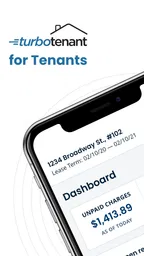
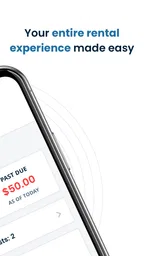
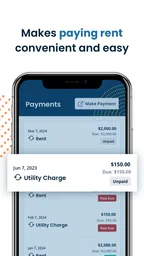
I see TurboTenant for Renters as a focused companion for people who want to handle rental tasks from a phone rather than treat every housing interaction as a desktop chore. Its appeal is less about offering a broad property search experience and more about giving renters a dedicated place to engage with the TurboTenant rental process while they are out and about. That makes it worth considering if your landlord or prospective rental is already connected to the service; it is a less obvious choice if you simply want a general-purpose home-finding app.
A renter-focused tool, not a complete housing marketplace
TurboTenant is a free House & Home app from TurboTenant, with an Everyone age rating. The product is aimed at renters, which gives it a narrower purpose than apps that combine listings, neighborhood guides, moving services, and home décor. I find that focus useful: the app does not need to be the place where you do everything about housing to be valuable. It needs to make the rental steps it supports easier to handle on a phone.
The distinction matters before you install it. If you are browsing many unrelated listings and comparing areas, a dedicated rental-search platform may serve you better as your starting point. If you are already dealing with a rental connected to TurboTenant, a renter-specific app is more relevant than trying to manage that process through email threads, saved screenshots, and a landlord’s separate messages. The strongest reason to use it is a direct connection to your rental workflow, not a promise to replace every housing app.
Why the mobile angle can help
Rental decisions often involve small tasks that arrive between other parts of the day: checking a message, reviewing what is needed next, or keeping a housing conversation from getting lost in a crowded inbox. A phone app can make those interactions easier to revisit than a long email chain, especially when you are coordinating around work, travel, or a move. The practical benefit is convenience and continuity, rather than a dramatic new way to rent.
One realistic use case is a renter who has started dealing with a TurboTenant-connected property while commuting or stepping out during a busy day. Instead of waiting until they are back at a computer to catch up, they can use the renter-focused app as their mobile touchpoint. I would still keep important documents and decisions organized in a secure place of my own; an app is a useful channel, but it should not be your only record of a significant housing agreement.
Where it fits in a typical rental search
I would treat this as a companion to the broader search, not the whole search itself. A common approach is to discover possibilities through listing services, local property managers, or personal referrals, then use the relevant landlord’s chosen tools once a specific rental relationship begins. TurboTenant for Renters fits that second stage more naturally than the first.
That separation also helps avoid a familiar frustration: installing several housing apps and expecting each one to contain the same listings and conversations. Rental activity can be split across services because different owners and managers use different systems. Before relying on this app for a particular property, check whether the person handling that rental uses TurboTenant. If not, the app may have little role in that transaction, and the landlord’s preferred channel will matter more.
What the audience response suggests
The app has a 4.7 average from around 7,100 ratings, with about 400 written reviews, and it has passed 100,000 installs. Those figures suggest that it has found a meaningful audience among renters, but they do not guarantee that every person’s landlord will use the platform or that every rental workflow will feel the same. I would read the strong overall response as a reason to take the app seriously, then judge its usefulness by whether it matches the property and process in front of you.
That qualification is important because a renter app depends partly on the other side of the relationship. Even a well-designed mobile tool cannot make a landlord responsive, clarify an unclear lease, or eliminate the need to ask questions. Its value is highest when both renter and property contact are already using the same service, rather than when you are trying to persuade an unrelated landlord to change their habits.
The real trade-off: convenience depends on adoption
The main limitation I would keep in mind is that this is not a universal rental inbox. If your current landlord communicates through text, email, a property-management portal, or paper notices, you may still need those channels. Keeping multiple channels straight can become its own chore, so I would avoid assuming that installing one app automatically consolidates every housing matter.
There is also a difference between being able to handle a task on a phone and finding every task comfortable there. Reading or responding to a straightforward update suits mobile use; carefully comparing lease language or organizing a complicated move may be easier on a larger screen, with your own notes open alongside. I would use the app for convenient access, but take time with consequential choices instead of rushing through them simply because they appear on a phone.
Another practical trade-off is that renters who value a single, familiar channel may prefer to stay with the method their landlord already uses. Adding an app can be worthwhile if it gives you a clearer route into an active rental process. It is less worthwhile if it becomes one more place to check without replacing anything else. That is not a special flaw so much as the central condition of renter-facing software: its usefulness depends on the people and property attached to it.
Small habits that make it more useful
I would start by checking whether the property or rental contact is actually using TurboTenant before building a routine around the app. That simple step prevents the most likely disappointment: expecting a general listing feed or a universal way to communicate with every landlord. Once the connection is relevant, keep notifications and follow-ups manageable, and make a personal note of any deadline that could affect your move or application.
A second helpful habit is to separate convenience from record-keeping. Use the mobile experience to stay current, but retain important rental documents and your own notes in an orderly place you can access later. For example, if you are comparing two places, write down the questions and terms that matter to you rather than relying on memory or scattered conversations. The app may support the interaction, while your own comparison notes help you make the decision.
Finally, do not let a smooth digital exchange substitute for asking a direct question. If a detail about a property, next step, or agreement is unclear, ask the person responsible for it and keep the answer somewhere you can find. A rental app can make the conversation easier to reach; it cannot make an ambiguous answer more complete.
Who should consider it—and who should pass
I would recommend giving it a look if you are a renter whose landlord or prospective property is connected to TurboTenant, especially if you prefer to manage routine rental interactions away from a computer. It is also a sensible option for someone who wants a dedicated renter-oriented tool rather than navigating a landlord-focused experience. The app is free, so trying it does not require a purchase, though its practical value still depends on whether it applies to your rental.
I would not make it my first pick if my only goal were to search a wide range of available homes, compare neighborhoods, or manage a rental relationship run through a different platform. In those situations, a listings service or the property manager’s own established system is likely the more direct tool. And if you are content with a landlord’s clear, reliable email process, switching channels may add friction rather than remove it.
The current release is version 5.0.8, and the app is listed for Android 7.0 and later. That makes the compatibility threshold worth checking before installing, particularly if you keep an older device in service. TurboTenant’s renter app is a more specialized choice than a broad home-search product, and that specialization is both its point and its limitation.
My verdict
Overall, I think TurboTenant for Renters makes sense when it is attached to a real rental relationship you need to manage. Its mobile-first purpose is easy to understand, and the audience response is encouraging, but neither popularity nor a convenient interface can overcome a mismatch with your landlord’s workflow. I would install it when a property contact directs me to use it, then keep my own documents and notes organized alongside it.
If you are already dealing with a TurboTenant-connected rental, this is a reasonable, low-cost way to keep that process close at hand. If you are simply beginning a broad housing search or want one app to cover every landlord and every rental task, I would look elsewhere first. For the right renter, it is a practical companion; for everyone else, its usefulness may be limited until the rental itself brings it into the picture.
What we like
- Free to use for renters searching for available homes.
- Saved searches make it easier to revisit listings that match your needs.
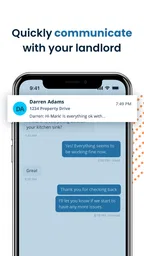
- Direct messaging can help you contact landlords through the app.
- Rental applications can be submitted from your phone.
- Listing details help you compare properties before reaching out.
What could be better
- Availability and listing accuracy depend on the landlord.
- Some listings may receive many applications quickly.
- You may need to share personal information to apply.
- The number of listings can vary by location.
- Landlord response times are outside the app's control.





