
The Roku Channel review
 Analysis by Appsdrops
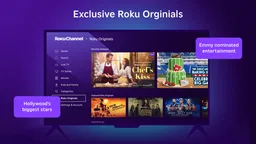
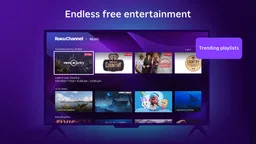
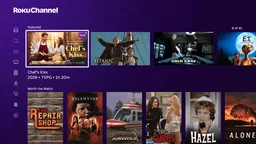
When a household wants something to watch but nobody has picked a subscription show, I like having a free streaming app available as a low-pressure fallback. The Roku Channel is built for that kind of browsing: it brings movies, television, live channels, news, sports, and Roku Originals together in one entertainment app. I would not treat it as a replacement for every paid service, but it can make the shared TV decision easier when people are open to sampling what is on.
One screen, several different viewing moods
The app’s biggest household strength is variety. One person can be looking for a film, another can check live programming, and someone else may want a news or sports channel. That range changes the conversation from “Which service has the show we already chose?” to “Is there anything here we all feel like watching?” For casual evenings, that is a genuinely useful distinction.
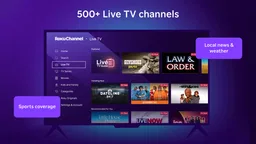
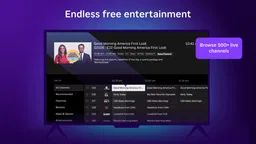
In my view, the live-channel side is especially suited to short visits. If I have a few minutes while dinner is cooking, I can browse something already in progress rather than commit to finding and starting a full episode. Movies and shows make more sense when there is time to settle in; a live channel can fill the gaps between those longer sessions.
That flexibility also means the app is not always the best place to search for one specific title. If everyone has agreed on a particular film, I would first check the service where I expect it to be available. The Roku Channel works better as a discovery destination than as a guarantee that a chosen title will be there.
A realistic evening with a shared screen
Picture a household finishing dinner without a firm plan. Rather than have one person scroll through several separate apps, someone can open this one and browse its mix of entertainment and live options. If the group cannot agree on a movie, a channel can serve as a temporary compromise; if a promising film catches everyone’s attention, the household can switch to a more focused watch.
That is where I find the app most useful: not as a carefully curated family schedule, but as a shared starting point. It lowers the effort involved in finding something together. The trade-off is that a broad catalog can still leave the group browsing, so it helps to decide whether you want a film, a show, or something live before opening the app.
What it offers beside subscription services
Compared with the usual subscription-streaming routine, the main appeal here is that the app is free. It can be a sensible first stop when you want casual viewing without adding another paid plan. Its mix of on-demand entertainment and live channels also feels different from using a service mainly to continue a particular prestige series or browse a tightly defined library.
That difference comes with a clear limitation: free access does not make it the right choice for every viewing habit. If your household values a specific paid service’s exclusive shows, familiar recommendations, or a known title list, that service may be more dependable for planned viewing. I see this app as a complement for open-ended watching, not a reason to cancel something you rely on.
The Roku Channel is an entertainment app from Roku, Inc. and its affiliates. It has a 4.1 average from around 4,600 ratings, and its reach is reflected in over 5 million installs. Those figures suggest that it has found an audience, though they do not tell me whether its particular mix will suit your household. I would judge it by whether the available choices match the way you actually watch.
Setting expectations on a shared device
Before making any streaming app part of a shared-device routine, I recommend deciding who is going to choose what to watch and whether people are comfortable browsing together. That is practical coordination, not a claim about special household tools. A shared screen can make casual discovery fun, but it can also expose different tastes and age expectations at the same time.
It is worth treating the device itself as a shared space rather than assuming every person will use it in the same way. If one person usually starts a film for everyone, agree on a quick check-in before settling on a choice. If several people take turns, a simple verbal handoff can prevent the app from becoming a source of confusion about what the group intended to watch.
I would also avoid assuming that an app’s broad entertainment range automatically makes it suitable for every viewer in the room. A parent or caregiver should be part of the decision when younger viewers are watching, especially if people are browsing live programming or unfamiliar titles. That kind of attention is more reliable than treating any single app as a substitute for household judgment.
Age context and trust
The app carries a Teen content rating. I take that as a cue for adults to use their own judgment about whether a particular viewing session is appropriate, rather than as a promise that every item will suit every child. A general app rating describes the app’s audience context; it does not answer the separate question of whether a specific movie, show, or channel is right for a particular family.
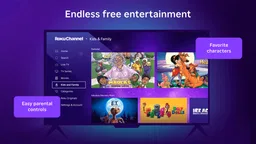
For shared viewing, I would browse alongside younger viewers and make the selection together. That is a straightforward way to keep the experience predictable without presuming that the app provides family controls or particular safety settings. If you need a tightly managed viewing environment, choose a service and device setup whose controls you have personally checked, and do not rely on a broad catalog’s category labels alone.
For adults sharing a TV, the same principle applies in a less formal way: communicate before switching to something that changes the mood of the room. News, sports, and entertainment serve different purposes, and a live channel can be less predictable than a film everyone has already agreed to watch. A quick check-in makes the app’s variety more helpful and less disruptive.
Small habits that make browsing easier
My first practical tip is to give the group a category before browsing: “something live,” “a film,” or “a show.” That small choice narrows the kind of decision you are making without requiring anyone to know the catalog in advance. It is particularly helpful when several people are sharing one remote and every new screen invites another round of suggestions.
Second, use the live option when the goal is background or immediate viewing, and reserve on-demand browsing for a session when people can agree on a longer watch. This separates two different needs that are easy to mix together. A person looking for a quick channel may get impatient while everyone debates a movie; someone who wants a film may not want to settle for whatever is currently on.
Third, keep a fallback plan. If browsing turns into repeated scrolling, switch to a service where the group already knows what it wants, or agree to stop searching and choose a live option. The free price makes the app easy to keep as an extra choice, but it does not remove the time cost of indecision. Knowing when to move on is part of getting value from it.
Who should use it—and who may prefer something else
I would recommend trying it if you want a no-cost way to explore movies, television, and live programming in one place, especially when your household likes browsing rather than following a strict watchlist. It is also a reasonable option for filling short viewing gaps, or for finding something to put on when a group has not settled on a specific title.
I would be less enthusiastic if you mainly want one particular series, depend on carefully controlled children’s viewing, or dislike having to browse. In those cases, a service centered on the shows you already follow, or a setup with controls you have verified, is likely a better fit. The app’s range is a strength for discovery, but range alone cannot replace a targeted catalog or a deliberate household policy.
It is also worth keeping the age context in mind when deciding who should use the app independently. Since the content rating is Teen, I would not assume that a younger viewer should browse without adult involvement. For a mixed-age household, shared selection is the sensible approach; for an adult-only viewing routine, that concern may matter less.
A measured household verdict
The Roku Channel makes the most sense as a shared, free option for households that want an easy place to start when nobody has a firm plan. Its blend of live viewing and on-demand entertainment gives it more than one role: it can supply a quick channel, open up a movie search, or help a group find common ground. I appreciate that flexibility most when the alternative is hopping between services without knowing what anyone wants.
Still, I would set expectations before adding it to the household routine. It is not a guaranteed source for a chosen title, and its Teen rating calls for adult attention when younger viewers are involved. If your group can agree on a viewing mood and is comfortable choosing together, it is a useful extra. If you need precise title availability or a strongly managed children’s experience, another option will serve you better.
Overall, I see it as a practical companion to other streaming choices, not a universal replacement. Try it when you want to browse without paying for another subscription, and keep a more focused service ready for nights when the household already knows exactly what it wants to watch.
What we like
- Free access to a rotating catalog of movies and TV shows
- Live channels provide a lean-back viewing option
- No Roku device is required to watch on supported devices
- The app offers captions on many titles
- A simple interface makes browsing straightforward
What could be better
- Ad breaks interrupt most free on-demand content
- The available catalog can change without notice
- Some titles are unavailable in certain regions
- A Roku account may be required to access features
- Playback quality depends on a stable internet connection





