
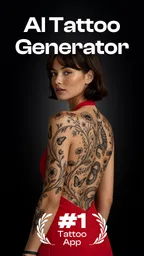
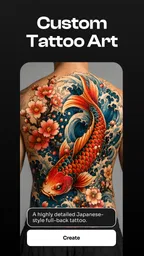
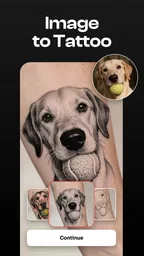
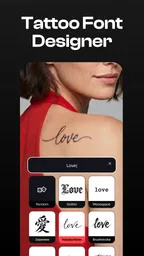
Tattooist: AI Tattoo Generator review
 Analysis by Appsdrops
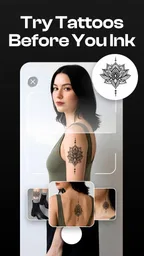
Trying to picture a tattoo on your skin is harder than it sounds. A design that looks great on a screen may feel too large, too busy, or simply wrong once you imagine living with it. Tattooist: AI Tattoo Generator is an art and design app aimed at making that early exploration easier: it gives you a place to think through custom ink ideas and stencil-making before you commit to a real appointment. I’d treat it as a sketching and decision aid, not as a replacement for a tattoo artist’s judgement.
Tattooist: AI Tattoo Generator is developed by MAETCH EXPANSION, S.L. and is free to install, with optional in-app purchases priced from $6.99 to $39.99 per item. It has a 3.4 average from around 3,800 ratings, so expectations should be measured rather than assuming every user finds the process effortless. Its audience is rated Everyone, and the app is listed for devices running OS 10 or later. The current version is 1.18.0.
What to expect from a tattoo-design app
The most useful way to approach Tattooist is as a visual starting point. You bring an idea—perhaps a subject, mood, or broad style—and use the app to explore how that idea might translate into tattoo art. The value is not simply producing a striking image. It is getting enough visual direction to decide what you like, what feels wrong, and what you want to discuss with a professional.
That distinction matters because an attractive concept is not automatically a tattoo-ready design. Fine details can blur as a tattoo heals, lines need to suit the body area, and a design may need adjustment for the skin’s shape and movement. I would use an output to communicate a preference, not hand it over as an unquestionable final stencil. A tattooist can judge whether the composition will work at the intended size and placement.
The app has more than a million installs, which suggests it has reached plenty of people curious about custom ink. Still, its rating is a useful reminder that creative tools can be subjective: a result that feels like a helpful prompt to one person may not match another person’s expectations. Go in ready to refine your idea rather than expecting the first attempt to be perfect.
Who is likely to enjoy it?
It is best suited to someone who has a rough concept but needs help making it concrete. Maybe you know you want a small botanical tattoo but have not settled on a flower, line weight, or overall mood. Or perhaps you are collecting ideas for a future consultation and want a visual reference that is more specific than a verbal description. In those situations, a generator can help you move from “something delicate” to a clearer conversation about shape and style.
It is less suitable if you already have a finished drawing and need precise professional editing, or if you expect an app to guarantee that a design will transfer cleanly to skin. It also should not be your only source of advice about placement, healing, or tattoo safety. Those are matters to discuss with a qualified artist and, where appropriate, a healthcare professional.
Getting started without overthinking it
On your first visit, keep the brief simple. Pick one subject and describe the feeling you want it to have, rather than packing in every symbol and reference you have collected. For instance, “a calm, minimal moon with soft botanical details” gives a clearer direction than a long list of unrelated objects, colors, and styles. A focused prompt makes it easier to judge whether the result is close to your taste.
Before generating anything, decide what you are trying to learn. Are you choosing between a clean outline and a more decorative composition? Are you checking whether a motif feels better as a compact emblem or a longer piece? That small decision gives your experiment a purpose. Otherwise, it is easy to scroll through attractive possibilities without learning which one actually suits you.
I would also keep a short note of the parts you want to preserve and the parts you would change. “Keep the overall silhouette; simplify the leaves; remove the tiny dots” is more actionable than saving an image and hoping you remember why you liked it. This is especially helpful if you plan to show the concept to an artist later.
Your first useful result is a comparison, not a masterpiece
A practical first session is to create or consider a single clear idea, then compare the result with your original intention. Ask whether the main subject reads immediately, whether the detail feels appropriate for the size you have in mind, and whether the mood is right. If one element is working and another is not, revise the brief around that difference rather than changing everything at once.
This is a more reliable workflow than treating each new result as a fresh lottery ticket. Changing one aspect at a time—such as making the composition simpler or the style less ornamental—helps you understand what is steering the image. It also gives you a better explanation to take into a consultation. You are not just saying, “I like this”; you can say, “I like the outline, but I want fewer small details and a more open shape.”
For a realistic everyday scenario, imagine you are considering a small tattoo before a birthday trip. You have a few days to decide whether the idea is a simple keepsake or something more elaborate. Use the app to explore the broad direction, save the strongest reference for your own planning, and give yourself time to look at it again later. If the design still feels right after the initial excitement fades, you have a better starting point for discussing size and placement with an artist.
The best first success is clarity about your taste, not a promise that the generated artwork can be tattooed exactly as shown. That mindset helps prevent disappointment and makes the tool useful even when you decide to change the design substantially.
Common points of confusion
One likely misunderstanding is treating a design concept and a stencil as interchangeable. A stencil is part of a tattooing workflow; a polished-looking image is not necessarily a practical transfer pattern. Even when an app is intended to support stencil-making, the result still needs an experienced person to check line clarity, scale, and suitability for the body. If you are taking an idea to an appointment, explain that it is a reference and invite the artist to adapt it.
Another common trap is judging a design only at full-screen size. Tiny features can look impressive when enlarged but become hard to read in a small tattoo. Zoom out or view the concept at roughly the size you are considering, and ask whether the essential shape remains clear. This simple check can help you notice when a design depends too much on delicate decoration.
It is also easy to confuse “custom” with “exclusive.” A generated concept may feel personal because it reflects your prompt, but that does not mean it has the same authorship, originality, or careful craftsmanship as a design drawn and refined directly with a tattoo artist. If originality is central to you, use the app to clarify your brief and ask an artist to create a version tailored to you.
Finally, the free download does not mean every option is necessarily free. Optional purchases range from $6.99 to $39.99 per item, so check the price shown in the app before choosing a paid item. If you only want to test whether the basic workflow suits you, begin with what is available without purchasing and decide later whether any paid option solves a problem you actually have.
How it compares with drawing apps and artist consultations
Compared with a general-purpose drawing app, Tattooist is more directly focused on tattoo ideas. A drawing app gives a confident illustrator more control over every line, but it expects you to supply the drawing skill and build the composition yourself. Tattooist is a more approachable place to explore a direction when you do not yet know how to sketch it. The trade-off is that a generated image may be less predictable and less precise than hand-editing a design.
Compared with browsing reference images, it can help you express a personal combination of ideas instead of settling for a picture that is merely close. But reference browsing is often better when you want to study established tattoo styles, see how work looks on real bodies, or compare an artist’s portfolio. Neither route replaces an in-person discussion: an artist can adapt a design to your anatomy, explain what details may age poorly, and help you find a safe, suitable placement.
So I would use the app before a consultation, not instead of one. It can help you arrive with a more thoughtful brief, while a professional remains the right person to turn that brief into a wearable tattoo.
Choosing what to do after the first session
Once you have a direction you like, resist the urge to add details just because there is room for them. Ask what the tattoo needs to communicate from a distance. If the answer depends on several tiny marks, simplify the concept or ask an artist whether a larger size would make it more workable. This is a useful trade-off to settle early, before becoming attached to a design that may not suit your preferred placement.
For a consultation, bring a small selection of references rather than a folder of every variation. Include the version closest to your goal and note what you would change. A concise set makes it easier for an artist to understand the common thread and avoids asking them to guess which details matter most. You can also mention the rough body area and size you have in mind, while remaining open to professional advice.
If the first result misses the mark, that does not necessarily mean the app has failed. It may show that the brief is too broad, that two styles are competing, or that your idea needs to be expressed more simply. Try revising one part at a time. If several focused attempts still do not give you useful direction, a drawing app, a curated collection of tattoo references, or a direct conversation with an artist may be a better next step.
My recommendation
I would recommend Tattooist to first-time tattoo planners who want a low-pressure way to explore an idea before speaking with an artist. Its art-and-design focus makes it more relevant than a generic image tool for this particular task, and a free install lets you see whether its approach fits your process. The app is most valuable when you use it to sharpen your preferences, compare broad directions, and prepare a clear reference.
I would not rely on it for a final, technically approved tattoo design, and I would be cautious about paying for extras until you know what you need from them. The 3.4 average rating also makes me suggest approaching it with realistic expectations: treat results as starting points and judge the experience by whether it helps you make a better decision. If you want inspiration and a clearer brief, it is worth trying; if you need exact, artist-level control or guaranteed tattoo-ready artwork, go straight to a professional instead.
What we like
- Quickly turns a text prompt into tattoo concept art
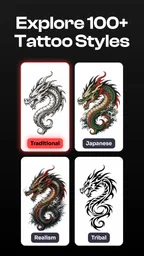
- Offers varied styles for exploring different looks
- Helps visualize ideas before consulting a tattoo artist
- Generates designs without requiring drawing skills
- Useful for finding inspiration for custom tattoo concepts
What could be better
- AI artwork may include distorted details or lettering
- Generated designs may need substantial editing before use
- Results can vary in quality between prompts
- A digital preview cannot show how a tattoo fits your body
- Some features or generations may require payment





