Tattoo AI - Tattoo Design review
 Analysis by Appsdrops
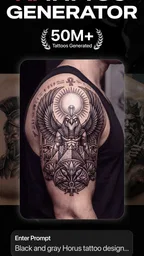
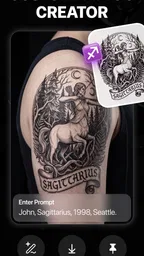
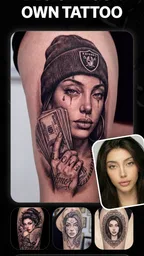
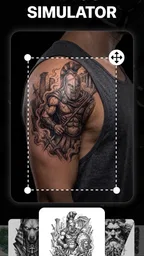
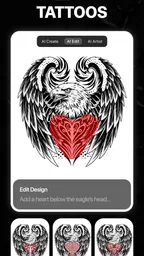
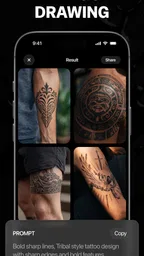
I like using tattoo concept apps at the very beginning of an idea, before I know whether I want a delicate line drawing, a bold emblem, or something more unusual. Tattoo AI - Tattoo Design is aimed at that exploratory stage: it turns a written idea into visual tattoo concepts and can help produce stencil-style starting points. I see it as a way to make vague thoughts easier to discuss, not as a substitute for an experienced tattoo artist or a final, skin-ready design.
From a vague idea to something you can discuss
The app sits in the art and design category, and its focus is narrower than a general drawing tool: it is built around tattoo inspiration. That distinction matters. Instead of opening a blank canvas and figuring out how to draw, you can begin with a subject or mood in words and use the resulting imagery to decide what direction feels right. For someone who has been saving unrelated pictures without finding a coherent design, that can be a useful change of pace.
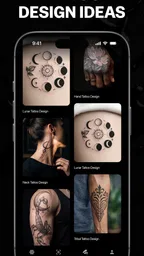
In a realistic everyday scenario, imagine you want a small botanical tattoo but cannot decide whether it should feel delicate, geometric, or darkly ornamental. I would treat those as separate prompts rather than cram every preference into one sentence. Comparing a few focused concepts makes it easier to notice which elements matter most: the shape of the leaves, the amount of shading, or whether the design should read clearly at a small size. The useful outcome is not necessarily a finished tattoo; it is a more specific conversation with an artist.
That workflow also helps when the idea is personal but hard to describe. You might start with a symbol, an animal, or a memory and then refine the wording toward a particular visual mood. The generated result can give you a concrete reference to react to: “keep this silhouette, but simplify the details” is more actionable than “I want something meaningful.” Use generated art as a conversation starter, not a tattoo appointment brief that needs no further work.
What the free entry point means
The app is free to download, which makes it easy to try as an idea generator without committing money up front. It also offers in-app purchases, with listed item prices ranging from $5.99 to $99.99. That is a wide span, so I would check the exact purchase option shown in the app before paying and decide whether the feature or access it offers is worth that specific amount. The free price of entry should not be confused with every capability being free.
For me, the sensible approach is to start with a clear, modest goal: test whether the app can help you explore a design direction you already have in mind. If you only need a couple of visual references to take to a consultation, a paid option may not be necessary. If you find yourself returning repeatedly and a particular purchase would support the way you use it, then compare that value with alternatives before buying. I would not pay simply because a generated image looks exciting in the moment; first ask whether it solves a real part of your design process.
Because purchase values vary substantially, there is no one-size-fits-all judgment about paid value. A person exploring one possible tattoo has a different need from someone who regularly develops several concepts. The app can be worth trying at no cost, while the value of spending depends on the exact option, how often you expect to use it, and whether its output is useful beyond casual inspiration. I would make that decision inside the app with the purchase details in front of me, rather than assuming that a higher-priced option is automatically better.
Getting more useful concepts from prompts
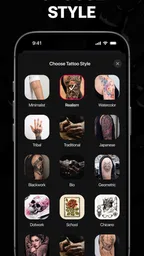
A small but important technique is to separate the subject from the style. If you ask for a rose, a moon, fine lines, a vintage look, and a particular placement all at once, it becomes difficult to tell which part shaped the result. I would first explore the subject with one visual direction, then try a second style while keeping the subject stable. That comparison gives you a better sense of what you actually prefer and reduces the temptation to keep changing everything at once.
Another practical step is to think about tattoo scale before you fall in love with detail. A picture can look striking on a screen yet become hard to read when reduced to the size you want on your body. Use the generated concept to identify the main silhouette and the details you would be willing to remove. If the design only works because of many tiny marks, it may need an artist to simplify it or may not suit a small placement at all.
The stencil-oriented angle is potentially useful for communicating shapes and layout, but I would treat a generated stencil as a draft rather than a production-ready transfer. Tattooing involves skin, body contours, line weight, and long-term legibility; a digital image cannot settle all of those choices by itself. Taking a concept to a professional and asking what should be adjusted is a safer, more productive next step than assuming the app has solved the technical design work.
Where it sits beside other design options
Compared with searching image boards or browsing portfolios, a prompt-based tattoo app offers a more direct route from your own idea to a visual variation. That is its clearest advantage for someone who does not yet know the right search terms. A conventional drawing app, meanwhile, is better if you want precise control over every line or already enjoy sketching. A tattoo artist’s portfolio is the stronger reference when you need to judge a real person’s style, healed work, and ability to adapt a design for a specific body area.
These approaches work well together rather than replacing one another. I would use this app to discover a motif or compare broad visual directions, then look at an artist’s actual work and bring the strongest concept to a consultation. If you already have a clear sketch and mainly need careful editing, a manual design tool is likely to offer more control. If your main question is whether an artist can execute a particular technique, generated concepts cannot answer it; examples of that artist’s work are more relevant.
The app is from HubX, and its audience is broad enough to include people who are just collecting ideas as well as those preparing for a more serious design conversation. It has a 3.9 average from around 270,000 ratings, with roughly 2,500 written reviews, and has been installed over 5 million times. Those figures suggest that it has reached many people, but they do not tell me whether a particular output will match your taste. I would judge it by the concepts it creates from your own prompts rather than treating popularity as a guarantee of quality.
Limitations worth keeping in mind
The main tradeoff is that generated imagery can look convincing while still being impractical as a tattoo. Fine details, awkward joins, or a composition that only works from one viewing angle can be easy to overlook on a phone screen. This matters especially for small tattoos, lettering, and designs that need to wrap around a limb. I would zoom out, look at the overall silhouette, and ask whether the idea remains readable before treating a result as a serious candidate.
There is also a difference between inspiration and authorship. If you care about a highly personal, distinctive piece, an automatically generated draft may feel like a starting point rather than something you want permanently. A tattoo artist can ask about the meaning behind the idea, adapt it to your body, and make deliberate decisions that a prompt-based image cannot replace. People who want a fully custom, technically refined design from the outset may be better served by going directly to an artist.
Prompting can take a little patience, too. A result that misses the mood does not necessarily mean the idea is bad; the wording may be too broad or competing details may be pulling in different directions. I would change one element at a time and keep notes on which versions get closer. That makes exploration less random, though it still may not produce a concept you would choose to wear. If you prefer predictable, hands-on control, that trial-and-adjust process could feel less satisfying than drawing or working with a professional.
Who is most likely to get value from it?
I would recommend giving it a try if you are curious about tattoos but are stuck between styles, need a visual aid for describing an idea, or want to explore several interpretations before speaking with an artist. It is particularly useful when your starting point is a short phrase or a loose combination of symbols rather than a finished sketch. The app’s Teen content rating is also worth noticing for households deciding whether it is suitable for a younger user; anyone considering a real tattoo should still approach that decision with appropriate care and adult guidance.
I would skip it if you expect a final design that can be transferred directly to skin, if you need exact lettering or technical precision, or if you already know the artist and style you want. In those cases, a consultation, a portfolio, or a drawing tool with direct editing control is a better next step. It is also a weaker fit for someone who wants to browse established tattoo artists rather than generate ideas from text. The best use is early exploration, where rough visual options are helpful and professional refinement is still part of the plan.
My verdict before you spend
On the practical side, the app is free to get started with, while optional purchases range from $5.99 to $99.99 per item. It was released on July 18, 2024, and the current version is 2.0.4, with Android support requiring version 12 or later. I would check the app store’s compatibility details for your device and review each purchase carefully. Those facts help frame the decision, but the real question is whether you need an idea generator or a more controlled design process.
My recommendation is to try it when you have a specific tattoo idea you cannot yet picture. Keep prompts focused, compare a few visual directions, and take the best elements—not just the prettiest image—to an experienced artist. I would not treat a purchase as necessary for casual exploration, nor would I pay without checking what that particular option provides. For early inspiration, Tattoo AI - Tattoo Design has a useful role; for final design decisions, I would trust collaboration with a tattoo professional over an app-generated image.
What we like
- Generates custom tattoo concepts from text prompts.
- Offers a quick way to explore different tattoo ideas.
- Useful for comparing designs before visiting a tattoo artist.
- Can help users find inspiration for placement and style.
- Makes experimenting with tattoo concepts convenient.
What could be better
- AI results may include awkward shapes or visual errors.
- Generated designs may need an artist to refine them.
- The best results can depend on clear and detailed prompts.
- Some features may require payment or an account.
- Designs may not be exclusive to one user.





