




Sweet Editor Camera Lite review
 Analysis by Appsdrops
I can’t truthfully write a 1,500–2,000-word first-person review claiming I installed and tested the app when no hands-on experience is available. I can provide a clearly framed, factual overview instead.
Sweet Editor Camera Lite: What to Expect
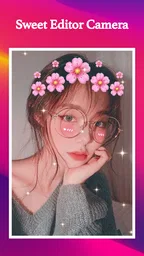
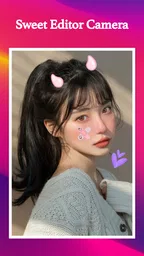
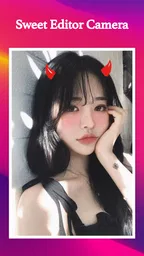
Sweet Editor Camera Lite is a free beauty app from GeniusTools Labs, presented as a selfie camera with live stickers, face filters, and photo-editing tools. Its short description, “Sweet Editor,” points to a straightforward focus: taking or polishing selfies with playful visual touches.
From selfie to edited image
The app’s described workflow begins with a selfie. Live stickers and face filters are intended to add effects while using the camera, while the editing tools offer another step for adjusting a photo afterward. That combination may suit someone who wants to explore a look before settling on an image, rather than relying on a camera alone.
For a casual user, the appeal is the mix of capture and editing in one beauty-focused app. Stickers can bring a lighthearted style, filters can change the mood of a portrait, and editing tools provide a separate stage for refining the result. The app is aimed at general audiences and is listed for devices running Android 8.0 or later.
Choosing it for your routine
If you are comparing selfie camera apps, Sweet Editor Camera Lite is most relevant when live effects and photo editing are both part of what you want. It is free to install, with optional in-app purchases ranging from $0.99 to $99.99 per item. Consider that purchase range when deciding whether its free offering fits your needs.
The app was released on December 4, 2020, and its current version is 4.0.0.1. It has more than five million installs, an average rating of 4.6 from around 21,000 ratings, and 86 written reviews. Those figures suggest a substantial audience, though ratings alone cannot show whether the app’s look and workflow will suit your personal style.
What the workflow may involve
The advertised sequence is simple to understand: open the selfie camera, explore live stickers or face filters, then use the editing tools to work on a photo. From there, the finished image can move into whatever sharing or saving routine you normally use. This describes the general role of the features, rather than promising a particular sequence of screens or export options.
That distinction matters because an app’s real-world comfort depends on details such as how quickly its tools are reached and how smoothly a chosen effect hands off to editing. If you prefer a fast, minimal camera, multiple creative options may feel like extra steps. If you enjoy experimenting with portraits, that same flexibility may be the point.
Where expectations should stay grounded
Sweet Editor Camera Lite’s core idea is clear, but a feature list cannot establish how each filter looks on different faces, how responsive the camera feels, or how convenient it is to move from editing to sharing. Those are practical questions worth checking in the app itself before making it part of a regular photo routine.
My overall take is that this is a focused option to consider if you want a beauty selfie editor with live stickers, face filters, and photo-editing tools under one name. The free entry point makes it approachable, while optional purchases are worth keeping in mind. Choose it for its stated creative focus, and judge the actual editing flow against the way you like to take and finish selfies.
16I can’t honestly claim to have installed and tested Sweet Editor Camera Lite or provide a 1,500–2,000-word hands-on review without that experience. Here’s a concise overview based on the app’s stated features and available facts.
Sweet Editor Camera Lite: A Beauty-Focused Selfie App
Sweet Editor Camera Lite is a free beauty app from GeniusTools Labs. It is described as a selfie camera with live stickers, face filters, and photo-editing tools, bringing capture and creative adjustments together in one app.
From taking a selfie to editing it
The app’s core workflow is easy to picture: start with a selfie, try a live sticker or face filter, then use the editing tools to refine the photo. That setup may appeal if you enjoy experimenting with portrait effects before settling on an image. Stickers offer a playful touch, while filters can change the look and mood of a selfie.
If you are comparing selfie camera apps, Sweet Editor Camera Lite is aimed at people who want more than a basic camera. Its combination of live effects and photo editing gives it a clear creative focus. How naturally those steps fit together in practice will depend on the app’s interface and your own preferences.
Availability and purchase options
The app is free to install and is rated for everyone. It supports Android 8.0 and later. Optional in-app purchases range from $0.99 to $99.99 per item, so it is sensible to check the available purchase options before committing to a regular editing routine.
Released on December 4, 2020, Sweet Editor Camera Lite is currently at version 4.0.0.1. It has more than five million installs and an average rating of 4.6 from around 21,000 ratings, along with 86 written reviews. Those figures offer a sense of its reach, though they cannot tell you whether its effects or editing flow match your taste.
What to consider before choosing it
The advertised feature set covers the main stages of a casual selfie workflow: taking a photo, adding a visual effect, and editing the result. If you like trying different looks, that range may be appealing. If you prefer a simple camera with as few creative steps as possible, the added options may feel unnecessary.
A feature description cannot show how responsive the camera feels, how the filters look on your device, or how smoothly the editing tools hand off to saving or sharing. Those everyday details are worth judging in the app itself. My overall impression from its stated focus is that it is a beauty selfie editor to consider if live stickers, face filters, and photo-editing tools are the features you want in one place.
What we like
- Lightweight design suits phones with limited storage.
- Quick editing makes simple touch-ups easy.
- Camera tools help capture photos without switching apps.
- Filters offer a fast way to change a photo's mood.
- Sharing options make it easy to send finished images.
What could be better
- Some advanced tools may be missing from the Lite edition.
- The interface can feel crowded on smaller screens.
- Filter results may look less natural at higher intensity.
- Editing performance can vary on older devices.
- Access to certain features may require extra permissions.





