DSLR HD Camera : 4K HD Camera review
 Analysis by Appsdrops
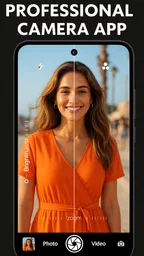
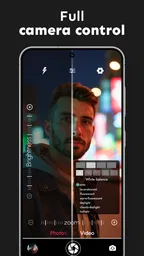
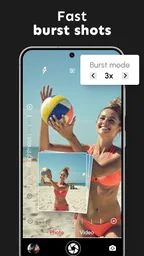
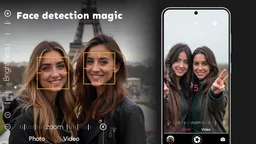
When I choose a camera app, I care less about a grand “DSLR” label and more about whether the controls help me get the picture I want without slowing me down. DSLR HD Camera: 4K HD Camera is aimed at people who want more than a basic point-and-shoot: it offers supported capture settings alongside filters and blur tools. I’d consider it for casual portraits, product snapshots, and quick creative experiments, while keeping a standard camera app handy when reliability and simplicity matter most.
What matters when choosing this camera
The first decision is whether you want to shape a photo while taking it or simply capture the moment and edit later. This app’s appeal is the chance to work with settings, filters, and blur during capture. That can make it useful when you already have a look in mind and would rather compose around it than open a separate editor afterward.
That approach suits deliberate shots better than fleeting ones. For a portrait at home, for example, I can take a moment to frame the subject, try a filter, and consider whether a softer background will help. For a child running through a room or a quick street scene, the extra choices may be less useful than opening the built-in camera and pressing the shutter immediately.
It is a beauty camera app from DOSA Apps, presented under the DSLR HD Camera name. The distinction matters: I would treat the DSLR wording as an indication of the kind of controls and look the app aims to offer, not as a promise that a phone will behave like a dedicated camera. A phone’s lens and sensor still shape the result, and the app is most valuable when its capture tools make those existing capabilities easier to use.
Before committing, I’d also ask how often I actually adjust camera settings. If I mostly take ordinary snapshots, a familiar default camera may already be enough. If I regularly want a particular effect in-camera, or like comparing looks before saving a shot, a dedicated camera app has a clearer purpose. This one is free to install, though it includes optional in-app purchases, so it makes sense to explore the free experience before spending anything.
Where it earns a place on my phone
The most convincing use case is a controlled, short photo session rather than an all-purpose replacement. Think of photographing a handmade item for a listing, taking a profile picture near a window, or capturing a coffee and pastry before they are moved. In each case, I can pause, check the framing, and decide whether a filter or blur effect improves the subject. That is a more practical reason to open this app than expecting a phone to deliver a professional camera’s results by name alone.
My most useful workflow is to make one plain reference shot before experimenting. Then I can compare the filtered or softened version with a straightforward capture and decide whether the effect genuinely helps. This is especially helpful for close-up objects: blur can draw attention to a label or detail, but too much can make the edges look unnatural or hide useful context. Keeping a clean comparison prevents an attractive preview from becoming an unhelpful final image.
Filters are also easier to judge when the lighting stays consistent. I’d avoid changing position, light, and effect all at once; instead, keep the subject in place and test one change at a time. That small habit makes it clearer whether a look is improving color or merely disguising poor light. It is a practical advantage of having creative controls close to capture, not a guarantee that every effect will suit every scene.
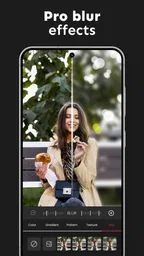
Blur has its own trade-off. It can make a simple portrait or small object feel more composed, but it is not automatically a substitute for moving the subject away from a busy background. When possible, I would first create physical distance between subject and background, then use the app’s blur tools lightly. That tends to preserve a more believable sense of depth than relying on an effect to solve a cluttered composition.
The app has a 4.5 average from around 102,000 ratings, and it has been installed over 10 million times. Those figures suggest that many people have tried it, but they do not tell me whether its particular controls suit my habits. I’d use the broad popularity as a reason to consider it, not as a reason to skip testing how it handles my own subjects and lighting.
Where a different camera app may fit better
For everyday documentation, a phone’s built-in camera is often the more sensible choice. It is already easy to reach, and its familiar interface is an advantage when speed matters. If I need a quick picture of a receipt, a parking spot, or a moment that will disappear in seconds, stopping to choose a filter or blur treatment is friction rather than creative freedom.
A dedicated manual camera app may suit someone who wants a more technical workflow, especially if their priority is precise control over exposure or focus. I would compare those options by the controls they actually expose on my device rather than by names such as “DSLR” or “HD.” Camera apps can only work within the capabilities available to the phone, so a long list of settings is not automatically useful if I rarely adjust them.
There is also a case for taking a neutral photo first and editing it later. That route gives more room to change direction after the moment has passed, while in-camera filters can help someone who already knows the style they want. The trade-off is convenience versus flexibility: DSLR HD Camera is more appealing when I want to make creative choices at capture time; a separate editor is a better fit when I prefer to keep the original untouched and decide on a look afterward.
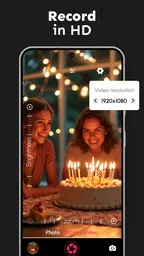
For video, I would be similarly practical. The app is described as supporting photo and video capture with settings and effects, but I would test a short clip before relying on it for an important recording. Check whether the controls feel comfortable while holding the phone, whether the chosen effect suits moving subjects, and whether the final result looks right when played back. A tool that feels fine for a still portrait may be awkward for a moving scene.
Trying it without making your camera habits harder
Switching camera apps has a small but real cost: I need to learn where the controls are, remember which app I opened, and decide whether its results are worth an extra step. I’d begin with low-stakes shots rather than making it my only camera immediately. Take the same simple subject with the regular camera and this app, then compare framing, color, and how naturally the blur sits around edges.
That comparison answers a useful question: does the app improve the result I care about, or does it simply offer more choices? If I like its look for portraits but prefer the default camera for quick snaps, there is no need to choose one permanently. Keeping both available is a reasonable arrangement, with this app reserved for planned shots and the built-in camera used for speed.
The app is free, with in-app purchases ranging from $0.99 to $99.99 per item. I would not assume that paid options are necessary to decide whether the basic camera experience works for me. First, try the capture flow and see whether the controls are useful in ordinary lighting. If a purchase is presented, consider whether it addresses a specific need rather than paying simply because the app offers more choices.
Its content rating is Everyone, and the current version is 7.1.4, with Android 8.0 as the minimum operating system requirement. It was released on November 29, 2017. Those details make it easier to judge basic compatibility, but the best practical check is still to see whether the app runs comfortably on your own device and whether its camera controls match how you shoot.
One more switching tip: decide in advance which situations deserve an effect. For instance, I might use blur for a still product shot but leave it off for a scene with fine detail around the subject. That avoids spending time correcting an effect that was never needed. It also keeps the app from turning every ordinary photo into a project.
Who I’d recommend it to
I’d recommend DSLR HD Camera to someone who enjoys composing a shot, wants filters and blur available as part of the capture process, and is willing to spend a little time testing effects. It is particularly worth trying for portraits, small products, and other still subjects where framing can be adjusted before taking the picture. DOSA Apps has built an option for people who want a more hands-on camera experience without immediately moving to a separate editing workflow.
I’d skip it as a primary camera if I value the quickest possible capture, rarely change settings, or expect a DSLR-style name to overcome the limits of my phone’s hardware. I’d also choose a different tool if my priority is a technical manual workflow or extensive editing after the shot. Those are different needs, and a more specialized camera or editor may serve them better.
Overall, I see this as a useful creative alternative rather than a universal camera replacement. Its strongest case is simple: when I have a subject worth composing and want to test a look before saving the image, the combination of supported settings, filters, and blur tools gives me a reason to open it. If you enjoy shaping a photo at the moment you take it, it is worth trying; if speed is your main concern, stick with the camera you can reach fastest.
What we like
- Offers manual controls for adjusting focus and exposure.
- Includes filters for changing the look of photos.
- Provides a timer for hands-free shots.
- Supports video recording in addition to photography.
- Lets users review captured media within the app.
What could be better
- Manual controls may take time to learn.
- Some features may require in-app purchases.
- Image quality depends on the phone's camera hardware.
- The interface may show ads.,4K recording can use substantial storage space.





