

Phone Mirror app - True Mirror review
 Analysis by Appsdrops
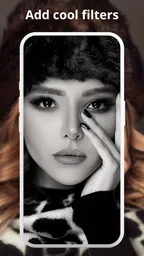
I like beauty apps best when they make a simple everyday task feel easier, and Phone Mirror aims squarely at that idea. It turns your phone into a small mirror, with zoom and light controls plus a photo editor for a closer look or a quick image adjustment. In my view, its appeal is the straightforward promise: check your appearance using the device already in your hand, without turning the experience into a complicated beauty routine.
A quick mirror for everyday checks
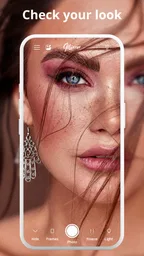
Phone Mirror is a beauty app built around a familiar need: seeing your face clearly when a regular mirror is not convenient. The app uses the phone’s camera to show your image on screen, while its zoom and light options are intended to help you inspect details. The photo editor adds another layer for users who want to make adjustments to an image after looking at it.
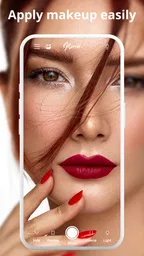
That mix makes the app useful for small, practical moments. I can imagine opening it to check whether my hair is sitting right, take a closer look at makeup, or see how something appears under the available light. It is not trying to replace every beauty tool on a dressing table. Instead, it offers a portable mirror experience that is easy to understand at a glance.
The app’s store summary describes it as a mirror with photo editing, zoom, and light. Those are the core ideas worth keeping in mind: a live image for checking your appearance, controls to get a closer view, and editing tools for working with photos. Anyone looking for an elaborate makeover suite should set expectations accordingly. The main draw is still the phone-as-mirror concept.
Its name, True Mirror, also points toward that uncomplicated purpose. I appreciate apps that tell me what they are for without making me hunt through a long list of features. Here, the premise is immediately recognizable, and that clarity can be a real advantage when you only need a quick check rather than a full photo session.
What the core experience is designed to do
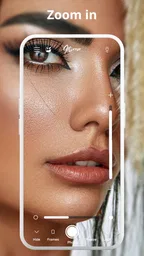
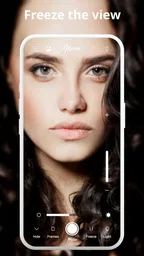
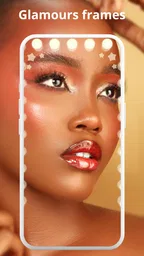
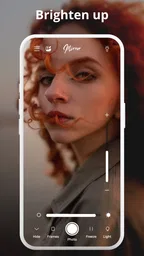
A phone mirror is most useful when it is quick to open and easy to read. The camera view gives you a direct image of yourself, while zoom can help bring smaller details into view. Light control is another practical addition: brightness can make a difference when the room is dim or when you are checking how a detail looks more closely.
The photo editor broadens the app’s purpose beyond simply looking at a live image. It gives the experience an editing component, which may suit users who want to make changes to a photo rather than just inspect themselves in real time. I see this as a modest but logical pairing. A mirror helps with the immediate check; an editor can be handy when the task involves an image you want to adjust.
Still, the product’s appeal depends on using those tools for the right reasons. A phone display is not a perfect substitute for every mirror, and a camera image can look different from what you see in person. For routine grooming checks, that may be perfectly fine. For judging subtle color or making a precise beauty decision, I would treat the screen as a helpful reference rather than the final word.
Where it fits among beauty apps
The beauty category covers everything from tutorials to virtual makeup and photo retouching. Phone Mirror takes a narrower route. It focuses on viewing your own image, with zoom, light, and editing as supporting tools. That narrower scope can be refreshing: there is no need to learn a large workflow just to see whether your appearance needs a quick touch-up.
I also like that the concept is useful outside of a traditional beauty routine. A mirror app can help with a quick check before heading out, while traveling, or whenever a full-size mirror is not nearby. The simple format makes it approachable for people who are not especially interested in complex photo editing. At the same time, anyone who mainly wants advanced retouching may find that a dedicated editor is a better match.
Phone Mirror is free to install, with in-app purchases listed from $0.99 to $99.99 per item. That range is worth noticing before making purchases, but it does not change the basic idea of the app: a pocket mirror supported by a few convenience tools. The content rating is Everyone, so its stated audience is broad rather than limited to adults.
How the app has reached its current state
The app was released on December 23, 2014, and its current version is 10.0.0. That gives it a long history on mobile, while the version number shows that it has continued through multiple iterations. Those facts provide useful context, but they do not reveal exactly which features changed or when each change arrived. I would not read a particular redesign or improvement into the version number alone.
What can be said with confidence is that the present-day concept still centers on a phone mirror with photo editing, zoom, and light. That consistency matters for people who are considering the app now: its basic purpose is clear, and the current version is the one to evaluate rather than assumptions about older releases. The app has also reached more than ten million installs, suggesting that the portable-mirror idea has found a substantial audience.
Its average rating is 4.6, based on around 96,000 ratings, with about 1,100 written reviews. Those figures give a broad sense of reception, although they cannot tell me whether every person values the same parts of the experience. Some users may care most about a quick mirror view, while others may be drawn to the editor or the zoom and light controls.
What version history can—and cannot—tell you
A current version number is useful as a snapshot of where an app stands, but it is not a full release diary. I can use version 10.0.0 to identify the present release, and the original release date to understand that the app has been around for years. I cannot responsibly infer specific improvements, interface changes, or compatibility updates from those details alone.
For an existing user, the practical point is to judge the app by the experience available in the current release. If the mirror view and the supporting tools meet your needs, an updated version can keep the app current on your device. If you are new to it, the long-running presence and large install base may offer reassurance that the concept is established, but they are not a substitute for deciding whether its feature set suits your habits.
The minimum operating system requirement is Android 6.0. That makes compatibility an important first check for Android users, especially on older devices. The app is free to download, though individual in-app purchases can cost between $0.99 and $99.99. I would review any purchase options carefully and choose only what feels relevant to how I plan to use the app.
What the experience may mean for current users
For someone who already has Phone Mirror installed, the main reason to keep it is convenience. If you regularly need a quick camera-based mirror, it can be useful to have that function ready on your phone. Zoom and light are sensible additions for close inspection, while the editor gives you another option when you want to work with a photo.
The value is more personal than dramatic. This is not the kind of app that needs to become part of every daily routine. It is better suited to users who actually reach for a mirror at moments when one is not available. If that describes you, keeping a dedicated mirror app can feel practical. If you rarely need the function, the app may not earn a permanent place on your home screen.
For returning users, I would focus on whether the current tools remain comfortable and useful, rather than expecting a particular change simply because the version has advanced. App evolution is most meaningful when it improves a task you already care about. Here, the central task is plain enough that usability and reliability are likely to matter more than a long checklist of extras.
Gaps worth keeping in mind
The app’s focused purpose is also its main limitation. A mirror, zoom, light, and photo editor make for a compact feature set, not an all-purpose beauty platform. If you want guided tutorials, virtual product try-ons, or extensive portrait retouching, you may need a different app for those jobs. I would choose Phone Mirror for quick viewing, not assume it covers every beauty-related need.
It is also sensible to remember that a phone camera and screen are tools with their own visual character. Distance, lighting, display settings, and camera behavior can all affect how an image appears. That does not make the app unhelpful; it simply means I would use it as a convenient visual aid rather than a perfectly neutral mirror. For a fast check, convenience may matter more than absolute precision.
Purchases are another detail to consider. The app is free, but optional in-app items span a wide price range. Users who want a no-cost mirror should pay attention to what is available without purchasing and avoid tapping through checkout without checking the amount. That is straightforward advice for any app with optional purchases, particularly when individual items can be priced very differently.
What I would watch in future updates
For future versions, I would watch for changes that make the central mirror experience easier to use: clearer controls, dependable access to zoom and light, and an editor that feels easy to understand. Those are expectations, not claims about planned features. The app’s strongest opportunity is to keep its simple purpose convenient while making the supporting tools feel natural rather than distracting.
Existing users may also want to keep an eye on compatibility as their devices change. The minimum Android requirement is 6.0, so checking the app store on a particular device is a sensible step before relying on it. New users can do the same, especially if they have an older phone or are comparing the app with other options in the beauty category.
Overall, I see True Mirror as a practical, narrowly focused beauty app for people who want their phone to double as a mirror. It combines a live image with zoom, light, and photo editing, and its straightforward purpose is easy to grasp. The long-running release history and broad adoption make it an established choice, while the paid items are worth checking before purchase. If you want a quick appearance check on your phone, it is a sensible app to consider; if you need advanced beauty tools, its modest scope may feel limiting.
What we like
- Provides a straightforward way to check your appearance using the front camera.
- Its simple layout is easy to navigate.
- Useful for quick grooming checks before leaving home.
- Does not require a separate handheld mirror.
- Can help inspect small details with a close-up view.
What could be better
- Front-camera image quality depends on your device.
- Screen reflections can make viewing difficult in bright light.
- The preview may not match how others see you.
- Camera access is required for the main feature.
- Some features may be limited or include advertisements.





