Roku Smart Home review
 Analysis by Appsdrops
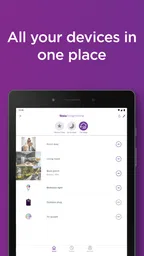
I find a smart-home app most useful when it makes ordinary tasks easier, not when it turns them into another project to manage. Roku Smart Home is built around that practical idea: it gives owners of compatible Roku smart-home devices a place to set them up, adjust their settings, and check on home activity while away. In my experience, its appeal is less about elaborate automation and more about having device controls and monitoring in one familiar phone app.
Start with a simple, repeatable routine
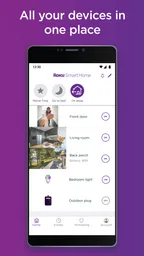
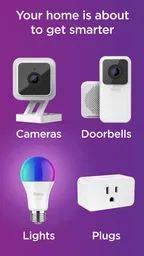
Roku Smart Home is a household and home-monitoring app from Roku, Inc. and its affiliates. Its first job is helping you connect and configure compatible devices; after setup, it serves as a place to check their status and change available settings. That makes it most useful when you already have Roku smart-home hardware or are planning to build around it. It is not a general-purpose controller for every brand in a mixed smart home.
A sensible first session is to set up one device, confirm that it appears in the app, and try the main controls before adding more. This small check matters: it lets you learn where that device’s settings live and whether its status is clear to you, without making a whole collection harder to troubleshoot. I would also give devices names that describe their location or purpose. “Hallway” or “Back door” is more useful at a glance than a string of model names, especially when you are checking in quickly.
For a realistic everyday use, imagine leaving home and wondering whether a monitored area is as expected. The app’s value is that you can open it and check your connected home rather than relying on memory or waiting until you return. If you share a household routine with other people, it helps to agree on what each device is called and which settings should stay consistent. Clear naming and a predictable setup save more time than constantly rearranging controls.
The app is free to download, and the age rating is Everyone. Its average rating is 4.4 from around 59,000 ratings, with more than a million installs. Those figures suggest it has found a substantial audience, but they do not tell me whether it will suit a home using equipment from several manufacturers. Compatibility with your own devices is the more important question to settle before making it part of a daily routine.
Check the settings that affect daily use
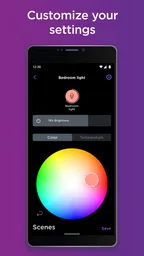
Once a device is set up, I would spend a little time reviewing its available settings rather than treating installation as the finish line. The controls vary by device, so it is better to inspect the options shown for each one than to assume every product has the same capabilities. This is also where you can decide which adjustments you actually expect to make regularly and which can be left alone.
A useful habit is to make one change at a time and then check the device again. If something behaves differently afterward, you will have a clearer idea of which adjustment is responsible. This is especially helpful when you are configuring several devices in one sitting: changing everything at once can make it difficult to spot a mistaken setting or an unexpected result.
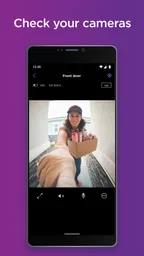
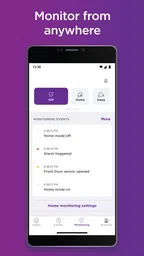
Monitoring is only helpful when you understand what the app is showing. I recommend checking a device while you are at home first, so you know where its status appears and what a normal view looks like. Later, when you check from elsewhere, you can interpret what you see with more confidence. The app is a convenient way to keep an eye on compatible devices, but it should not replace a physical check when a situation genuinely calls for one.
Roku Smart Home also has in-app purchases, with listed items ranging from $3.99 to $119.99. That is worth keeping in mind if you are comparing the total cost of a smart-home setup, rather than considering only the free app. I would review the purchase details in the app before committing to anything and distinguish optional paid items from the basic task of controlling devices you already own.
Build faster patterns instead of adding needless steps
The best shortcut here is often a repeatable habit, not a clever feature. I like to keep the same sequence for a quick check: open the app, look at the relevant device, confirm its status, and close it once I have the answer. When device names are clear and settings are already in order, that routine is more dependable than searching through a crowded or inconsistently named setup.
Another practical approach is to group your attention by purpose. If you mainly use the app to check one area before leaving, make that the first device you look for and avoid changing unrelated settings during the same quick visit. If you are doing a deeper review, handle setup and adjustments separately from routine monitoring. This reduces accidental changes and makes the app feel more like a useful control point than a place you have to explore every time.
There is a trade-off between customization and simplicity. It can be tempting to keep revisiting settings because a smart-home app makes them easy to reach, but a stable configuration is often more useful for a household than a constantly revised one. I would change a setting when there is a clear reason, then use the new arrangement for a while before deciding whether it is better. That gives you a reliable baseline to return to if a later adjustment causes confusion.
For people who are already comfortable with Roku products, using one app for compatible smart-home devices may feel more straightforward than learning a separate interface for every item. But if your home already depends on another ecosystem, adding Roku Smart Home may mean maintaining another app rather than simplifying your setup. The right choice depends on whether its supported devices fit the system you actually use, not on the convenience of having one more app installed.
Where the experience has limits
The main limitation is scope. Roku Smart Home is for compatible Roku smart-home devices; it should not be mistaken for a universal dashboard that will automatically bring unrelated brands together. If you want to manage a wide mix of manufacturers from one place, a broader smart-home platform may be a better starting point. If your equipment is already compatible and your needs are focused, the narrower approach can be an advantage because you have fewer unrelated controls to navigate.
There is also a difference between checking a device and having a fully hands-off home. The app helps with setup, settings, and monitoring, but you should not assume that every device supports the same controls or that every household task can be automated. Before buying hardware, check that the specific device suits the job you want it to do. The app cannot make an unsuitable device into the right one, and a phone-based check is not a substitute for planning around the needs of your home.
Phone access is useful, but it creates a small friction point: you need to open the app and find the right device when you want to check something. Good naming and a consistent routine help, though they do not turn every interaction into an instant shortcut. I would not choose this app solely because I expect it to eliminate all manual checks or coordination between people in a household.
The current version is 3.8.0.603, and it requires Android 9 or later. That makes the operating-system requirement worth checking before installing it on an older Android phone. Roku’s app is free, but the possible in-app purchases mean the overall experience may involve costs beyond downloading it. Together, these details make it sensible to check both device compatibility and the purchase options before deciding how central the app should be to your setup.
Who will get the most from it
I would recommend Roku Smart Home to someone who owns compatible devices and wants a straightforward place to set them up and check them without managing a sprawling assortment of controls. It can also suit a household that values repeatable routines: give devices understandable names, review settings once, and use the same quick check when you need to monitor the home.
I would point someone with a heavily mixed-brand setup toward a platform chosen specifically for broad compatibility instead. I would also hesitate if the main goal is advanced automation, or if the person expects one app to control devices that are not compatible. In those cases, a more expansive ecosystem may be worth the added complexity. The important distinction is whether you need a focused companion for Roku smart-home equipment or a single control layer for an entire home assembled from different brands.
Roku Smart Home is a practical, focused option rather than a complete answer to every smart-home problem. Its strengths are a clear role, device setup and adjustment in one place, and a useful way to monitor compatible equipment from a phone. Its limits are just as important: your hardware needs to fit, the app does not remove the need for sensible setup, and paid in-app items deserve a look before you spend. If those boundaries match your needs, I think a simple, steady routine will get more value from it than trying to make it do everything.
What we like
- Control compatible devices from the Roku mobile app.
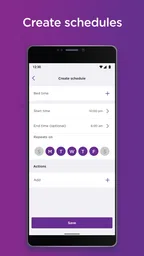
- Create schedules to automate compatible smart devices.
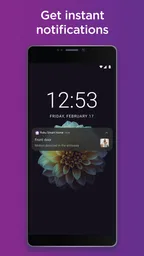
- Receive motion alerts from supported cameras and sensors.
- Check live camera feeds on a compatible mobile device.
- Works with Roku smart home devices and select integrations.
What could be better
- Many features require compatible Roku smart home hardware.
- Some advanced features may require a subscription.
- Device compatibility can vary by model and region.
- Camera streaming depends on a reliable internet connection.
- The app may offer limited control over third-party devices.





