


Ring - Always Home review
 Analysis by Appsdrops
I think Ring is easiest to judge by the moments it is meant to help with: a delivery arriving while you are out, a visitor at the door when your hands are full, or a quick check that lets you decide whether to respond now or later. It is a free lifestyle app from Ring.com, built around viewing and managing Ring home-security devices. The appeal is straightforward, but the experience depends on more than the app alone: your device, home network, phone settings, and expectations all play a part.
When a quick check turns into troubleshooting
The app is most useful when it gives you a timely view or alert and lets you act without going to the door. That convenience can feel less dependable when a notification arrives late, a live view takes a while to load, or the picture does not match what you expected. I would not assume every delay means the app is broken. A phone that has poor connectivity, a home network that is struggling, or a device that is temporarily unavailable can all interrupt the chain between an event and your screen.
One practical habit is to separate the problem into two questions: can the phone reach the internet, and can the Ring device respond? If other apps are also failing to load, start with the phone’s connection. If the rest of the phone works but Ring cannot show a particular device, check that device and its connection instead. This simple split saves time compared with repeatedly closing and reopening the app without knowing where the fault might be.
Alerts can also be easy to misread. A notification is useful as a prompt, but it is not the same thing as continuously watching the entrance. I treat it as a reason to open the app and check, rather than as a guarantee that I will see every event at the exact moment it happens. If you rely on timely awareness for an important situation, keep that limitation in mind and do not make the app your only safety measure.
The key trade-off is convenience versus dependence on a working chain of connections. Ring can make checking a door easier, but it cannot remove the possibility of network delays, a phone being out of reach, or a device needing attention. That is worth accepting if you want remote access; it is frustrating if you expect an uninterrupted, instant monitor.
Check the basics before changing settings
Before troubleshooting, I would confirm that the phone is online and that the app is open under the account used to manage the relevant Ring device. Then I would check whether the issue affects one device or everything in the app. A single-device problem points toward that device or its connection; an app-wide problem makes the phone, account access, or current connectivity more plausible places to look.
It also helps to make one change at a time. If you adjust several phone or network settings at once, it becomes difficult to tell which change helped—or whether the issue cleared on its own. After each check, return to the screen or action that failed and try it again. This is especially useful when you are preparing the app before leaving home: testing access while you are still nearby gives you a chance to notice a problem before you actually need a remote check.
Keep the app updated when an update is available, but do not treat updating as a universal repair. The current version is 3.116.2, and the stated minimum operating system is version 9. If your phone runs an older system, compatibility may be a concern; if it meets that requirement, an update still cannot fix a weak connection or an unavailable device. I would check the phone’s software and the app version as part of a broader diagnosis, not as the only step.
For a new installation, give yourself time to complete the app’s device and account setup rather than waiting until a delivery or visitor is already at the door. Make sure you can sign in, identify the device you want to check, and reach the relevant view. If the process stalls, first confirm your connection and account details, then retry the step that failed. A calm setup is easier to diagnose than trying to configure things in a hurry.
Recover a routine without adding needless complexity
A useful everyday workflow is to open the app when a notification matters, check the live situation, and then decide whether any follow-up is needed. For example, if I am at work and expect a package, I can use the app to check what is happening at home rather than asking someone nearby to look. If the view does not load, I would avoid tapping repeatedly; I would check the phone connection, wait briefly, and make one fresh attempt. That keeps a temporary delay from turning into a string of confusing actions.
If access stops working after a phone change or a period of inactivity, I would first make sure I am using the right account and that the app can connect. Then I would check whether the device itself is reachable. This order matters: resetting or reconfiguring a device before checking the account and connection can create extra work without addressing the cause. If only one person in a household has trouble, compare their phone and account access with a household member whose app is working, while avoiding assumptions that everyone has identical settings.
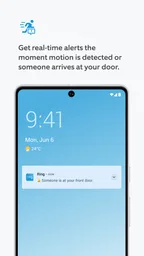
Notifications deserve a separate check from live viewing. If you can open the app and see a device but do not notice alerts, look at the phone’s notification controls and the app’s own alert settings. A quiet or restricted phone can make alerts easy to miss even when the device is otherwise accessible. I would test the alert flow at a convenient time rather than waiting for a delivery to discover that the phone is not drawing attention to it.
Another useful distinction is between “I need to know what is happening now” and “I want a record of what happened earlier.” Those are different expectations. Before relying on the app for a particular routine, explore the controls available for your own setup and confirm that they support the way you intend to use it. Do not assume that a quick live check and reviewing past activity are interchangeable experiences; choose the action that matches the question you are trying to answer.
When the app may not be the problem
Ring.com is the developer, but the app is only one part of a connected home setup. If a device is offline, if your home connection is inconsistent, or if your phone has limited access to the internet, changing the app’s settings may not help. I would compare access from another reliable connection when practical and check whether the problem follows the phone or stays with the home device. That gives you a more useful clue than repeatedly reinstalling the app.
The physical situation matters too. A camera or door device cannot provide a useful view if its placement, lighting, or field of view does not cover the area you care about. If you can connect but keep seeing an unhelpful angle, think about the device’s position rather than assuming the app has failed. Likewise, a notification can prompt a check, but it cannot guarantee that a person will be available to respond or that a delivery will be handled exactly as you prefer.
There is a broader privacy and household consideration as well. A home-monitoring app is a poor fit if the people who share the space are uncomfortable with connected devices, or if you do not want to maintain accounts, phone settings, and network access. I would discuss expectations with anyone affected before making it part of a shared routine. For a basic need such as occasional parcel updates, a delivery instruction or a trusted neighbor may be simpler than adding another connected system.
Who will get the most from Ring
I would recommend Ring to someone who already uses compatible Ring devices and wants a convenient way to check them from a phone. It makes particular sense for people who are often away from home, regularly receive deliveries, or want a direct way to look in on an entrance without walking to it. The app’s central job is clear, and that focus is more appealing than trying to turn a simple check into a complicated home-management routine.
It is less compelling if you do not own Ring devices, do not want connected home equipment, or expect the app alone to provide complete security. It is also not the best choice for someone who needs guaranteed instant alerts regardless of phone and network conditions. In those situations, a different arrangement—such as an in-person check or a non-connected option—may be more dependable for the specific need. The right choice depends less on the app’s promise than on whether you are comfortable maintaining the whole setup.
Compared with ordinary alternatives such as walking to the door, asking someone nearby, or relying on delivery instructions, Ring trades simplicity of access for a little technical upkeep. A quick look on a phone can be more convenient than leaving what you are doing, but the app requires a working device, account, phone, and connection. That is a fair exchange for people who will use remote checks often; for someone who only needs them once in a while, the extra setup may not feel worthwhile.
Its broad adoption is reflected in a 4.7 average from around 606,000 ratings, with over 10 million installs. Those figures suggest many people find the app useful, but they do not tell me whether it will suit a particular home or network. It is rated for Everyone, and it has been available since November 18, 2014. I would treat that history as context, not as a substitute for checking that your phone and Ring equipment fit the job you have in mind.
A practical verdict for everyday use
My view is that Ring works best as a convenient companion to Ring home devices, not as a standalone guarantee that nothing will be missed. Set it up before you need it, confirm that you can reach the device, and test alerts while you have time to adjust your phone settings. When something goes wrong, check the phone connection, account access, device availability, and notification controls in a deliberate order. Those steps will not solve every issue, but they make it easier to identify whether the problem is in the app or elsewhere.
If remote checks would genuinely make your day easier, the free price makes trying the app a low-cost first step, though the app’s usefulness depends on having the relevant Ring equipment. If you want a fully hands-off system, dislike troubleshooting connected devices, or need alerts to be infallible, I would look for a different arrangement or keep a backup routine. For the right household, Ring is a practical way to check in from a distance; for everyone else, its convenience may not outweigh the upkeep.
My recommendation is to use Ring for quick, purposeful checks and keep realistic expectations about connectivity. It earns its place when you already have a Ring setup and value seeing what is happening without being at home. The app is less persuasive when you need certainty, have no compatible device, or would rather avoid another account and another point of technical friction.
What we like
- Live video lets you check activity around your home.
- Motion alerts can help you respond quickly to visitors.
- Two-way audio lets you speak through compatible devices.
- Shared access allows household members to use the system.
- Event history makes it easier to review recent activity.
What could be better
- Many features require a paid Ring subscription.
- Some devices may not work with every phone or network.
- Cloud recordings are unavailable without an eligible plan.
- Frequent motion alerts can become distracting.
- Using cameras raises privacy concerns for residents and guests.





