
LG ThinQ review
 Analysis by Appsdrops
I see LG ThinQ as a practical control center for people who already own compatible LG appliances, rather than an app that becomes useful on its own. Its value depends on what is in your home: with connected LG products, it can bring everyday controls and status checks together on your phone; without them, there is little reason to install it. That distinction is worth knowing before you sign up or spend time setting it up.
How ThinQ fits into a connected home
Published by LG Electronics, Inc., ThinQ is a free lifestyle app for everyone. It has an average rating of 4.4 from around 1.5 million ratings, and it has been installed over 100 million times. Those figures suggest broad reach, but they do not tell you whether a particular appliance will work with it. I would start by checking the exact model and its connected features, not by assuming that every LG product can be added.
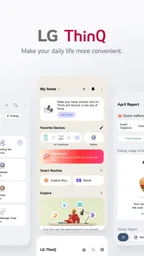
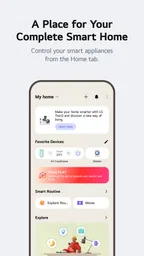
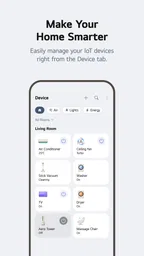
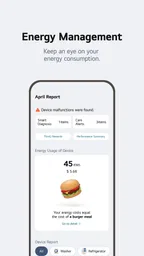
The app’s basic promise is simple: manage supported LG appliances from one place instead of reaching for a separate remote or walking over to each device. In a well-matched home, that can make small routines more convenient. You might check an appliance’s status while doing something else, or use the phone as a more accessible way to reach controls. The experience is most convincing when it saves a trip or makes a recurring task easier, not merely because the appliance has a phone connection.
Think of ThinQ as a companion to hardware, not a replacement for it. The appliance still does the actual work, and the app’s usefulness rests on the product, its connectivity, and a reliable setup. If you are shopping for an appliance, it makes sense to consider the app as one part of the ownership experience. If you already have one, the sensible next step is to confirm whether that model supports the functions you care about.
What it is like to use day to day
When connected devices are configured correctly, a shared app can reduce the mental effort of remembering which control belongs to which appliance. That is especially helpful for a household with several compatible products: you have one place to look before deciding whether you need to go to the kitchen, laundry area, or another room. For someone who lives with family or roommates, the convenience may be less about remote access and more about having a familiar interface for routine checks.
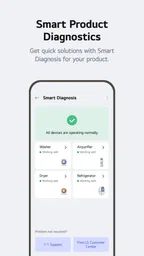
A realistic example is getting ready to leave home while a household task is underway. Instead of interrupting what you are doing to check an appliance in another room, you can open ThinQ and see whether the relevant product is connected and offering the controls your model supports. I would treat that as a useful check, not as a guarantee that every feature will be available remotely or that an app can resolve a device problem by itself.
There is also a modest accessibility benefit in having an appliance’s supported controls on a phone. Reaching a wall-mounted control or bending to inspect a device may be awkward for some people, and a phone can be easier to use in those situations. The benefit varies by appliance and by the controls exposed in the app, so I would not buy a product on the assumption that the mobile interface duplicates every physical control.
What the release history does—and does not—tell me
ThinQ was released on November 19, 2015, so it is not a new companion app arriving alongside a single product launch. That long presence gives it a role within LG’s connected-home ecosystem, but a release date alone cannot tell me which features have changed, how often the interface has been revised, or what a particular current installation will offer. I would separate the app’s established history from any assumption that it has gained a specific capability.
The confirmed platform requirement is Android 12 or later. That is useful to check before downloading: an older Android phone may not be able to use the current app, even if the appliance itself is compatible. The requirement is particularly relevant in a household where one person has a newer phone and another relies on an older device. Compatibility needs to make sense across both the appliance and the phone used to control it.
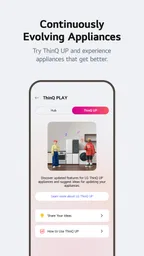
Because ThinQ connects to physical products, the most meaningful changes for existing users are the ones that affect their own model and routine. A refreshed screen is less important than a control they actually use becoming easier to reach, or a connection behaving more reliably. I would judge updates by whether they improve a real task in the home, rather than expecting a new version to transform an appliance into something it was not designed to be.
Setup is the first real test
Before installing, I would gather the appliance’s model information and make sure the phone is on a supported version of Android. Then I would follow the in-app process for adding the product, keeping the appliance nearby so I can respond to any pairing steps it requires. This small preparation avoids a common source of frustration: downloading the app first, only to discover that the model or phone does not meet the conditions for the feature I wanted.
After pairing, I would test one useful action immediately rather than assuming setup is complete because the product appears in the app. Check whether the device remains visible after leaving the room, whether the status information makes sense, and whether the control you expect is actually offered. This is a practical way to identify the difference between a successful connection and a setup that merely looks finished.
For a shared home, I would also decide who needs access before making the app part of a household routine. A central account or a single phone can be convenient for one person, but less so if other people need to check or control the same appliances. I would test the sharing and access options available for the specific setup instead of assuming that every household arrangement works identically.
Where it compares well, and where alternatives make sense
Compared with using appliance buttons alone, ThinQ can be more convenient when you want to check or manage a supported product from elsewhere in the home. Compared with a collection of separate manufacturer apps, its appeal is that LG products can be brought into one LG-focused place. That is a clear advantage if your household already leans toward compatible LG appliances, though it is not a universal control panel for every brand in the home.
If your appliances come from several manufacturers, you may prefer a broader smart-home platform for the parts of your home it can control. That can reduce the number of apps, but it may not expose every manufacturer-specific appliance function. I would keep ThinQ for the controls tied to LG products and use another platform only if it genuinely brings the rest of the household together. The trade-off is straightforward: a wider ecosystem can be more unified, while the manufacturer’s own app may be the more direct route to its supported appliance features.
On the other hand, if you only own a basic appliance with no connected functions you plan to use, the physical controls may be enough. In that case, ThinQ adds another setup step without solving a problem. It is also a poor fit for someone who expects remote control to work regardless of the appliance’s connectivity or model. A phone interface cannot compensate for an unsupported product or a connection that is not working.
Useful habits and honest limitations
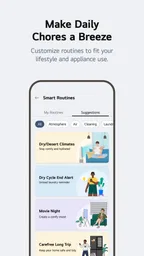
One helpful approach is to treat the app as a status-and-control aid, not as a reason to check appliances constantly. Choose one recurring moment when it can save effort, such as checking a task before heading to another room, and see whether that specific workflow feels reliable. If you find yourself opening the app without gaining useful information, it may not deserve a regular place in your routine.
Another useful trade-off is to keep the appliance’s normal controls familiar. ThinQ may make some tasks more convenient, but you should still know how to operate the product directly. That matters when your phone is unavailable, the connection needs attention, or another person in the home is not comfortable using the app. A connected feature should supplement a workable everyday routine, not become its only path.
The main friction is that the experience is tied to compatible hardware and setup. A large install base cannot guarantee that your own appliance will expose the function you want, and a good rating cannot predict how smoothly your particular phone and home connection will behave. I would also be cautious about expecting every appliance in a multi-brand home to appear in the same place. ThinQ is strongest within its own ecosystem, and that boundary is part of the product rather than a minor detail.
Who should try it, and what I would watch next
I would recommend ThinQ to someone who owns compatible LG appliances and wants a single place for supported phone-based controls or status checks. It is also worth trying if you are planning an LG-centered home and value convenience between rooms. Before relying on it, check the exact appliance model, confirm your Android device meets the minimum requirement, and test the function that matters most to you.
I would skip it if you have no compatible LG products, prefer to avoid connected-home accounts and setup, or want one app to control a mixed-brand household without exceptions. In those cases, the appliance’s own controls—or a broader platform that suits the other devices you own—may be a better fit. The right choice depends less on the app’s popularity than on whether its supported controls remove a real annoyance from your day.
ThinQ is a free app with a long-established place in LG’s connected-product experience, but its usefulness remains personal and hardware-dependent. What I would watch in future use is whether updates make pairing, everyday navigation, and access across a household more dependable for the products already in use. Until then, my advice is simple: start with one compatible appliance and one practical task. If that works smoothly, the app has earned a place in your routine; if not, there is no need to force a connected workflow that does not help.
What we like
- Control compatible LG appliances remotely from one app
- Receive alerts when a connected appliance needs attention
- Check appliance status without visiting each device
- Create routines that automate compatible smart home devices
- Works with select voice assistants for hands-free control
What could be better
- Most features require compatible LG appliances
- Some appliances need a reliable Wi-Fi connection
- Setup can take time when pairing several devices
- Available features vary by appliance model and region
- Remote control may require enabling settings on each appliance





