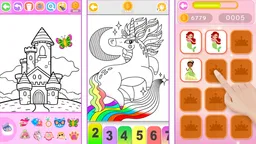
Princess Coloring Book Glitter review
 Analysis by Appsdrops
Choosing a coloring app sounds simple until you open the app store and find a long row of princess-themed options. I look for a few basics: whether the theme suits the person who will use it, whether the experience feels approachable, and whether the app makes sense as a free download. Princess Coloring Book Glitter puts its focus squarely on princess coloring and drawing, making it an easy one to consider for children who enjoy that style of creative play.
A princess-focused coloring experience
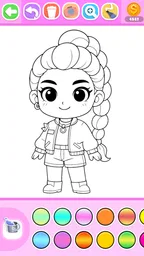
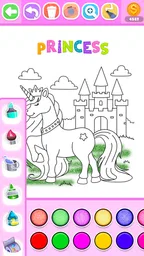
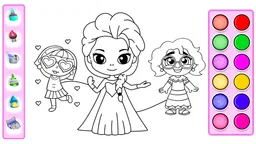
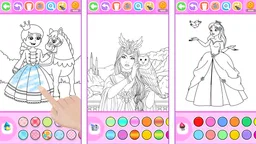
The app sits in the art and design space, but its appeal is deliberately specific rather than broad. Its central idea is a princess coloring book with glitter as part of the theme. That makes it a more targeted choice than a general-purpose drawing app: instead of setting out to serve every kind of artist, it speaks to users who want a colorful, princess-centered activity.
I find that kind of focus useful when choosing an app for a child. A clear theme can make the decision quicker, especially when the goal is a casual creative pastime rather than a tool for learning a full set of drawing techniques. The store description presents it as a coloring and drawing book for girls, though the broader question is simply whether the intended user enjoys princess art and coloring.
It is free to download, and the app is rated for everyone. It has been available since July 2019 and is developed by FunKidStudio. Those details give a little context, but what matters most in practice is the straightforward promise: a themed digital coloring book rather than a complicated art suite or a game built around a deep progression system.
What to consider before downloading
First, think about the theme. If princesses are already a favorite, the app’s narrow focus is likely a strength. If the child would rather draw animals, vehicles, landscapes, or abstract designs, a broader coloring app may be a better match. Choosing by subject is often more helpful than choosing by a long feature list, particularly for a simple creative activity.
Next, consider what you want the app to do. A coloring book is a good fit when the aim is relaxed, low-pressure creativity. Someone looking for detailed drawing tools, a general sketchpad, or lessons in art may want to compare it with apps designed for those purposes. I would treat this as a themed coloring option, not assume it will replace every kind of art app.
Finally, consider the cost beyond the initial download. The app is free, with in-app purchases listed at between 99 cents and $4.99 per item. That is worth keeping in mind before handing over a device. The presence of optional purchases does not change the basic appeal of a free app, but it does make it sensible to check the purchase settings that suit your household.
Where this app makes sense
The clearest reason to choose Princess Coloring Book Glitter is the match between its subject and the user’s interests. A child who likes princess-themed coloring may be more willing to open a focused coloring book than a general art app with a broad, less personal presentation. For that audience, the theme itself does much of the work in making the app feel inviting.
Its scale is another reassuring sign of visibility: it has passed one million installs and has an average rating of 3.8 from around 1,200 ratings. I would not treat those figures as a guarantee that every family will enjoy it, but they suggest that the app has reached a sizeable audience. The rating also leaves room for mixed experiences, so it is sensible to approach it as a practical option to try rather than a certain favorite.
The app’s current version is 14, and it requires Android 7.0 or later. That makes compatibility an easy item to check before downloading on an Android device. If the device meets that requirement and the princess theme is a draw, trying a free coloring app is a relatively simple way to see whether it suits the child’s routine.
For a parent or caregiver, the useful distinction is between a quick creative activity and a more structured learning product. This app is best considered in the first category. It may be a pleasant choice for quiet coloring time, while a child who wants to practice drawing from instruction or work with a wide range of art materials may be happier with a different kind of app.
When another kind of app may be better
Alternatives can be grouped by what they prioritize. A general coloring app may offer a wider variety of subjects, which is useful for children whose interests change from day to day. A drawing app may suit someone who wants to make images from scratch rather than fill in a themed coloring page. An art-learning app may be a better direction for a child who wants guidance and a sense of progression.
Those categories are not automatically better; they simply serve different intentions. If the user specifically wants princess illustrations and a glitter-themed coloring experience, a broad creative tool could feel less focused. On the other hand, if the princess theme is only a passing interest, choosing an app with a wider range of subjects could offer more room to explore.
I would also compare the experience you want on the device. Some families want a simple activity they can introduce quickly, while others are looking for a lasting creative workspace. Without assuming details beyond the app’s stated purpose, it makes sense to choose this one for the coloring-book idea and look elsewhere when the priority is a more comprehensive set of art tools.
The key is not to download several apps just because they use similar words in their names. Decide whether the child wants to color princess art, create original drawings, or explore a broader collection of themes. That distinction narrows the options and reduces the chance of installing something that sounds right but does not match the intended use.
Switching is easy, but expectations matter
Because the app is free to download, trying it does not require an upfront purchase. If the theme does not hold the child’s interest, moving to another coloring or drawing app is a straightforward decision. The main cost of switching is less about money and more about time spent finding a better fit, especially if you are comparing options together.
Optional purchases are the point to keep in view. Individual in-app items range from 99 cents to $4.99, so I would make sure the child understands that a free download can still include paid extras. A quick conversation about purchases can prevent confusion later and help keep the app’s role clear: a creative activity to enjoy, with spending decisions handled by an adult.
There is also a small practical cost in changing apps: a child may need time to get used to a new interface or theme. That is a normal trade-off across creative apps, not a reason to stick with one that does not fit. If princess coloring is the attraction, start with a focused option; if the child soon wants more variety, a broader alternative may be worth exploring.
A balanced recommendation
I would recommend this app as a candidate for children who specifically enjoy princess coloring and want a themed digital coloring book. Its purpose is easy to understand, it is free to download, and its everyone age rating makes it a natural option for families considering a casual art activity. The strongest reason to try it is the match between the app’s theme and the child’s interests.
I would be more cautious if you are searching for a full drawing studio, a teaching tool, or a coloring app with a broad mix of subjects. Those are different needs, and a more general alternative may suit them better. The 3.8 average rating suggests a mixed but established reception, so I would keep expectations sensible and judge it by how well the theme works for the intended user.
Overall, Princess Coloring Book Glitter is worth considering when princess-themed coloring is the main goal, not merely one option among many. Check that the Android device runs version 7.0 or later, keep the optional purchases in mind, and let the child’s interests guide the choice. If the theme clicks, it offers a clear, low-commitment place to start; if it does not, switching to a broader coloring or drawing app is a sensible next step.
What we like
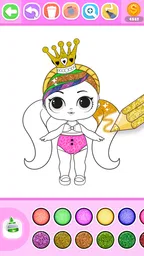
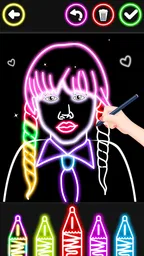
- Glitter effects add sparkle to finished princess illustrations.
- Simple controls make coloring approachable for young children.
- A broad range of colors encourages creative experimentation.
- Completed pictures can be saved for later viewing.
- Princess themes offer familiar characters for imaginative play.
What could be better
- Glitter effects may not appeal to every child.
- Small details can be difficult to color precisely on phones.
- Coloring may feel repetitive after many pictures.
- The app may include ads that interrupt play.
- Some children may need help navigating the menus.





