




PlutoTV: Stream Free Movies/TV review
 Analysis by Appsdrops
I reach for Pluto TV when I want something on without first building a careful watchlist. Its mix of live channels and on-demand viewing suits the moments when I have a few minutes to browse, or when I would rather let a channel choose what comes next. That casual, low-planning approach is its clearest strength—and also the reason it will not replace every streaming service in my routine.
This entertainment app is developed by Pluto, Inc. and is free to use. It has a 3.8 average from around 813,000 ratings, with more than 100 million installs. Those figures suggest broad reach, but the useful question is whether its particular blend of scheduled programming and a movie-and-show library matches how you like to watch.
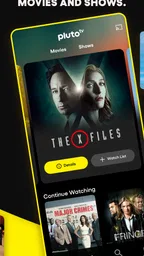
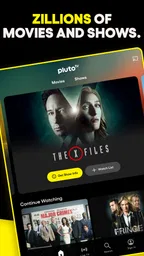
Starting with live channels and on-demand viewing
My basic routine is straightforward: open the app, scan the live options when I want background viewing, and switch to on-demand browsing when I have a specific kind of program in mind. That distinction matters. Live TV is useful when I do not want to choose every episode or film; on-demand viewing is the better route when I want more control over what starts next.
A practical example is winding down after dinner. If I am happy to settle into whatever is already airing, I can browse live programming rather than spend the evening deciding. If I have a shorter window and want a movie or a particular type of show, I use the on-demand side instead. Thinking about those as two different ways to watch makes the app easier to approach than treating the whole catalog as one long list.
I would not come in expecting every title to be available exactly when I want it. The live-channel format is inherently less direct than selecting a specific episode from a conventional subscription library. That trade-off is part of the appeal for people who enjoy channel surfing, but it can feel like friction if you are used to controlling every pause, start time, and next episode.
For a household using a television as company while cooking, tidying, or doing something else, live programming can be a natural fit. It asks little of the viewer once a channel is chosen. For focused viewing, I would be more deliberate: browse the on-demand selection first, then pick something that suits the available time rather than assuming the live schedule will line up with my plans.
Make browsing a repeatable habit
Experienced use does not require a secret trick. I get more out of Pluto TV by deciding what I want before opening it: background entertainment, a particular kind of show, or a film to sit down with. That small habit narrows the choice between live and on-demand viewing and prevents aimless scrolling from becoming the main activity.
I also treat browsing as a short check rather than a commitment. If the live options do not suit my mood, I move to the on-demand catalog; if I cannot find something quickly, I choose a channel and let the schedule do the work. This keeps the app useful for spontaneous viewing without turning it into a replacement for a carefully curated queue.
The key trade-off is control versus spontaneity. Pluto TV leans toward discovery and low-effort viewing, while a typical paid streaming service tends to be more appealing when I have a title in mind and want to resume a show on my own terms. Neither style is automatically better: the right choice depends on whether I want to browse or arrive with a plan.
Settings, shortcuts, and the limits worth knowing
Before settling into a regular routine, I check the app’s available settings and the viewing controls on the device I am using. I avoid assuming that every television, phone, or tablet presents the same controls in the same place. A quick look for playback and display options can prevent a small annoyance from recurring, especially if I switch between a handheld screen and a larger one.
I also make the app easy to return to through the normal app shortcuts on my device, rather than expecting it to remember a personal viewing routine. That is a modest but useful workflow: open it when I want casual viewing, choose live or on-demand, and leave when I am done. I do not rely on an unverified feature to organize my next session.
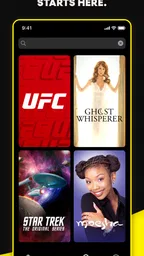
One useful way to judge the catalog is to browse with a concrete mood in mind instead of searching vaguely for “something good.” A genre, a familiar kind of show, or a suitable movie length gives the on-demand side a clearer purpose. This is especially helpful when I only have a limited break; it reduces the chance of spending most of that time browsing rather than watching.
Another practical habit is to use live channels deliberately. I choose them when I want an ongoing stream and do not need to begin at a precise point. If I care about a particular title or want to control the order of viewing, I switch to on-demand browsing. That simple distinction is more reliable than treating live TV as a substitute for a personal watchlist.
There are limits to this approach. A viewer who expects every show to be available on demand, or who dislikes scheduled programming, may find the live component less convenient. Likewise, people who want a tightly managed series marathon may be happier with a service built around a personal library and predictable episode selection. Pluto TV works best when its mix is a feature, not an obstacle.
The free price is an obvious reason to try it, but I would still think about the viewing experience I want. “Free” does not make a browsing-heavy session worthwhile if I already know I prefer a focused catalog and uninterrupted control. I see it as a useful additional option for casual viewing, rather than a universal replacement for other streaming apps.
Who it suits—and when I would choose something else
I would recommend trying Pluto TV if you like channel surfing, want an easy option for background entertainment, or enjoy browsing a rotating range of movies and shows without committing to another paid service. Its Teen content rating is also worth noting for families: I would check the available viewing choices myself before handing a device to a younger viewer, rather than assuming the rating makes every program suitable for every household.
I would look elsewhere if my main goal were a specific new release, a meticulously organized collection, or dependable control over exactly what plays next. Someone who watches in short, planned sessions may value a service with a more direct path from search to title. The difference is not simply the number of choices; it is whether the app’s browsing and scheduled-TV approach fits the way you spend your viewing time.
For people comparing it with subscription streaming, I would frame Pluto TV as a complement rather than a like-for-like substitute. A paid service may be more convenient for returning to a particular series or choosing from a familiar personal queue. Pluto TV’s appeal is the lighter commitment and the chance to let live programming make the choice. Compared with ordinary broadcast viewing, it brings that channel-based habit into an app alongside on-demand browsing.
If you are setting it up for shared use, it helps to agree on the difference between choosing a live channel and searching the library. One person may prefer to put on a channel while everyone is busy; another may want a specific film. Starting with that expectation avoids the common frustration of searching the live side for the precision of an on-demand catalog, or hoping a scheduled channel will behave like a personal playlist.
What to expect from the app over time
Pluto TV launched on March 31, 2014, and its current version is 17.4.0. It supports devices running operating system version 7.0 or later. The app’s long presence and large audience make it a familiar option in entertainment, but I would still judge it by whether its current selection and viewing style work for me on the device I actually use.
As with any catalog that combines different kinds of programming, I would avoid assuming that a title I saw once will always be available in the same place. The more reliable habit is to open the app when I am ready to watch, browse the relevant section, and have a fallback plan: if I want something specific and do not find it quickly, choose another option or use a service designed around a fixed personal library.
I also would not confuse a high install count with a guarantee that every viewer will enjoy the format. The rating gives a broad sense of how people respond, while my own experience depends more on patience for browsing and tolerance for scheduled viewing. If those suit you, the app can fill spare moments well. If they do not, its free access alone may not change your preference.
My verdict on making it part of a routine
I like Pluto TV most when I use it with a clear purpose: live channels for effortless background viewing, on-demand browsing when I want a more intentional choice, and a quick switch to something else when neither fits. That repeatable pattern makes the app feel convenient without expecting it to be a complete, perfectly controlled library.
For a friend who wants free entertainment and does not mind browsing, I would say it is worth trying. I would set expectations honestly: it is strongest as a relaxed channel-surfing and discovery option, not as the best tool for a carefully planned watchlist. Pluto, Inc.’s entertainment app has a 3.8 average from around 813,000 ratings, but the deciding factor for me is simpler: whether I enjoy letting the app help choose what to watch.
My recommendation is to keep it in your rotation if casual viewing is valuable to you, especially for evenings when deciding on a title feels like more work than watching one. Skip it as your primary choice if you need precise control, a particular catalog, or a predictable route through a series. Used on its own terms, Pluto TV is a practical free option for turning spare time into something watchable without making every session a project.
What we like
- Free streaming is available without a paid subscription.
- Live channels make it easy to browse without choosing a specific title.
- The app offers movies and shows across a wide range of genres.
- A Pluto TV account is not required to start watching.
- Supported devices can include phones tablets and smart TVs.
What could be better
- Ad breaks interrupt movies and on-demand episodes.
- The available catalog varies by country and can change over time.
- Some titles may disappear without notice.
- Streaming quality depends on your internet connection.
- The app may not offer downloads for offline viewing.





