
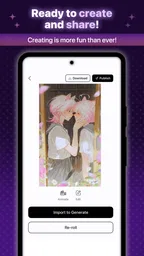
PixAI: AI Anime Art Generator review
 Analysis by Appsdrops
AI art apps are easy to try and harder to judge: the real question is whether they offer enough creative value to make the experience worthwhile. PixAI: AI Anime Art Generator is an art-and-design app from Mewtant Inc. that puts anime-inspired AI artwork at the center of its appeal. It is free to download, while optional in-app purchases give the pricing a paid side worth considering before you commit.
What PixAI offers creative users
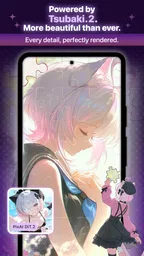
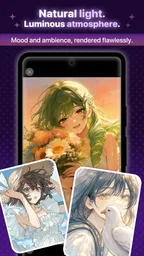
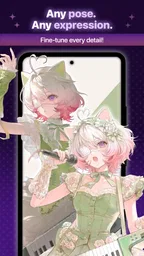
The name makes the focus clear: PixAI is aimed at people interested in creating anime-style art with AI. That makes it a natural fit for users who enjoy illustrated characters, visual experimentation, and the idea of turning creative prompts into artwork. Rather than presenting itself as a general-purpose art tool, it speaks directly to a particular visual taste.
That clear identity is a strength. If anime art is already your thing, you do not have to guess whether the app is meant for you. If you are looking for a broad design suite or a conventional drawing studio, though, its anime-centered pitch may not match what you want. I’d treat PixAI as a focused creative app, not as a replacement for every kind of art software.
The app’s store summary describes it as a way to unleash artistic potential with AI, alongside exciting features. That is an appealing promise, especially for anyone who has ideas for characters or scenes but does not feel confident drawing them by hand. The appeal is less about mastering traditional illustration and more about exploring an AI-assisted route to visual expression.
As a creative companion, PixAI is easiest to appreciate when you approach it with an idea rather than expecting the app to supply all the inspiration. An anime character concept, a mood, or a visual direction gives you a starting point. From there, the fun is in seeing how an AI-focused art app can support your imagination. That kind of open-ended use is part of the attraction, but it also means your enjoyment depends on what you want to make.
Anime art as the main draw
Plenty of people like anime art but have no interest in spending years learning to draw it. PixAI’s concept is appealing for that audience: it offers an AI-centered way to explore the style and make creative ideas more visual. I see the strongest potential here for hobbyists, fans, and curious beginners who want to experiment without treating art as a formal course.
There is also value in having a tool with a recognizable creative direction. When an app is built around a particular art interest, it can feel more inviting than a generic creative product that tries to serve every possible purpose. PixAI’s anime focus gives prospective users a straightforward reason to check it out—and an equally straightforward reason to pass if that style is not for them.
Cost: free access, optional purchases
The clearest value point is that PixAI is free to get started with, while in-app purchases are optional. That gives interested users a chance to consider the app without an upfront purchase price. At the same time, the presence of paid items means “free” should not be read as a promise that every possible part of the experience is included at no cost.
The listed in-app purchase range starts at $0.99 and goes up to $599.99 per item. That is a wide range, so I would pay attention to the purchase details shown inside the app and in the app store before spending. The range alone does not explain what a given purchase provides, so it would be unfair to assume that every item is necessary—or that a particular purchase guarantees a particular result.
This is where PixAI’s value proposition becomes personal. Someone who only wants to explore a free art app may be comfortable stopping at no cost. Someone who is tempted by paid options should first decide what they hope to get from them, then judge each purchase on its own terms. I wouldn’t spend just because an item is available; I’d spend only if the price and its stated purpose make sense for my own creative use.
The distinction between free access and paid value matters. Free access lowers the barrier to trying the app, but it does not tell you whether paid items are worthwhile for your needs. In practical terms, PixAI is easiest to recommend as a no-cost starting point for anime-art exploration. Any further spending is a separate decision that deserves a closer look at the individual purchase.
What the audience response suggests
PixAI has an average rating of 4.2 from around 56,000 ratings, with roughly 1,400 written reviews. It has also passed one million installs. Those figures suggest that the app has attracted a substantial audience and that many users have taken the time to rate or review it. They can help establish that PixAI is not an obscure experiment, but they cannot tell you whether its creative approach will suit you personally.
Ratings are useful as a broad signal, not a guarantee. Art is subjective, and AI-assisted creativity can be especially personal: one user may value the chance to explore anime concepts, while another may prefer drawing by hand or using a different kind of creative tool. I’d use the audience response as context, then make the decision based on the app’s focus and the way you want to create.
Trade-offs to think through
The first trade-off is specialization. PixAI’s anime-art identity can make it more compelling for fans of that look, but less appealing to people searching for general illustration or design tools. A focused app is not automatically a limitation; it simply asks you to decide whether its creative lane matches yours.
The second trade-off is the difference between an AI art concept and a traditional drawing workflow. If you want to practice linework, develop brush technique, or build an image manually stroke by stroke, an AI-focused app may not be the experience you have in mind. If your priority is exploring ideas through AI-assisted art, the same focus may be exactly what makes PixAI interesting.
Pricing is another practical consideration. The free entry point is welcoming, but the in-app purchase range reaches as high as $599.99 per item. That upper figure is a reason to be deliberate, not a reason to assume every user will spend anything close to it. I recommend checking the exact item and cost before confirming a purchase, and keeping your own budget in mind.
There is also a general expectation to manage with AI art: a creative app can help you explore, but it does not remove the need to bring your own ideas and judgment. The more clearly you know what kind of image you want to explore, the easier it is to decide whether the app’s approach is giving you value. If you expect every result to match a precise mental picture without experimentation, you may find the process less satisfying.
Who is likely to get the most value?
I’d put anime fans and casual creative explorers at the top of the list. If you enjoy the style and want an AI-centered way to engage with it, PixAI has a clear reason to be on your shortlist. The free access also makes it easier to consider without making an upfront financial commitment.
It may also appeal to people who have character or scene ideas but are not trained illustrators. The promise of AI-assisted art can make visual experimentation feel more approachable than a traditional drawing app. That does not mean it replaces artistic skill or guarantees a particular result; it means the app’s concept may be attractive to users who want a different route into creative expression.
On the other hand, I would be more cautious if you mainly want a broad design workspace, a hands-on drawing tool, or a product with no paid options to consider. Those expectations do not line up as neatly with PixAI’s anime-focused pitch and in-app purchases. In that case, a different kind of art app may be a better match.
Platform and audience details
PixAI is listed as a free app in Art & Design, developed by Mewtant Inc. It was released on January 18, 2024, and its current version is 4.26.1. The stated minimum operating-system requirement is version 9, and the content rating is Teen. These details are worth checking against your device and household preferences before installing.
The app’s relatively recent release and current version give users a clear sense of its listing status, while the Teen rating helps families make an informed choice about whether it is suitable for younger users. As with any creative app, I’d still encourage parents or guardians to review the experience themselves and consider the available purchase options before letting a teen use it independently.
There is no need to overcomplicate the decision. Start with the basics: do you like anime art, are you curious about AI-assisted creation, and are you comfortable checking optional purchases carefully? If the answer to those questions is yes, PixAI has a sensible case as an app to explore. If not, its central appeal may simply not be aimed at you.
My buy-or-skip verdict
My verdict: try PixAI for free if anime-style AI art sounds fun, but treat paid purchases as optional and evaluate them individually. The app has a clear creative identity, broad audience reach, and a no-cost entry point. Those are solid reasons to give it a look if its focus matches your interests.
I would skip it if you want a general-purpose design studio, prefer making art entirely by hand, or do not want to navigate in-app purchases. And if you do try it, I’d keep a simple rule: enjoy the free access first, then spend only when a specific paid item offers value you can understand and justify. That keeps the decision grounded in what you actually want from the app.
Overall, PixAI: AI Anime Art Generator is a focused option for anime fans who want to explore AI-assisted creativity. Its free access makes a first look easy, while its paid items call for care rather than an automatic upgrade. If the style clicks with you, it is worth exploring; if it does not, there is little reason to force the fit.
What we like
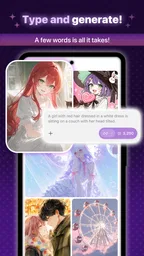
- Creates anime-style images from text prompts.
- Offers a wide range of artistic models and styles.
- Includes editing tools for refining generated images.
- Provides a community gallery for sharing and discovering art.
- Supports image generation from uploaded reference pictures.
What could be better
- Results may not match the prompt exactly.
- Generation speed can vary with server demand.
- Free usage may be limited by credits or daily quotas.
- Some features and models may require a paid plan.
- Generated hands and fine details can look unnatural.





