





PadSplit: Rooms for rent review
 Analysis by Appsdrops
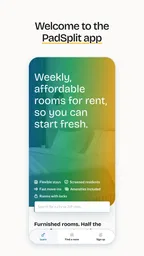
Looking for a room can mean juggling listings, messages, and very different ideas of what “affordable” actually includes. PadSplit: Rooms for rent is aimed at a narrower need: finding a room in a shared home rather than searching for an entire apartment. I like that focus. It gives the app a clear purpose, though it also means it is not a substitute for every kind of housing search.
PadSplit is a free House & Home app from PadSplit, built around budget-conscious shared housing. Its audience includes people who want a room and are willing to share a home with other residents. The app has a 4.6 average from around 5,900 ratings, and more than 100,000 installs. Those figures suggest it has found an audience, but they cannot tell you whether a particular room, household, or location will suit you.
What to expect from a room-first search
The useful mental model is not “an apartment marketplace in miniature.” It is a way to explore room-based housing options. That distinction matters before you install: if you need a whole private unit, a specific lease arrangement, or a conventional apartment search, you may be better served by a broader rental platform. If a private room in a shared home is a realistic option, PadSplit is much more directly relevant.
The app’s value depends heavily on what is available where you need to live. A promising search in one area does not guarantee the same choice in another, so I would treat browsing as an early check on whether the service fits your location, not as proof that you have secured housing. Keep your commute, move-in timing, and the practical details of sharing in mind while comparing places.
One non-obvious advantage of this focused approach is that it can help you decide whether shared housing is viable before spending time on full-apartment listings. A room search makes the trade-off explicit: you may gain a more budget-conscious path, but you are choosing a home with other people rather than controlling the whole space. That is a meaningful lifestyle decision, not just a different filter.
PadSplit is rated for Everyone, and its current version is 2.21.0. It was released on February 24, 2021, and supports Android 8.0 or later. On the practical side, I would use the app as a starting point for finding and evaluating options, while keeping my own notes about location, household fit, and unresolved questions. A listing can look suitable at a glance and still fail a daily-life test.
Set yourself up to search with a clear priority
Before opening the search, decide what you cannot compromise on. For one person that may be a manageable commute; for another, it may be a move-in window or the need for a calmer household. Separating non-negotiables from preferences makes it easier to assess a room without getting distracted by an appealing photo or a low headline cost.
I would also think through what sharing a home means for your routine. Consider when you sleep, cook, work, and need quiet. These questions are not a feature of the app; they are part of using a room marketplace intelligently. A place can be attractive and still be a poor fit if your normal schedule conflicts with the way you expect to use shared spaces.
When you begin, start with the area where you actually need to live and look at the options as a set rather than falling for the first plausible result. Compare the practical location against your daily route, then note which listings raise questions. This simple workflow is more useful than browsing endlessly: it turns the app from a stream of possibilities into a shortlist you can evaluate.
For a first-time user, the reassuring part is that you do not need to decide immediately whether shared housing is your long-term plan. You can use the search to test whether the available rooms make sense for your circumstances. If the options do not fit your location or timeline, that is a helpful result too; it tells you to widen the search or consider a different kind of rental.
Turn browsing into a meaningful first result
A realistic first success is not simply finding a listing that looks good. It is finding one that survives a quick personal check: could you reach work or study from there, can you imagine sharing the home, and is the timing workable? I would save the strongest candidates in a short written comparison, even if that means keeping notes outside the app. Recording why a place made the shortlist prevents a later scroll through similar-looking options from blurring them together.
For example, imagine you need to move soon and are comparing a room closer to work with another that seems more appealing at first glance. Check the actual routine each would create: travel time, likely transport, and whether the household setup feels compatible with your day. The app helps surface room options; your first meaningful action is turning one of them into a realistic candidate by checking it against those needs.
That distinction is especially helpful if you are moving under pressure. Urgency can make any available room feel like the answer. I would pause long enough to list the questions that must be resolved before committing, then use the listing as a conversation starter rather than treating its presence in the app as a recommendation. A good match is one that works in your ordinary week, not just in a quick browse.
Do not compare only the headline rent or the first impression. A lower apparent cost can be less useful if the location makes your regular journey difficult, while a convenient location may not be worth it if the shared-home arrangement does not suit you. I would judge each option as a combination of budget, location, timing, and household fit. That is a more grounded way to use a room-focused service than chasing a single attractive detail.
Where first-time searches can get confusing
The main point of confusion is often the difference between finding a room and finding a home that fits. PadSplit addresses the first part of the problem, but deciding whether you are comfortable with the shared setup takes personal judgment. If you have only rented a whole apartment before, think carefully about how much privacy you expect and how you handle common areas before treating a room as an easy replacement.
Another source of friction is assuming that an app search can settle every question about a place. I would use the information presented to identify candidates, then make sure I understand the arrangement and the practical details before making a decision. Ask clear questions about anything that affects your routine or budget. Do not infer an answer from a photo, a short description, or the fact that an option appears in a search.
It is also easy to overread the overall rating. A 4.6 average is a positive signal about the app’s reception, but it does not guarantee a smooth experience for every renter or confirm that the homes near you will meet your needs. The 830 written reviews give prospective users more context to explore, yet personal fit remains specific to the location, listing, and household. I would treat ratings as background, not as a replacement for careful evaluation.
If you see few suitable options, do not assume that repeated searching will solve the problem. Your preferred area, timing, or room requirements may be too narrow for what is available at that moment. The useful next move is to identify which constraint you could adjust—perhaps the search area or move timing—and which ones are essential. If none can change, a broader rental app or a different housing arrangement may be the more productive route.
Who should use it, and who may be happier elsewhere
I would recommend PadSplit to someone who is open to renting a room, wants a more budget-conscious housing path, and is prepared to assess shared living as part of the decision. It is also useful for a first-time shared-home renter who wants to see whether room-based options exist in a target area before committing to that route. The app’s focused purpose makes that initial exploration easier to understand than a marketplace dominated by entire apartments.
I would not make it my only option if I needed a private apartment, wanted a wide comparison across conventional rental types, or had requirements that leave little room for compromise. A general rental marketplace is likely a better complement for comparing whole units and different housing formats. PadSplit is strongest when your search is specifically for a room; its focus becomes a limitation when your needs extend beyond that.
It may also be the wrong choice if sharing common spaces is already a firm no. No amount of convenient browsing can remove the day-to-day realities of living with other residents. Be honest with yourself about noise, privacy, guests, and household routines. If those concerns outweigh the appeal of a room, search for a private unit instead of trying to talk yourself into an arrangement that does not suit you.
As a free app, it is easy to try without paying for the download, but that should not be confused with a promise that every housing option is affordable for every person. The real value comes from whether a suitable room is available where and when you need it. I would install it to explore that question, not assume that the word “budget” alone settles the total cost or the fit.
The next step after finding a candidate
Once you have a shortlist, move from casual browsing to verification. Revisit each candidate against your daily route and the way you expect to live, then resolve any questions that could change your decision. Keep a simple comparison of the strongest options and the reason each remains in consideration. That prevents a quick emotional reaction from replacing a practical choice.
If one option looks promising, take the next appropriate step through the app and make sure you understand the arrangement before committing. Be especially careful about details that matter in shared housing: what your private space is, how the household functions, and what costs or expectations apply. The safest approach is to get clarity directly rather than guessing from a general impression.
PadSplit is a focused tool, not a universal answer to moving. I find its room-first approach useful when shared housing is genuinely on the table, and the app offers a straightforward place to begin that search. Its limits are equally clear: availability and personal fit matter more than an overall rating, and anyone seeking a whole apartment should compare other options too. For the right renter, the best result is a shortlist that makes the next decision clearer—not a rushed commitment.
Overall, PadSplit: Rooms for rent is worth trying if you want to explore rooms in shared homes and are willing to evaluate the realities as carefully as the listing. Start with your location and non-negotiables, compare candidates against your everyday routine, and ask questions before moving forward. That approach gives a first-time user a concrete path from installing the app to identifying a genuinely workable housing option.
What we like
- Search by location makes it easier to find rooms near work or transit.
- Listings show key details such as rent and available amenities.
- Shared housing can offer a lower-cost alternative to a private apartment.
- The app provides a direct way to contact hosts about a room.
- Room options can suit people seeking flexible shared living arrangements.
What could be better
- Room availability and listing details may change before you apply.
- Shared spaces offer less privacy than renting a whole apartment.
- Application requirements can vary by host and property.
- Your experience depends heavily on the household and its rules.
- Service availability is limited to areas where PadSplit operates.





