


Origami World: Learn & Play review
 Analysis by Appsdrops
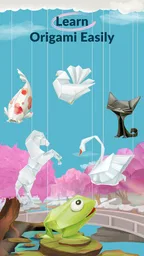
Paper folding looks simple until a model asks you to make a precise crease in the right direction, then repeat that move without losing track. Origami World: Learn & Play is an art and design app for people who want guided practice rather than a pile of diagrams to decipher alone. I’d recommend it to curious beginners, parents looking for a quiet hands-on activity, and anyone who enjoys making something small during a spare moment. Its appeal is the combination of folding instruction and playful presentation, though it is not a substitute for a full craft course or a set of advanced paper-design tools.
How it works as a folding companion
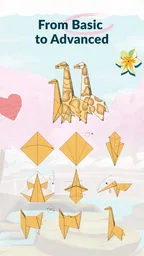
At its core, this app is about learning paper models through approachable guides. That distinction matters: origami instructions can be intimidating when they rely on tiny illustrations or assume you already know what a valley fold or reverse fold means. A guided format can make the first attempt feel more manageable by giving each step a clear place in a sequence. I find that especially useful when I’m working with a beginner who wants to make the model, not study folding terminology first.
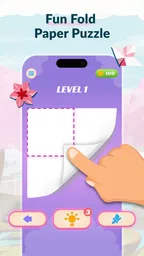
The playful side also helps the experience feel less like homework. The app’s identity is not simply a reference library; it presents folding alongside a game-like element, which can give a newcomer a reason to keep going after the first model. That makes it a better fit for a short, low-pressure session than for someone who wants a serious technical curriculum. The main value is getting from “I’d like to try origami” to actually handling paper and following a sequence.
Because folding is physical, the quality of an instruction is only part of the challenge. You need a flat surface, paper that holds a crease, and enough room to turn the sheet without accidentally unfolding earlier work. I’d treat the phone as a guide beside the work area, rather than expecting the app itself to do the teaching through text alone. That small setup change can make a first session calmer: keep the screen visible, flatten the paper between steps, and pause instead of rushing through a tricky fold.
For practical use, ordinary square paper is the sensible starting point. If a model is meant for a beginner, a clean square sheet gives you fewer distractions than patterned or unusually thick paper. I’d save decorative paper for a repeat attempt, once I know where the folds need to land. This is a useful distinction for newcomers because a model that looks difficult may be suffering from slippery, bulky, or poorly creased paper rather than from an inability to follow the guide.
Who will get the most from it
I can see Origami World working well for a child and adult sharing a craft break, a student who wants a screen-free activity after looking at instructions, or an adult who wants a gentle introduction before buying books or specialist supplies. Its Everyone content rating makes it broadly suitable for family use, while the free download lowers the barrier to trying it. The developer is Neli Creative, and the app sits in the art and design space rather than presenting itself as a general-purpose drawing tool.
It is also a reasonable choice for someone who enjoys small, repeatable projects. A folded figure can be finished in one sitting, and the process encourages patience without requiring a large work area. For a parent, that can be handy on a rainy afternoon or during a quiet stretch at home: choose one model, make a few attempts together, and let the child take the lead on the folds they can manage. The useful outcome is not only the finished shape but the chance to practice following steps and correcting a crease.
On the other hand, I would not choose it as my main resource if I were already comfortable with complex modular origami, wanted detailed explanations of paper geometry, or needed a broad professional design workflow. A dedicated book or specialist tutorial collection may be more helpful in those cases because it can provide deeper context and more challenging projects. Likewise, if a person prefers to learn by watching a human demonstrate every hand movement, they should check whether this guide-based approach matches their learning style before relying on it for a long project.
What the current release tells me
The current version is 1.3.15, and the app was released on June 29, 2026. Those facts identify the version available now and the release date, but they do not by themselves prove that a particular lesson, control, or other feature has recently changed. I would avoid reading a version number as a promise of a major redesign. For a returning user, the practical question is whether the current build remains comfortable for the kind of short folding sessions they already enjoy.
There is some useful context in its audience figures: it has passed five million installs, and its average rating is 4.2 from around eleven thousand ratings, with 147 written reviews. That suggests the app has reached a substantial group of users and has generally landed well, while the gap between ratings and written reviews means the average alone cannot explain which parts people value or find frustrating. I use those figures as a broad sign of reach, not as evidence that every guide will suit every learner.
The app is free to download, with in-app purchases ranging from $2.49 to $35.99 per item. That makes it possible to try the basic experience before deciding whether any paid content is worthwhile. I’d recommend checking what an offered purchase actually contains before paying, especially if the goal is only to learn a few simple folds. A casual user may never need to spend anything; someone who expects a larger collection should weigh the specific content against free tutorials, library books, or a printed origami guide.
How it fits into an existing routine
If you already use online videos, the main trade-off is between watching hands move and following a guide at your own pace. Video can make hand positioning easier to understand, but it can also move too quickly or require repeated scrubbing. A step-by-step format is often easier to pause on while both hands are busy. I would use the app for a first, low-stakes attempt, then turn to a video or book if one particular fold remains unclear. Combining resources is not a failure; it is often the fastest way to understand a difficult instruction.
Compared with paper books, a phone-based guide is convenient to keep nearby and may feel more inviting to someone who is used to learning through apps. A book, however, is easier to leave open without worrying about screen handling, and its diagrams can be scanned at a glance. The best choice depends on the table and learner: for a quick try with a child, the app’s accessible presentation has an advantage; for a long session with repeated reference to a diagram, print can be less distracting.
One non-obvious tip is to make a “practice copy” before using a favorite sheet. On that first pass, focus on the order of folds and note where the model becomes hard to hold. Then repeat with better paper, taking extra care with the creases that affect later alignment. This separates learning the sequence from trying to produce a neat final result, which is particularly helpful when the first attempt looks lopsided.
A second practical workflow is to stop at the first confusing step and compare the paper’s orientation with the guide before undoing anything. Beginners often assume the fold itself is wrong when the sheet has simply been rotated or flipped between steps. Keeping the model in the same orientation as the illustration, and checking the edges before making a crease, can save several minutes of backtracking. That habit is useful with any origami instruction, but it matters especially when learning from a compact screen.
Where the experience can become frustrating
Origami is unforgiving in a way that casual digital activities are not: a small alignment error early on can make later steps look impossible. Even an easy guide cannot remove that physical precision. If a model starts to drift, I would rather unfold to the last clean crease than force the next step and end up with a bulky result. That is good advice for paper craft generally, but it is also the main limitation a beginner should expect when moving from an on-screen guide to real material.
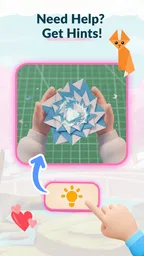
Another friction point is learning style. Some people need a close view of fingers demonstrating how to pinch or tuck a flap; a sequence of guides may not answer that question as naturally. Others want a clear explanation of why a fold works, not only what to do next. If you are in either group, use this app as a starting point rather than your only teacher. The app’s playful framing can encourage practice, but it cannot make every subtle hand movement obvious to every user.
Paper choice can create its own false impression of difficulty. Thick paper makes small folds bulky, while soft paper may not hold a sharp crease. A beginner who tries an elaborate-looking sheet or a non-square scrap may blame the instructions when the material is the real problem. I’d keep a few plain squares nearby and change only one thing between attempts—such as paper size or thickness—so it’s easier to see what improved the result.
There is also a cost decision for users who move beyond casual exploration. Since the app includes optional purchases, a person interested in more content should decide what they want to learn before buying. If the goal is a specific model or a systematic progression toward advanced techniques, compare the available purchase with a book or a focused tutorial resource. If you only want occasional family crafts, the free entry point may be enough and there is no reason to treat paid material as necessary.
What I would watch before committing
For someone opening the app today, I would first try a beginner-friendly guide and judge the experience by two things: whether the instructions are easy to follow with hands occupied, and whether the model can be completed without repeatedly guessing what the next fold means. That tells you more than a rating does. If the first session feels clear and enjoyable, the app has done its most important job for a new folder.
Returning users should judge version 1.3.15 by how well it supports their existing routine, rather than assuming that a higher version number automatically means a particular improvement. The release date and current version provide a point of reference, while future changes remain something to evaluate when they actually appear. I’d pay attention to whether guides stay clear on a phone screen, whether the playful parts remain optional in practice, and whether any purchase offers material that matches my level.
For families, I’d also make the first session collaborative rather than competitive. Let the child choose the model, have an adult read or interpret the steps, and take turns making the creases. That makes a mistake easier to fix without turning the activity into a test. If the child loses interest, save the unfinished attempt instead of pushing to complete it; origami rewards patience, but a short positive session is more valuable than forcing a perfect result.
My recommendation
I’d recommend Origami World to anyone who wants a friendly way into paper folding and appreciates having a playful element alongside guided practice. It is particularly appealing for beginners, families, and people who want a modest craft activity without committing to a class or a stack of books. Its broad reach and 4.2 average rating offer a useful sign that many users find it approachable, but the right test is whether its instructions work for your hands, screen, and patience level.
I would skip it as a primary learning tool if I needed advanced technique, highly detailed hand demonstrations, or a paper-free creative app. In those situations, specialist books, video lessons, or a drawing-focused program are a better match. For everyone else, the free download makes a sensible first try: start with plain square paper, take your time over alignment, and consider a paid item only after you know what kind of folding content you want. That is the balance I like here—an inviting entry point, with realistic limits rather than a promise that every model will fold itself.
What we like
- Offers a relaxed way to explore origami at your own pace.
- Step-by-step diagrams can help beginners follow each fold.
- Paper-folding activities encourage patience and spatial thinking.
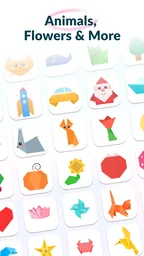
- A range of models gives learners goals to work toward.
- Works well as a quiet activity for short breaks.
What could be better
- Some folds may be hard to understand without video guidance.
- Complex models can frustrate users who are new to origami.
- A steady supply of suitable paper is needed for practice.
- Small screen details may be difficult to see on phones.
- The learning experience may feel repetitive after many models.





