OBD2 Car Scanner - ELM Torque review
 Analysis by Appsdrops
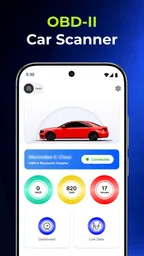
When a warning light appears on a family car, the first problem is often not the repair itself but figuring out what to ask next. OBD2 Car Scanner - ELM Torque is an Android app in the Auto & Vehicles category that aims to make vehicle diagnostics easier to approach from a phone. I see its best role as a practical reader for people who already have access to a compatible OBD2 adapter and want a clearer starting point before deciding whether a garage visit is needed.
One car, several people, a clearer starting point
In a household where more than one person drives the same vehicle, diagnostic information can help keep a small issue from becoming a game of telephone. One person notices a dashboard warning, another plugs in the adapter, and both can discuss what the car reported rather than relying only on a description of a light or sound. That can make this app useful as a shared tool, even when everyone uses their own phone.
The important distinction is that the app is not a repair service and cannot establish, on its own, exactly what has failed. A diagnostic code is a clue, not a verdict. I would use it to record what appeared, understand what to ask a mechanic, and decide whether the situation needs prompt attention—not as permission to ignore a warning because a code seems minor.
The developer is Cards. The app is free to install and has a 4.5 average from around 23,000 ratings, with over 1 million installs. Those figures suggest that it has reached a broad audience, but they do not guarantee that it will work with every car or adapter. Compatibility is the first practical question I would settle before relying on it.
Start with the adapter, not the warning light
An OBD2 phone app needs a suitable adapter to communicate with a vehicle. The app’s name refers to ELM-style scanning, but the presence of an adapter alone does not guarantee a smooth connection: adapters differ, and vehicle support can vary. Before buying anything, I would check that the adapter is intended for the phone I plan to use and for the kind of vehicle diagnostics I need.
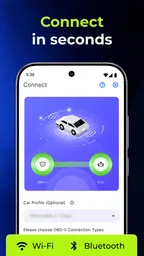
A useful first test is to connect while parked, with enough time to troubleshoot calmly. If the connection fails, check the adapter’s fit and its phone compatibility before assuming the car has a problem. This small step matters in a shared household: it prevents one person from passing along a half-tested setup as though the scanner itself had confirmed a fault.
OBD2 access is generally most useful for engine-related diagnostics. It should not be treated as a universal window into every electronic system in a modern car. If your concern involves a feature outside what the vehicle and adapter expose, a dedicated diagnostic tool or professional inspection may be a better choice.
Keep setup and interpretation in the right hands
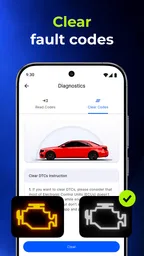
For a shared vehicle, I would agree on a simple boundary before anyone scans: use the app to read and discuss information, and leave code clearing or other consequential actions until the cause has been understood. Clearing a warning can remove useful evidence without fixing the underlying issue. If the app presents controls that can change diagnostic state, the driver should know what they do before tapping them.
This is especially helpful when several people take turns using the same car. A quick note of the date, the warning light, and the code or message seen can preserve context for the next driver. It also gives a mechanic a more useful account than “the light came on once,” while avoiding the assumption that a phone reading replaces a professional diagnosis.
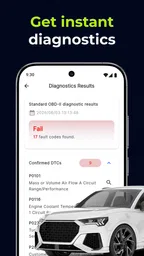
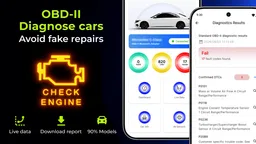
For an everyday example, imagine a warning light appearing during a routine commute. Once safely parked, the driver can connect the adapter, use the scanner to get an initial diagnostic lead, and share that result with the person who handles maintenance. If the warning returns or the car behaves unusually, the sensible next step is to seek proper help rather than repeatedly scanning in search of reassurance.
Coordination without turning a scan into a diagnosis
The strongest household use is coordination. One person may be better at connecting the adapter, while another may be responsible for booking service or keeping maintenance records. Sharing the result and the circumstances around it can reduce confusion, particularly when the person who saw the warning is not the person who speaks to the mechanic.
I would keep the conversation specific: which warning appeared, when it appeared, whether the car’s behavior changed, and what the scan reported. That is more actionable than forwarding a code without explanation. It also avoids a common trap with diagnostic apps: searching for one code online, finding a dramatic explanation, and assuming it must describe this particular vehicle’s problem.
The app is most helpful as a bridge between a dashboard alert and a better-informed decision. It can give a driver something concrete to discuss, but the meaning of a code depends on the vehicle and symptoms. If a warning is accompanied by poor running, unusual noises, overheating, or another serious change, I would not let an app reading delay professional attention.
Compared with a basic code-reader device, a phone app can be convenient if you already carry a compatible smartphone and adapter. Compared with a garage’s diagnostic equipment, it is a lighter first look, not a substitute for deeper testing or repair expertise. If you only need a one-off check and do not own an adapter, borrowing a scanner or asking a mechanic may be more straightforward than assembling a phone-based setup.
Age, trust, and shared devices
The app has an Everyone content rating, and its minimum operating-system requirement is Android 8.0. That makes it suitable for a broad age range in terms of content, but vehicle diagnostics still call for adult judgment. A younger passenger can help read a result while the car is parked, for example, but should not be asked to troubleshoot a moving vehicle or make repair decisions from a code alone.
On a shared phone or tablet, I would keep the driver’s usual privacy and account boundaries in mind. The app should be used by whoever has permission to handle the vehicle and adapter, and any purchases or device-level decisions should stay with the account holder. I would not assume the app provides family profiles or household controls; a shared-use routine is better handled through clear communication among the people using the car.
There is also a practical trust issue: a scan result can sound authoritative because it contains technical language. I would treat it as a starting observation, explain that uncertainty to other drivers, and avoid presenting an interpretation as a confirmed repair diagnosis. That keeps a useful tool from becoming a source of unnecessary alarm—or false confidence.
What the cost and software details mean in practice
The app is free, with in-app purchases listed from $0.99 to $99.99 per item. I would check the purchase screen carefully before buying anything and first see whether the free version covers the task I actually have. A broad price range is a reason to make an intentional decision, not to assume that every feature is included with installation.
It was released on March 12, 2024, and the current version is 2.1.0. For a diagnostic tool, keeping the app current can be sensible, but I would still test the connection and basic workflow before depending on it for a time-sensitive problem. The phone’s operating system and the adapter matter alongside the app version; a compatible scanner is a chain of parts, not just an icon on a screen.
The main friction is therefore not a complicated daily routine so much as the setup and interpretation. You need the right adapter, a compatible vehicle connection, and enough patience to distinguish a useful lead from a confirmed cause. If you want a guaranteed answer with no technical involvement, this is not the right kind of tool; arranging a professional diagnostic check is the safer route.
Who I would recommend it to
I would consider OBD2 Car Scanner - ELM Torque if I regularly share a car, like to understand warning lights before calling a garage, and am comfortable using an adapter without treating its results as final. It can be particularly handy for keeping drivers on the same page when a warning appears between service appointments.
I would skip it if I expect a phone app to repair the vehicle, explain every possible fault with certainty, or work without compatible hardware. It is also a poor fit for someone who would rather not interpret technical information at all. In those cases, a mechanic or a simple conversation with a repair shop is more useful than collecting a code without knowing what to do with it.
My household verdict is that this is a potentially useful shared diagnostic aid, provided everyone agrees on its limits. Use it while parked, preserve the context around a warning, and treat its output as preparation for an informed next step. If the adapter and vehicle cooperate, it can help turn a vague dashboard concern into a more focused conversation; if they do not, or the symptoms are serious, professional diagnosis remains the better choice.
What we like
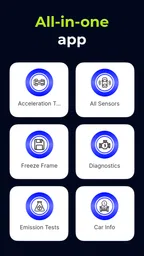
- Reads trouble codes through a compatible OBD2 adapter.
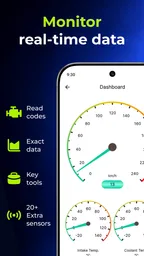
- Displays live vehicle sensor data while driving.
- Can help clear certain diagnostic trouble codes.
- Supports customizable dashboards for viewing key readings.
- May help identify issues before visiting a repair shop.
What could be better
- Requires a separately purchased compatible OBD2 adapter.
- Available readings and features vary by vehicle model.
- Clearing codes may hide symptoms without fixing the cause.
- Some advanced features may require an in-app purchase.
- A Bluetooth connection can be unreliable with some adapters.





