Nail Art Designs & Ideas review
 Analysis by Appsdrops
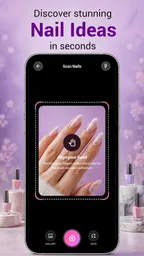
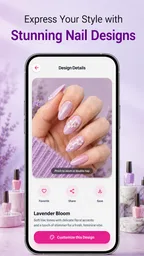
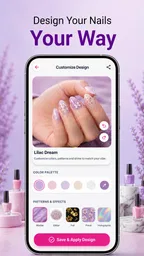
I would judge Nail Art Designs & Ideas less by how many pretty manicures it can show and more by whether its inspiration is easy to use when you’re choosing a look. Nail ideas often need to work in real life: you may be browsing on a small screen, comparing colors before an appointment, or trying to explain a design to someone else. This beauty app from Afex Digital is aimed at that visual-planning moment. It is free to install, rated for Everyone, and has passed 100K+ installs, but those figures matter less than whether its collection helps you make a confident choice.
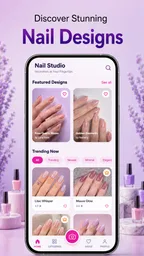
Finding a design without losing your place
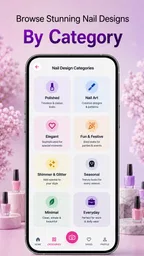
The app’s focus is straightforward: manicure inspiration rather than a broad beauty toolkit. That gives it a useful purpose if you already know you want nail ideas and would rather browse them in one place than scroll through a general social feed. In my view, the best way to approach a visual library like this is with a loose brief: a color, an occasion, a nail length, or one detail you want to try. Browsing with that in mind makes it easier to turn inspiration into a decision instead of endlessly collecting images.
Readability is especially important in a nail-design app because the image carries most of the information. A useful reference should let you distinguish the base shade, accent details, and overall shape without having to guess. I’d look at designs first as complete looks, then zoom in mentally on the detail that makes them distinctive: a single accent nail, a clean tip, a small motif, or a contrast between finishes. This approach helps when two designs look similar in a thumbnail but would feel quite different on your hands.
Navigation matters just as much as the pictures. When I’m browsing for a specific occasion, I want to move between options without losing the idea I started with. If a design catches your eye, take a moment to note what you like about it before moving on: the color family, the pattern, or the amount of decoration. That small habit is useful in any inspiration gallery and helps prevent the common problem of remembering only that a look was “pretty” when you later try to describe it.
Use the images as a brief, not a promise
A reference image is a starting point, not a guarantee that the same result will suit every nail. The shape and length shown may differ from yours, and a detailed pattern may be harder to reproduce on shorter nails. I find it more practical to separate a design into its transferable parts. A color combination might work even if the exact pattern does not; a simple border or accent can capture the mood without copying every detail.
This is also where the app’s focused subject helps. A general image search can bring up unrelated beauty content and mixed-quality results, while a dedicated nail art inspiration app keeps the decision centered on manicures. The trade-off is that a focused collection may not answer every practical question about technique or products. If you need step-by-step instructions, exact polish recommendations, or professional application advice, inspiration alone may not be enough.
Comfort for different ways of browsing
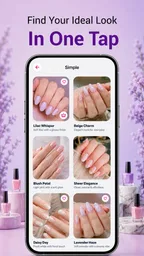
People browse in different ways. Some prefer to inspect a design closely; others make a decision from the overall impression. Nail art can be visually busy, so I’d start with simpler looks if dense patterns or high-contrast imagery are tiring to scan. A single accent nail, a restrained palette, or a plain finish with one decorative feature can be easier to compare than a highly detailed set.
For anyone who has difficulty distinguishing colors, it helps to think beyond shade names or subtle color differences. Look for contrast in placement and pattern as well as hue: a clear tip, a distinct accent, or a noticeable separation between the base and decoration may communicate more than two near-identical shades. If you’re showing a design to a nail technician, describe those visual features in words too. That makes the reference more useful if the screen is small, the lighting is poor, or the image’s colors look different from the real polish.
Motor comfort is another consideration, even in an app that is mainly for looking. Repeated scrolling and precise taps can be frustrating for people with limited dexterity, hand pain, or tremors. I’d browse in short sessions, pause when needed, and avoid treating the app as a task that must be completed in one sitting. If you’re choosing a design for someone else, you can also narrow the options first and let them make the final choice, rather than asking them to navigate a long browsing session.
When and where the app is useful
A realistic use case is choosing a manicure before an appointment. On the way to work, you might save a few minutes to compare ideas, then show one or two references when you sit down with your technician. The practical trick is to bring a small shortlist rather than a gallery of nearly identical pictures. Pick one design you like as-is and another that shows a detail you want to borrow. That gives the conversation room for adjustments based on your nail length, preferred shape, and the time available.
It can also help when you’re planning a look at home. A design that appears simple in a picture may involve more precision than you want to manage yourself. Before committing, ask whether the main effect depends on tiny repeated marks, symmetrical lines, or several layers of color. If it does, you might adapt the idea by keeping the motif to one nail or using the same palette in a simpler layout. That is a more realistic way to use visual inspiration than expecting every image to be an easy do-it-yourself project.
Situational access can affect the experience. A bright screen may be hard to view outdoors, and color can look different under warm indoor lighting than it does in daylight. I would avoid making a final shade decision from a single glance in poor light. Compare the image in the setting where you’ll use it, and, for a salon choice, explain the color in ordinary terms as well as showing the picture. This is sensible for any design reference, but especially useful when the exact shade is central to the look.
The app is free to download, while in-app purchases range from $1.99 to $44.99 per item. That makes it worth checking what is available before spending, particularly if your goal is simply occasional inspiration. I’d treat a purchase as worthwhile only if it clearly adds something you expect to use repeatedly. If you mainly want a handful of ideas for one appointment, free browsing may be enough; if you need a broader or more specialized source, compare the available options before deciding.
Where it may fall short
The main limitation of an inspiration-first app is that a picture cannot tell you everything you need to know to recreate a manicure. It may not convey how a finish behaves under different light, how a pattern translates to a shorter nail, or how much practice a technique takes. That is not a flaw unique to this app, but it does shape what I would expect from it: visual direction, not a substitute for a tutorial or a conversation with a nail professional.
It may also be a poor fit if you want to filter every idea by detailed practical criteria, such as the exact products needed or how long a design takes. I wouldn’t choose it as my only resource for learning nail techniques. A tutorial-focused alternative is better when you need instructions you can follow step by step, while a social platform can be more useful if you want to ask creators questions or see discussions around a look. The dedicated app makes more sense when the immediate job is browsing nail-specific visuals.
For accessibility, I would keep expectations measured. The app is suitable for a broad age range, with an Everyone content rating, but that rating is not a statement about visual, motor, or sensory accessibility. If you rely on specific assistive tools or need particular display controls, try the app on your own device before depending on it for an important appointment. In a visual category, the difference between “there are attractive pictures” and “I can comfortably inspect and compare them” is significant.
Who should try it, and who should choose another route
I can see Nail Art Designs & Ideas working well for someone who enjoys visual browsing and wants manicure references without searching across unrelated topics. It is also a practical choice for a person who struggles to explain a look from memory: showing a reference can make a salon conversation clearer. The current version is 1.26.0, and the minimum operating-system requirement is version 7.0, so it is intended to run on devices meeting that baseline.
I’d skip it if you need a highly structured learning course, detailed accessibility controls, or guaranteed guidance for recreating every image. Someone who is sensitive to busy visuals may prefer to browse selectively and focus on simpler designs rather than treating the whole collection as something to work through. And if you already have a trusted source of manicure tutorials that matches your needs, a separate inspiration app may add little unless its particular selection helps you find looks more quickly.
A useful visual companion, with sensible limits
My overall view is that this is best treated as a visual companion for deciding what you want, not as an all-in-one nail-care or nail-art lesson. Its beauty focus makes it relevant to anyone planning a manicure, and its free starting point lowers the barrier to trying it. The strongest practical use is making a shortlist, identifying the design details you care about, and taking that clearer brief into a salon or a home manicure session.
For inclusive use, the most helpful mindset is to adapt the browsing process to your own comfort: take breaks, compare designs in suitable light, use verbal descriptions alongside images, and simplify intricate references when needed. Those steps cannot replace app-level accessibility features, but they can make the images more useful across different contexts. If you want quick, focused visual ideas and are comfortable making your own judgment about what is realistic, I think it is worth exploring. If your priority is instruction, precision filtering, or a specific access feature, another resource may serve you better.
What we like
- Browse a variety of nail looks for different styles and occasions.
- Use design photos as inspiration for your next manicure.
- Discover ideas for both simple and elaborate nail art.
- Save favorite designs for quick reference later.
- Find visual inspiration without needing nail art skills.
What could be better
- Some designs may be difficult to recreate at home.
- Image quality can vary between designs.
- The collection may not include every current trend.
- Finding a specific look may take time.
- Some ideas may require tools or polish you do not own.





