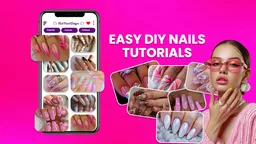
Nail Art Design: Paint Nails review
 Analysis by Appsdrops
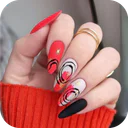
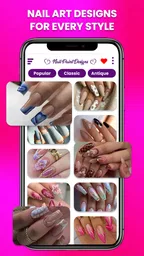
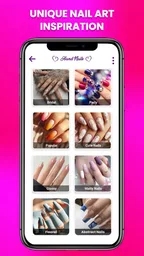
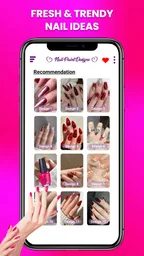
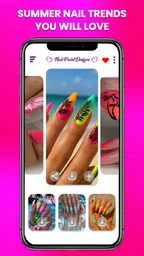
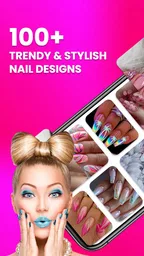
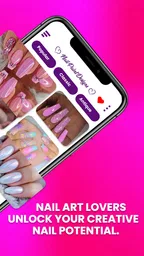
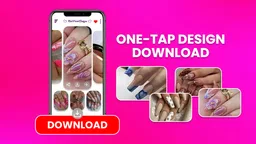
I’d treat Nail Art Design: Paint Nails as a visual idea book for planning a manicure, rather than as a full beauty toolkit. Its appeal is straightforward: when I want inspiration for a nail look but don’t have a design in mind, browsing examples can help me settle on a color or style before I reach for polish. That makes it useful for casual planning, though it won’t replace hands-on practice or a dedicated tool for creating and saving detailed designs.
What the app is best at
This is a free beauty app from JedyApps, aimed at people interested in nail art, manicures, and pedicures. The name sets a broad expectation, but I find it most helpful to approach it as a source of visual prompts: look for an idea, decide what part suits you, and adapt it to the nails and materials you actually have.
That distinction matters. Nail inspiration is easy to collect and harder to use. A design that looks striking on a screen may depend on a steady hand, tools, or colors that aren’t available at home. I’d use the app to narrow down a direction—perhaps a color pairing or an overall mood—rather than assume every pictured look will be simple to reproduce exactly.
The app’s basic premise also suits both manicure and pedicure planning. You might browse for a look before doing your nails, or use an idea as a starting point when asking a salon technician for something similar. In either case, it’s better to treat images as references to discuss or modify, not as instructions that guarantee the same result.
Turning inspiration into a workable plan
A useful way to browse is to make one decision at a time. First pick the general feel you want—subtle, playful, or more decorative—then look for a design that fits. Next, identify the parts you can realistically recreate: the base shade, the accent nail, or a simple pattern. This keeps browsing from turning into an unhelpful pile of screenshots and makes the app more practical as a planning aid.
I’d also keep the occasion in mind. A look that feels right for a weekend or a party may not suit a week of typing, cooking, or other hands-on work. If durability matters, choose an idea whose visual impact comes from a manageable color scheme rather than tiny details that are likely to be difficult to paint evenly. That is a practical judgment about nail art, not a special capability of the app.
For a realistic everyday scenario, imagine choosing a manicure before a salon appointment. I’d browse for a general look, save or show the reference in whatever way my device allows, and tell the technician which elements I like—such as the palette or the placement of decoration—while leaving room to adjust the design. That approach is more useful than expecting a reference picture to translate perfectly to every nail shape.
Where it fits among other beauty options
Compared with searching broadly for nail pictures online, a dedicated nail-art app can feel more focused: the subject is already narrowed to manicure and pedicure ideas, so there’s less unrelated beauty content to sift through. On the other hand, general image search and social platforms can offer a much wider range of creators and styles. If you already know the exact trend or technique you want, those broader options may be better for finding detailed examples or tutorials.
It also isn’t the same as a virtual try-on tool or a nail-design editor. I wouldn’t choose it on the assumption that I can test a shade on a live image of my own hand, build a custom pattern, or receive step-by-step technique coaching. Its strength is inspiration, not simulation or instruction. If your main goal is to learn precise brushwork, a tutorial-led resource is likely a better companion.
That trade-off is worth understanding before downloading. People often expect a beauty app to both suggest a look and teach them how to create it. Here, the most sensible expectation is narrower: use it to get unstuck when your ideas are vague, then use your own judgment—or a more instructional resource—to work out the technique.
What may frustrate you
The main limitation of an inspiration-first app is that inspiration alone doesn’t answer practical questions. A picture can show an attractive finished manicure without telling you how long the design takes, which tools are needed, or how forgiving it is for a beginner. If you need those details before starting, you may have to look elsewhere rather than rely on a visual reference by itself.
There’s also a personal-fit problem with nail ideas. The same design can look different depending on nail length, shape, skin tone, and the products someone already owns. I’d avoid treating a displayed look as a promise that it will suit everyone. Instead, borrow one feature and adapt it: use a similar color combination, simplify the decoration, or choose a single accent rather than copying the full arrangement.
Another small but important point is that browsing can make an elaborate design seem easier than it is. Fine lines and repeated details demand patience, and a beginner may get more satisfaction from a simpler version. If you’re choosing a design for a time-limited evening, decide in advance how much effort you want to spend. A reference should make the choice easier, not pressure you into a project you don’t have time or tools to finish.
In-app purchases are available, with individual items priced from $0.99 to $14.99. The app itself is free, so I’d start with the free experience and only consider spending if you find a specific paid item that adds value to the way you use it. That range is broad enough that it’s sensible to check the item and price carefully before confirming a purchase, rather than assuming every part of the app is included at no cost.
Who should give it a try
I can see this working well for someone who enjoys looking at nail styles but often struggles to choose a direction. It can also help a home manicure feel more intentional: instead of picking a polish at random, you can use a visual idea to decide on a palette or a small detail. For salon customers, it may help communicate a preference, provided you’re comfortable treating the image as a starting point rather than a strict template.
It’s less suited to someone who expects a professional design workflow, a complete nail-care guide, or dependable lessons in advanced technique. If you want to learn how to execute intricate art, prioritize resources that explain tools and steps. If your priority is seeing how a shade might look on your own hand, seek a try-on tool instead. And if you already have a clear style and a large collection of references, this app may not add much to your routine.
The audience rating is Everyone, so the app is positioned for general use rather than a narrowly age-restricted audience. It has an average rating of 4.1 from around 1,500 ratings, with 41 written reviews, and has passed 500,000 installs. Those figures suggest that plenty of people have tried it, but they don’t tell me whether its ideas match an individual taste; the best test is whether its visual material gives you options you actually want to wear.
Compatibility and day-to-day expectations
The current version is 2.4.3, and the listed minimum Android requirement is version 7.0. That makes the compatibility point easy to check before installation: if your device runs an older Android release, you’ll need to confirm that it meets the requirement. The app is free to install, while optional purchases mean the cost can depend on what you choose to access.
For regular use, I’d keep expectations modest and purposeful. Open it when you need an idea, decide what you want to take from the examples, and move on to planning the actual manicure. That is likely to be more satisfying than browsing indefinitely for a perfect design. Nail art is personal, and a simple look adapted to your own routine can be more successful than an elaborate reference copied without considering time, skill, or comfort.
JedyApps has made a focused tool for a narrow but familiar problem: deciding what to do with your nails. That focus is a plus when you want visual inspiration without searching across unrelated beauty topics. Its weakness is the flip side of the same simplicity: people who need detailed guidance or customization may have to pair it with another resource.
My verdict
I’d recommend Nail Art Design: Paint Nails to casual nail-art fans who want help choosing a look, and to anyone who needs a visual reference before doing a manicure or talking with a salon professional. I would not recommend it as a substitute for technique lessons, a virtual try-on, or a professional design editor. Think of it as a starting point, adapt what you like to your own nails, and keep the purchase options in mind. With that expectation, it can be a handy source of ideas; without it, the gap between an attractive picture and a workable manicure may feel disappointing.
What we like
- A broad range of polish colors makes it easy to try different looks.
- Simple touch controls keep nail painting easy to pick up.
- Designing nails offers a relaxing creative activity.
- Quick sessions suit short breaks.
- The game lets players experiment without using real polish.
What could be better
- Ads may interrupt play or add waiting between activities.
- Some designs may feel repetitive after extended play.
- Touch controls can make precise patterns difficult.
- The game offers limited value for players seeking realistic nail care.
- Progress may depend on completing repeated tasks.





