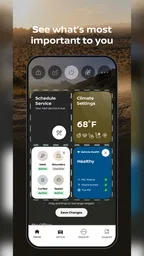
MyNISSAN® review
 Analysis by Appsdrops
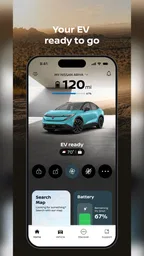
I think MyNISSAN® makes the most sense when your Nissan is part of your daily routine and you want a phone-based way to interact with it. It is a free Auto & Vehicles app from Nissan North America, Inc., built around remote control of a car. That focus gives it a clearer purpose than a general driving companion, but it also means its usefulness depends on whether your vehicle and ownership situation fit the service.
What free access does—and does not—tell you
There is no purchase price to download the app: it is listed as free. That makes trying it a low-cost decision, but I would separate “free to install” from “everything I want will work for my car.” Remote vehicle services depend on the vehicle and the available service setup, so I would check compatibility for my specific Nissan before planning around a particular function.
That distinction matters if you are comparing it with a conventional car app or a third-party device. MyNISSAN is not simply a universal tool that can add remote control to any vehicle. Its value is tied to a Nissan and the services available for that vehicle. I would not choose a car, pay for a separate product, or assume that every feature is included just because the app itself costs nothing.
The app has a 4.6 average from around 29,000 ratings, and it has been installed over a million times. Those figures suggest many owners have found it worth using, but they do not guarantee the same experience for every model, phone, or situation. I treat them as useful context rather than a promise that remote commands will always be convenient.
Where the app earns its place
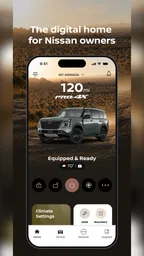
The main benefit is having a phone-based route to remote interaction with your car. In practice, that can be more useful as a small convenience you reach for repeatedly than as an app you explore once and forget. If you often want to check or control your vehicle remotely, keeping that task in one Nissan-specific app can be simpler than relying on a separate gadget or a broad collection of vehicle tools.
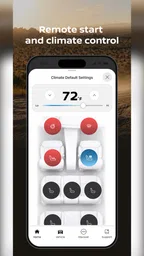
A realistic example is leaving work on a cold morning and wanting to prepare the car before walking out. If the relevant remote service is available for your vehicle, the app gives you a way to start that interaction from your phone rather than waiting until you reach the car. The benefit is not dramatic, but it can make a familiar routine less irritating. I would still treat it as a convenience, not something to depend on when a time-sensitive trip has no backup plan.
Another useful way to think about it is as a companion to ownership rather than a replacement for the car’s controls. A phone is often already in your hand, so remote access can be more natural than carrying or searching for another control. That is especially appealing if you share household routines around one Nissan and want the app-based option to be part of how you manage the vehicle. The exact value will vary with the car and the services enabled for it.
Practical habits that make remote control more dependable
I would set up the app and try its available functions while parked at home, before relying on them during a rushed departure. That simple test helps you learn where the relevant controls are and whether the setup works with your vehicle. It also avoids the awkward moment of opening an app in a parking lot and discovering that you have not finished the necessary account or vehicle setup.
I would also keep a physical key and the car’s ordinary controls as the fallback. A remote feature is best treated as an extra route, not as the only way to operate the vehicle. If the phone battery is low, the connection is poor, or the car is somewhere the command cannot reach it, having the standard option prevents a minor inconvenience from becoming a real problem.
For a household with more than one driver, I would clarify who is setting up and maintaining access before everyone expects the same experience. The useful question is not just whether one person can use the app, but whether the intended drivers can use it in the way the household needs. Planning that early can prevent confusion over whose phone is ready when a remote action would be handy.
Tradeoffs versus ordinary alternatives
Compared with a physical key or the controls inside the car, MyNISSAN adds the convenience of acting from a phone, but introduces phone and service dependence. If I am already beside the vehicle, using the regular controls is usually more direct. If my phone is unavailable or the remote service does not respond, the app is not a dependable substitute for those ordinary methods.
Compared with a generic vehicle-management app, the Nissan-specific approach is potentially a better fit for a Nissan owner because it is designed around that manufacturer’s vehicles. The tradeoff is that it is not the obvious choice for someone who wants one app to manage cars from several brands. A driver with mixed-brand vehicles may prefer a broader solution, while accepting that it may not provide the same manufacturer-specific connection.
There is also a difference between remote control and a complete ownership solution. I would not assume that the app replaces every task involving maintenance, roadside help, or a dealer visit. Its central appeal is remote interaction with the car; if your priority is a different ownership task, compare the available functions in the app with the exact job you need done instead of treating the name as a guarantee of an all-in-one service.
Remote access also changes how I think about convenience: a command sent from a phone is not the same as being physically present to check the result. For anything safety-related, I would use ordinary judgement and verify the situation at the vehicle rather than assume a remote action has handled every detail. That is a sensible limit for any app controlling a real car, not a reason to avoid this one.
Who is most likely to get value
I would recommend giving it a try if you own a compatible Nissan, want remote interaction to be part of your routine, and are comfortable using a phone as an additional control point. It is most appealing to people who can name a recurring situation where remote access would save a step: preparing for a drive, handling a vehicle while away from it, or simply preferring a phone-based option when it is available.
It is less compelling if you rarely use remote functions, prefer to keep vehicle tasks entirely physical, or mainly want an app for a car from another brand. It may also disappoint anyone expecting every Nissan to offer identical capabilities. Before changing your habits around it, check your vehicle’s compatibility and the functions available in your account; those details determine whether the free download delivers meaningful day-to-day value.
MyNISSAN® is rated for Everyone, and its current version is 7.1.32. It was released on March 13, 2020, and the app has accumulated around 3,200 written reviews. I see those details as background, not a substitute for checking whether the experience fits your own car. Nissan North America, Inc. is the developer, which makes the app’s manufacturer-specific purpose clear.
My buy-or-skip verdict
I would download it if I owned a compatible Nissan and expected to use remote control often enough to justify adding another app to my phone. Since the app is free, trying it does not require a purchase, and a quick setup test can show whether it fits my actual routine. The value comes from useful access to the vehicle, not from the download itself.
I would skip it—or at least avoid relying on it—if I needed a universal app, wanted guaranteed identical functions across Nissan models, or had no real use for remote interaction. My honest take is that MyNISSAN is a practical convenience for the right Nissan owner, not a must-have for every driver. Check compatibility first, test it in an ordinary situation, and keep the car’s standard controls as your dependable backup.
What we like
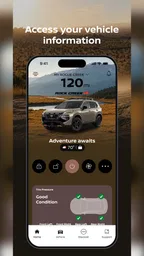
- Remote access lets you check key vehicle details from your phone.
- Service scheduling makes it easier to arrange maintenance.
- The owner’s manual is available in the app.
- Roadside assistance details are easy to find.
- Vehicle health alerts can help you spot issues early.
What could be better
- Remote features may require a compatible Nissan model.
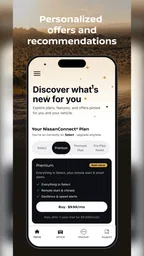
- Some functions need an active subscription.
- Vehicle commands may not work when connectivity is poor.
- Account setup can take time if vehicle details are unavailable.
- App features vary by model year and location.





