

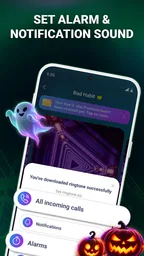
Music ringtones for android review
 Analysis by Appsdrops
A new ringtone is one of those small changes that can make an Android phone feel more personal right away. Music ringtones aims to make that change easy, bringing music-focused tones and notification sounds into a personalization app. I find the idea appealing: rather than living with the same default alert forever, you can pick sounds that better match your taste and give everyday calls a little character. The real question, though, is whether the novelty lasts once you have chosen a few favorites.
How the first week feels
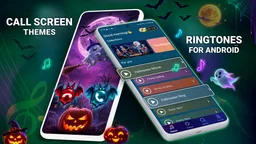
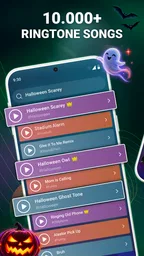
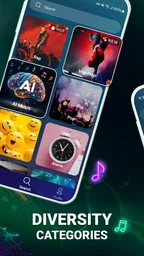
Music ringtones is built around a simple promise: help you find custom ringtones, music ringtones, and notification sounds for an Android phone. That focused purpose makes the app easy to understand from the start. You are not being asked to learn a complicated creative tool; the appeal is in browsing sound options and choosing something that feels more like you.
During the first few days, even a modest change can be satisfying. A familiar call can feel less generic when it is paired with a tune you enjoy, and a different notification sound can make alerts easier to distinguish by ear. I like this kind of personalization because it asks for little commitment. If a sound stops feeling right, you can simply look for another one instead of redesigning your whole phone setup.
The app’s music-first identity is also useful for people who want a tone with more personality than a standard beep. The store summary describes custom ringtones, music ringtones, and notification sounds, so the central use case is clear without requiring a long explanation. If you are searching specifically for music ringtones for Android, this is the sort of app that gets to the point.
A quick win, not a whole new routine
There is a pleasing immediacy to changing a ringtone. You hear the result in ordinary moments, such as when a call comes in or a notification arrives, so the personalization can feel more noticeable than a change buried in a settings menu. In my view, that makes the initial appeal easy to understand, especially if your phone’s current sounds have become background noise.
Still, a fresh sound is a small pleasure rather than a transformation. The first choice may feel exciting, but it does not automatically make the phone more useful. The lasting value depends on whether the tones continue to suit your habits and whether you enjoy hearing them repeatedly. That distinction matters: an app can be fun to try without becoming something you need to revisit every day.
Who may enjoy the first impression
I can see this being a good fit for someone who likes to customize a phone in small, practical ways. It may also suit a person who wants a more recognizable call or alert sound, or who simply enjoys matching a phone’s audio to a favorite musical style. The broad approach keeps the purpose accessible, while the free price makes trying the app a low-commitment decision.
That accessibility is backed by a large audience. The app has passed 10 million installs and holds a 4.6 average rating from users, suggesting that ringtone personalization has a wide appeal. Those figures do not decide whether it will match your taste, of course, but they do place it among familiar options for people looking to refresh Android sounds.
What keeps it useful month to month
Ringtones are not usually something most people need to change constantly. Once you find a sound that feels right, you may keep it for a long stretch. That makes Music ringtones less of a daily-use destination and more of an occasional customization stop: open it when you want a change, choose a sound, then return to your normal phone routine.
For me, that can still be worthwhile. A personalization app does not have to demand frequent attention to earn a place on a device. If it helps you find a tone you genuinely like and makes calls or alerts feel a little less anonymous, the benefit can continue quietly in the background. Its value comes from the sound you keep using, not from how often you open the app.
The app is free to install, though it also offers in-app purchases ranging from $0.99 to $49.99 per item. That makes it sensible to approach any optional purchase according to your own needs rather than treating it as essential. The core appeal is the opportunity to personalize your phone’s sound; whether you want to spend beyond the free experience is a separate decision.
Personalization that can settle into habit
There is a small comfort in recognizing your own ringtone. In a busy room, a distinctive sound can help you notice that your phone is ringing, while a familiar alert can make the device feel less like a default product and more like something arranged for you. These are modest everyday benefits, but they are exactly the kind that can endure after the initial excitement wears off.
On the other hand, it is easy to set a tone and forget where it came from. That is not necessarily a flaw. If you find a sound that works and leave it in place, the app has effectively done its job. People who enjoy ongoing experimentation may return more often, while users who make one good choice and stick with it may have little reason to browse regularly.
That makes the app’s long-term appeal personal. If you routinely change your phone’s look and sound, a dedicated ringtone app can remain a handy option. If you rarely adjust settings once your device feels comfortable, the experience may be brief but still useful. I would judge it by whether the chosen sounds improve your daily routine, not by how many times you revisit the catalog.
Keeping the experience fresh without making it a chore
The maintenance burden appears naturally light for this kind of app. Choosing a ringtone is an occasional task, not a hobby you have to keep up with. You can make a change when your preferences shift, when you get tired of a familiar alert, or when you simply want your phone to sound different. After that, there is no need to turn personalization into a schedule.
That low-pressure quality is one of the stronger points of the concept. Some customization tools invite endless tweaking, which can be fun but also tiring. Here, the basic goal is concrete: find music ringtones or notification sounds that suit you. If you already know what sort of sound you want, the process has an obvious endpoint—the moment you have a tone you are happy to hear again and again.
The developer is listed as Ringtones & Wallpapers, and the app is rated for Everyone. It was released on July 30, 2019, and its current version is 3.9.8, with Android 7.0 as the minimum operating system requirement. Those details help describe the app’s place in the Android landscape, while the day-to-day decision remains straightforward: does the sound you choose make your phone feel more personal?
When repetition becomes the downside
Ringtones are designed to repeat, and that can turn a favorite into a source of fatigue. A tune that feels charming at first may become irritating after it plays through the same ordinary moments over and over. Notification sounds can be even more sensitive to repetition because they may interrupt you throughout the day. I recommend choosing something you enjoy in short bursts, not only something that sounds exciting during a quick preview.
There is also the risk of confusing novelty with lasting preference. A tone can be fun because it is new, then lose its appeal once it becomes associated with routine calls. That does not make the app unsuccessful; it simply means the best choice is often a sound you can live with, rather than the most attention-grabbing option you encounter.
Another practical consideration is personal context. A loud or distinctive ringtone may feel amusing at home but less suitable in shared spaces. A notification sound that stands out can be useful, but a sound that draws attention every time may become tiring. The right choice is not necessarily the most dramatic one. It is the one that feels comfortable across the places and situations where you use your phone.
Does Music ringtones earn lasting space?
My verdict is that Music ringtones works best as a straightforward personalization app for people who want to refresh the sounds on an Android phone. Its appeal is easy to grasp, and the focus on music ringtones and notification sounds gives it a clear purpose. If you enjoy giving your phone small personal touches, it offers a simple reason to explore and choose a sound that feels more like your own.
It is less compelling as something you would expect to use continuously. Once you have found a ringtone you like, the app may move into the background until you want another change. I do not see that as a dealbreaker. A tool can earn lasting space by solving an occasional need well, and ringtone selection is naturally more episodic than daily.
The main challenge is choosing for the long run rather than for the thrill of the first listen. Think about whether you will enjoy hearing a tone repeatedly, whether it suits the environments where you use your phone, and whether you prefer a noticeable tune or a more subdued alert. That little bit of thought can help prevent the usual cycle of excitement, overuse, and replacement.
Overall, I would recommend giving it a look if your default sounds feel stale and you want a music-led way to personalize your device. The free entry point makes experimentation approachable, while optional in-app purchases are something to consider only if they fit what you want. With an Everyone rating and support for Android 7.0 and later, the app is positioned for a broad range of Android users.
So, does it deserve a permanent spot? If you like to revisit your phone’s sounds now and then, yes: it can remain a useful place to find a fresh ringtone or notification sound. If you make one change and rarely think about personalization again, it may be more of a one-time helper. Either way, the lasting value comes down to a simple test: choose a sound you still enjoy after the novelty fades, and the app will have made your phone feel a little more yours.
What we like
- Offers a wide range of tones for different tastes.
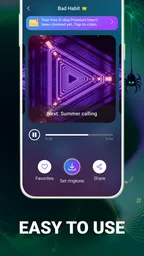
- Lets you preview tones before choosing one.
- Makes it easy to personalize your phone's sound.
- Provides options for calls and notifications.
- Can help you recognize calls without checking your phone.
What could be better
- Some tones may sound dated or low in quality.
- Downloaded tones can use extra storage space.
- Ads may interrupt browsing or playback.
- Tone availability may vary by device or region.
- Setting tones may require extra permission or manual steps.





