
ModsTune – AI Car Designer review
 Analysis by Appsdrops
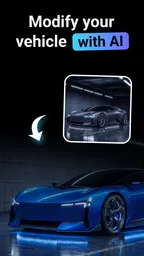
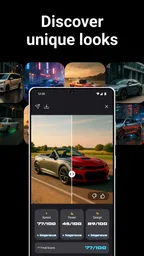
I like vehicle customizers most when they help me make a clear design decision, rather than burying the fun under menus. ModsTune – AI Car Designer is an art and design app focused on customizing cars and motorcycles. Its appeal is easy to understand: it gives vehicle fans a space to explore looks and make a concept feel personal. I’d approach it as a creative companion for trying ideas, not as a replacement for professional design software or a guarantee that every imagined modification can be rendered exactly as pictured.
Building a useful first design
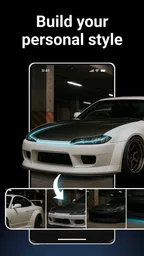
My best advice for starting with a vehicle-design app is to work from one specific idea. Instead of changing everything at once, decide what you want the vehicle to say: clean and understated, bold and sporty, or more individual. That gives each choice a purpose and makes it easier to judge whether the result is moving in the right direction.
With ModsTune, I’d use that same deliberate approach. Begin with the car or motorcycle concept that interests you, then make changes in a consistent order: establish the overall look first, refine the details second, and pause to assess the result before adding more. When several elements change together, it becomes harder to tell which decision improved the design and which one made it feel cluttered.
This method is especially helpful if you’re new to vehicle customization. A striking color or accessory can be tempting, but a strong design usually depends on how the choices work together. I’d make one meaningful adjustment, inspect the whole vehicle, and only then decide what deserves attention next. The goal isn’t to use every available option; it’s to make the finished idea feel intentional.
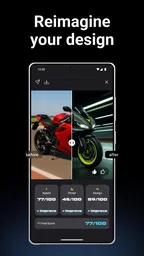
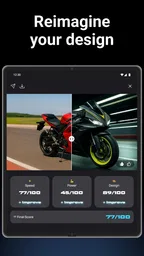
For an everyday example, imagine you’re considering a visual direction for a motorcycle before discussing it with a friend. Rather than trying to produce a perfect final design in one sitting, use the app to explore a restrained version and a more expressive version of the same idea. Comparing those approaches gives you something concrete to react to and can clarify what you actually like. That’s a more useful outcome than making a long string of changes without a plan.
Keep experiments easy to compare
A practical habit is to treat each design session as a small experiment. Decide what you’re testing, keep the other choices steady, and compare the outcome with your starting point. If the app’s available controls let you explore a detail, focus on that detail rather than assuming you need to alter the entire vehicle. This makes your own judgement more reliable, even when the design process is informal.
I’d also avoid treating a visual concept as a promise of real-world fitment or engineering compatibility. A customized look can be inspiring without answering practical questions about parts, safety, or whether a modification can be made to a particular vehicle. If your aim is to plan a real build, use the app to communicate the aesthetic direction, then check technical decisions with suitable vehicle-specific sources.
Check the experience before committing to a routine
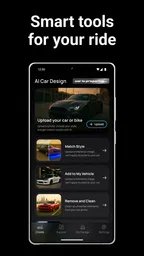
Because this is an app for visual exploration, the first session should answer a few personal questions: do you enjoy the way it presents vehicle customization, can you reach the choices you care about comfortably, and does the result help you think more clearly about your idea? I’d spend a little time finding the controls that matter to me before investing in a complex design. A creative tool is only useful if its working style suits the person using it.
It’s also sensible to check the settings and any purchase prompts at your own pace. The app is free to download, while in-app purchases are listed from $9.99 to $29.99 per item. That makes it worth understanding what is available at no cost and what would require a purchase before building your whole workflow around a particular option. I wouldn’t assume that every customization choice is included in the free experience.
The app is rated for Everyone, and its minimum operating-system requirement is Android 7.0. It is published by Mara Apps Development, and version 1.0.2 is the current version. Those details help with basic compatibility planning, but they don’t tell you whether the interface will feel comfortable on your particular device. If a control feels awkward or a preview is hard to inspect, that matters more to your day-to-day experience than a feature list.
Make repeat sessions faster through habits
The best shortcut I can recommend is a repeatable sequence, not a supposed hidden function. Start with the same visual question each time, make a limited set of changes, and review the whole design before continuing. This stops a quick idea session from turning into aimless tweaking. It also gives you a fairer comparison when you’re deciding between different styles.
Another useful habit is to describe a design in plain language before opening the app. For instance, you might be aiming for a motorcycle that looks coordinated rather than flashy. That sentence becomes a filter: if a choice pulls the result away from the intended mood, skip it. This is a small step, but it can save time because it replaces “what else can I change?” with “does this help the concept?”
If you’re exploring a car and a motorcycle, don’t assume the same visual logic will suit both. The proportions and character of each vehicle affect how a styling choice reads. I’d treat each one as its own project, even if you’re pursuing a shared theme. Carry over the broad idea, then judge the individual result on its own terms instead of forcing identical treatment across different vehicle types.
For a collaborative use case, the app can help turn vague opinions into a more focused conversation. A friend saying “make it sportier” may mean a sharper overall look, a stronger color choice, or simply a less restrained style. Working through a concept gives both people a visual reference. I’d still keep the conversation specific: ask which part feels right, rather than asking only whether the whole design is good.
Where a vehicle customizer may fall short
ModsTune is best suited to people who want to explore vehicle appearance. If you need precise technical drawings, measured parts, engineering checks, or a detailed real-build plan, a more specialized design or automotive tool is the better choice. Visual creativity and technical validation are different jobs, and I wouldn’t rely on an artistic concept alone to settle the second one.
There’s also a limit to what any customization app can do for someone who already knows exactly what they need from a professional workflow. If you’re a designer working with strict specifications, detailed exports, or a production pipeline, make sure the app’s actual tools meet those needs before relying on it. Its focus on cars and motorcycles makes it approachable for enthusiasts, but that focus does not automatically make it a substitute for a broader modelling package.
In-app purchases are another reason to keep expectations measured. A free starting point is appealing, but the listed purchase range means I’d check the cost of any option I genuinely want before making it part of a regular process. Someone who only wants occasional inspiration may be perfectly happy keeping their use simple. Someone expecting extensive access without paying should first inspect the available experience and decide whether it offers enough for them.
Finally, don’t judge a design by how many adjustments you’ve made. Too much experimentation can blur the original idea, especially when every new choice seems exciting in isolation. I’d stop when the vehicle communicates the mood I set out to explore. That stopping point is a skill: it keeps customization from becoming decoration without direction.
Who I’d recommend it to
I’d recommend this app to car and motorcycle fans who enjoy visual personalization, want a starting point for styling ideas, or like comparing different creative directions. It may also suit someone who wants to make a conversation about a vehicle concept more concrete. The app is free, and its 4.4 average from around 31,000 ratings suggests it has attracted a sizeable audience; it has also passed 500,000 installs.
I’d be more cautious if your main goal is a technically accurate build plan, professional-grade vehicle modelling, or a tool with a workflow you already know you need. In those cases, choose software designed around those requirements. And if you dislike experimenting with visual options or prefer a fixed, ready-made result, a hands-on customizer may feel like more work than you want.
My verdict after weighing the workflow
What makes ModsTune worth considering is its clear subject: cars and motorcycles, approached as objects for creative customization. I find the most satisfying way to use it is to begin with a visual goal, change one aspect at a time, and stop when the result supports that goal. That gives the app a practical role beyond casual tapping: it can help you discover your preferences and express them more clearly.
At the same time, I wouldn’t confuse creative freedom with technical depth or assume that every desirable option is free. Check the interface and purchase choices early, keep real-world build decisions separate from visual experiments, and choose a specialist tool if precision is the priority. With those expectations, it’s a reasonable app to try for vehicle enthusiasts who want to explore style. My recommendation is strongest for curious hobbyists who enjoy iterating; it’s less compelling for anyone looking for an engineering solution or a fully specified professional design workflow.
What we like
- AI tools make custom car concepts easy to create.
- A range of styling options supports varied designs.
- Useful for exploring ideas before modifying a real vehicle.
- Designed for quick visual experimentation.
- Can inspire users who enjoy automotive customization.
What could be better
- Generated designs may not match real-world parts or fitment.
- AI results can vary in quality and consistency.
- Some features may require a paid plan.
- A stable internet connection may be needed for AI tools.
- Generated images may not provide technical build guidance.





