

Mister Car Wash review
 Analysis by Appsdrops
I look at a car-wash app differently from a general travel or shopping app: its value is mostly about making a small errand easier at the moment I need it. Mister Car Wash is a free Auto & Vehicles app from Mister Car Wash, built around the company’s car-wash service. Its basic appeal is straightforward, but a useful review also has to consider the practical snags: whether you are ready to use it when you arrive, what to check if something does not work, and when an app cannot solve a problem at the wash itself.
Where a quick wash can turn into app friction
The app is aimed at people who already have a reason to choose Mister Car Wash, not at drivers searching for every wash provider nearby. That distinction matters. If you regularly use the company, keeping its app on your phone may make the service easier to manage. If you wash your car only occasionally or prefer whichever local place is closest, it may not replace the flexibility of choosing a wash on the spot.
The most awkward time to troubleshoot any service app is in a queue, with a car behind you and little time to explore. I would install it and get familiar with its basic flow before heading out, rather than treating the entrance to a wash as the first place to learn how it works. That simple preparation can make a routine stop feel less rushed, especially if you need to sign in or check something before proceeding.
One practical point is that an app and the physical wash are two parts of the same errand, but they do not necessarily solve the same problems. The app can help with the company’s digital side; it cannot make a busy location less busy or resolve a question about the condition of your vehicle on its own. Keeping that boundary in mind avoids expecting a phone screen to substitute for staff assistance when the issue is happening in person.
The app has an average rating of 4.8 from around 1,500 ratings, with 268 reviews. That is a positive signal from people who have rated it, though it is not a guarantee that every visit or device will go smoothly. I treat ratings as a useful first impression, then judge a service app by whether it fits my own routine and whether I can recover calmly when a step fails.
Start with a low-pressure setup
I would begin by installing the app while I have a few quiet minutes, not while I am pulling into a wash. Open it and see whether the screen loads normally, then follow the prompts it actually presents. If it asks you to sign in or enter details, take the time to do that carefully and check for typos before moving on. This is ordinary preparation rather than a special trick, but it is precisely the kind that prevents avoidable delays during an errand.
If a screen appears stuck, first give it a moment and check that the phone has a working internet connection. Then close and reopen the app, and try again. Those steps are sensible general troubleshooting, not a promise that they will fix every account, payment, or location issue. If the same problem persists, note what you were doing and ask Mister Car Wash staff or the company’s support channels for help rather than repeatedly tapping through a screen you do not understand.
There is a useful distinction between a slow response and a failed transaction. If you are unsure whether an action went through, pause before repeating it. Repeating an uncertain step can create confusion, particularly when the action involves a purchase or account change. Check the app’s current screen and any confirmation it displays; if the result is still unclear, get assistance before trying again.
Use it as part of a repeatable visit
The most sensible use case is a driver who already plans to visit Mister Car Wash and wants the company’s app available as part of that routine. For example, imagine noticing a dusty windshield after a week of commuting and deciding to stop on the way home. If the app is already installed and ready, you can check its current options before you arrive instead of trying to set everything up beside the entrance.
A small but useful habit is to check the app before leaving, while you can still change plans without blocking a queue. Confirm that it opens, that you can reach the part you need, and that you understand the next step. This does not depend on a particular feature being present; it is simply a way to discover a login or loading problem early. It also gives you time to choose another wash if the app or the service is not convenient that day.
For a household with more than one driver, the app is worth considering only if the person who will actually handle the visit can access what they need. Do not assume that another family member’s account or phone will make the handoff effortless. Agree in advance who will manage the app and who will speak with staff if a question comes up. That is a mundane detail, but it can prevent an avoidable scramble when a car is already at the location.
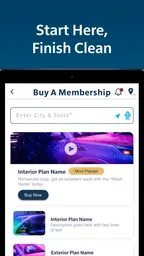
The app’s store summary points toward a purchase-and-repeat routine, but I would not assume that every visit works identically or that the app replaces the need to understand the choices shown on screen. Read the current wording before confirming anything. If you are uncertain about what a selection covers, ask staff before proceeding; a quick question is safer than guessing based on a familiar label from a previous visit.
When a problem is not really an app problem
Some frustrating moments are caused by circumstances around the app rather than the app itself. A weak connection can prevent a page from loading; a crowded location can slow the visit; and a question about the service may require a person who can see what is happening. I find it helpful to separate these cases. If the app will not open anywhere, start with the phone and connection. If it opens but a particular visit raises a service question, talk to the location’s staff.
It is also worth checking whether the app is current. The current version is 4.00, and the minimum operating-system requirement is 7.0. If an older device is behaving unpredictably, confirm that its software and the installed app are compatible before assuming the service itself is at fault. Updating through the app store, when an update is available for your device, is a reasonable general step. It is not a guarantee that every issue will disappear.
If something goes wrong after you have completed an action, avoid trying to repair it by making several additional changes. Write down what you saw, when it happened, and what you had just tapped. Then ask the appropriate support contact or staff member to help. A concise description is more useful than a vague report that “the app broke,” and it helps distinguish a technical issue from a question about the visit.
Likewise, if the app is working but the wash does not meet your expectations, that is not automatically a software failure. The app is a way to interact with the company’s service, not a guarantee about the outcome of every physical wash. Speak with staff while you are at the location if the concern is immediate. That is usually more practical than trying to find a digital workaround for a problem that needs an in-person response.
How it compares with other ways to choose a wash
Compared with searching maps or choosing a nearby independent wash, a company-specific app is narrower by design. A map is better when your main question is which wash is closest, what is around you, or which business you have never visited. Mister Car Wash’s app makes more sense when you have already chosen this provider and want to handle the digital part of that relationship in one place.
That focus is both its advantage and its limitation. You are not using a broad directory to compare every local option; you are using an app tied to Mister Car Wash. If you value switching between providers based on distance, opening hours, or personal preference, a map search may be more useful. If you return to Mister Car Wash, the dedicated app can be a more natural companion than repeating the same search each time.
It is also not a substitute for asking a person when you need specific guidance. An app can be convenient for routine steps, but staff are the better choice for questions that depend on the location, your vehicle, or what is happening during that visit. I would use both sensibly: the phone for preparation and the people on site for anything that needs a direct answer.
Who is likely to get the most from it
I would recommend trying it if you visit Mister Car Wash regularly, are comfortable doing basic errands through a phone, and prefer to prepare before arriving. It is free, rated for Everyone, and has 100,000+ installs, so trying it does not require a paid commitment. It was released on March 24, 2023, and the current version is 4.00. Those details offer context, but the real deciding factor is whether this particular company is already part of your washing routine.
On the other hand, I would skip it if you rarely use Mister Car Wash, do not want another company-specific app on your phone, or mainly need help comparing nearby providers. You can still choose a wash through your usual search method and ask staff questions in person. That may be simpler than maintaining an app you open only once in a long while.
My practical verdict: Mister Car Wash is most appealing as a small convenience for repeat customers, not as a universal car-wash finder or a fix for every problem that can arise during a visit. Set it up before you need it, check the connection and your screen when something seems off, and do not repeat an uncertain purchase step. If you already choose Mister Car Wash, it is worth trying; if you want flexibility across many local washes, your map app and a quick conversation at the location may serve you better.
What we like
- Memberships offer convenient access to recurring washes.
- Multiple wash packages suit different cleaning needs.
- Unlimited plans can offer value for frequent visits.
- Locations across several states make visits easier.
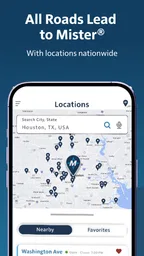
- The app helps users find nearby wash locations.
What could be better
- Wash quality can vary between locations.
- Unlimited plans may require a recurring commitment.
- Some locations may have long waits during busy periods.
- Service availability differs by location.
- The app is less useful in areas without nearby sites.





