

Mirror - Fullscreen Mirror App review
 Analysis by Appsdrops
I tend to reach for a mirror app when the bathroom mirror is out of reach, the lighting is poor, or I want a quick check before heading out. Mirror - Fullscreen Mirror App is aimed at that small, practical job: turning a phone screen into a mirror, with an illuminated view and a 360 mode. In my experience, that focused purpose is both its appeal and its limit. It is useful when I need a fast visual check, but it is not a replacement for a makeup camera, a beauty editor, or a full-length mirror.
A mirror first, not a beauty-editing suite
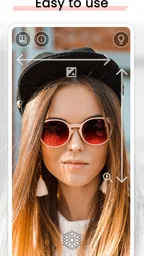
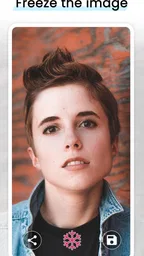
This is a beauty app from Studio 360 Apps, though its role is more functional than decorative. The central idea is straightforward: use the phone’s camera and display to see your reflection, with lighting assistance when the surroundings are dim. That makes it easier to check lipstick, tame a stray hair, or see whether your collar is sitting evenly without opening a camera app and navigating through extra controls.
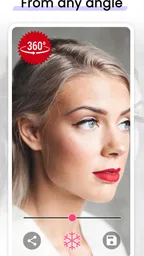
The app’s 360 mode is the feature that gives it a little more purpose than a bare camera preview. It suggests a way to inspect your appearance from more than the usual straight-on angle, which can be handy for checking hair at the sides or seeing how an outfit looks when you turn. I would treat that as a quick perspective check rather than a substitute for a proper second mirror: a phone still has to be held, and the viewing angle depends on how you position it.
That distinction matters when comparing it with the alternatives people commonly use. A front-facing camera can show your face, but its camera interface may include shutter controls, mode changes, or other distractions. A regular mirror offers a natural view without a screen, but it cannot travel in your bag. This app sits between those options: more convenient than finding a mirror, and more purpose-built than opening a general camera, yet limited by the phone’s display and camera view.
Trust starts with a modest purpose
For me, trust in a mirror app begins with understanding what I am using it for. Here, the intended activity is immediate and personal: looking at yourself on the screen. That is different from an app whose main purpose is to publish images, create a profile, or build a beauty routine. I find the narrow use case reassuring in practical terms because it gives me a clear reason to open the app and a clear point at which I can close it.
That should not be confused with a privacy guarantee. I do not assume that an app is private simply because it behaves like a mirror, nor do I infer data practices from its name or category. Before using any camera-based app, I recommend checking the permission prompts shown on your device and the app’s privacy information in the store. Those are the places to judge what access is requested and how the developer describes its handling of information.
The app has a 4.6 average from around 39,000 ratings, and it has been installed over a million times. Those figures indicate that many people have tried it, but they cannot tell me whether its current permissions or privacy practices suit my own comfort level. I would use popularity as context, not as a substitute for reviewing the choices presented on my device.
Check the controls before making it part of your routine
A useful first step is to open the app somewhere comfortable and pay attention to what appears on screen before relying on it in a hurry. If the display is too dim, too bright, or awkward to hold, I would rather discover that at home than while trying to fix makeup in a crowded restroom. This is also a sensible moment to inspect any visible controls and decide whether the basic mirror view is enough for you.
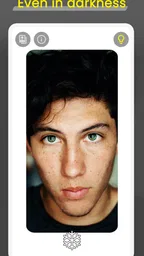
The lighted view is most helpful in a room where the ambient light is weak, but screen light has limits. It can make your face easier to see; it cannot recreate balanced daylight or guarantee that makeup shades look true. I would use it to spot an obvious smudge or check whether a detail is in place, then use natural light when color accuracy matters. That small distinction prevents a bright screen from creating false confidence about how a look will appear outdoors.
With 360 mode, I find it useful to move slowly rather than swinging the phone around. A deliberate turn gives a clearer sense of how hair or clothing sits from different directions and reduces the chance of losing the view while adjusting my grip. If I need to inspect the back of a hairstyle in detail, a second mirror or another person’s help is still the more dependable choice.
Small privacy choices deserve attention
Camera access is the obvious sensitive moment for a mirror app, so I would read the operating system’s prompt instead of tapping through automatically. Grant only the access the device asks for to make the mirror view work, and revisit the app’s permission settings if you later stop using it. The exact controls available can vary by device and operating system, so I would rely on the settings shown on my own phone rather than assume every user sees the same options.
I also avoid treating a live reflection like a saved photograph. If I only want to check my appearance, there is no reason to capture or share an image as part of that task. Keeping the interaction limited to looking, then closing the app, is a practical way to reduce unnecessary exposure in any camera-based tool. It is not a claim about what the app stores or transmits; it is simply a user habit that keeps the task focused.
Before installing, I would look at the privacy details surfaced by the app store and check the permissions after installation. If the explanations or prompts do not match what I am comfortable with, I would choose the built-in camera or a physical mirror instead. The right choice is not always the app with the most convenient interface; sometimes it is the option that gives you a clearer level of comfort.
Who will appreciate it, and who may not
I can see this being useful for someone who often needs a quick face or hair check while travelling, at work, or between appointments. A realistic example is stepping out of a meeting room and noticing a strand of hair has fallen loose: opening a dedicated mirror view is quicker than setting up a camera shot, and the lighted display may help in a dim corridor. It also suits people who want a simple way to inspect small grooming details without filters or editing tools becoming the main event.
It is less suitable if you want to assess a complete outfit from head to toe. A handheld phone screen cannot show the same broad view as a standing mirror, and 360 mode does not remove that physical limitation. People who need precise makeup color matching should also prefer a well-lit physical mirror or daylight. And if you are uncomfortable granting camera access to an app, the convenience may not outweigh that concern; a regular mirror is the simpler answer.
Another trade-off is screen handling. Holding a phone steady while adjusting your hair can be awkward, especially if you need both hands. I would prop the device securely only if the setting allows it and the view remains useful; otherwise, this is best for brief checks rather than a long grooming session. The app’s strength is speed, not hands-free convenience.
Cost, age suitability, and what to expect
The app is free to download and is rated for Everyone. It does include in-app purchases at $1.49 per item, so I would check the purchase screen carefully if I encountered an optional item rather than assuming every part of the experience is included at no cost. The app’s current version is 1.4.4, and its minimum operating-system requirement is version 7.0. That makes compatibility worth checking on an older device before relying on it.
Its rating and broad adoption make it a familiar option in the category, but neither tells me whether it will suit a particular phone’s camera, screen brightness, or grip. I would test the basic view in the places where I expect to use it. A mirror that works well in a bright bedroom may feel less helpful in a dim public space, and the reverse can also be true depending on how the display looks to you.
One practical way to decide is to compare it with your existing habits for a day. If you repeatedly open the camera just to check your face, a dedicated mirror app may save a few steps. If you already keep a compact mirror in your bag, or prefer not to give a camera app access, you may gain little. This is a utility app whose value depends more on when you need it than on how often you use beauty tools generally.
My cautious verdict
I would recommend Mirror - Fullscreen Mirror App to someone who wants a straightforward on-screen reflection, appreciates a lighted view, and understands that a phone mirror has a limited field of view. Its 360 mode gives the idea a useful twist for quick side-angle checks, while the simple purpose keeps it easier to approach than a feature-heavy beauty camera. I would not choose it for detailed color work, full-body outfit checks, or anyone seeking a hands-free grooming setup.
My advice is to install it only if that everyday convenience solves a real problem for you, then review the permission prompts and privacy information before making it part of your routine. Use the display as a quick aid, not as a perfect judge of lighting or appearance. With those expectations, it can be a handy pocket mirror; without them, a physical mirror or your phone’s ordinary camera may be the better fit.
What we like
- Offers a large full-screen view for checking your appearance.
- Starts quickly without requiring a separate mirror device.
- Front-camera preview makes it easy to check your look on the go.
- Simple controls are easy to use at a glance.
- Useful when traveling or away from a bathroom mirror.
What could be better
- Image quality depends on your device's front camera.
- Low light can make the preview difficult to see.
- The screen may dim or lock during extended use.
- Camera access is required for the mirror to work.
- Some versions may include ads or in-app purchases.





