




Mirror App - Beauty Mirror review
 Analysis by Appsdrops
I’m most likely to reach for Mirror App - Beauty Mirror in a shared household when I need a quick, close look before leaving the bathroom: checking whether my collar sits evenly, tidying a stray hair, or seeing how makeup looks in the room’s less-than-perfect lighting. It is a beauty app built around turning a phone into a practical mirror, rather than a replacement for a full makeup station. That narrow purpose is also its strength. I can open it for a brief check without setting up a photo, saving an image, or switching to a more complicated beauty tool.
A pocket mirror that fits shared routines
The simplest use is also the most convincing: keep the phone steady, look at the live view, and make a small adjustment. When several people are getting ready around the same time, that can be more convenient than waiting for the bathroom mirror. Someone can check a detail near a window, while another person finishes up at the sink. It is not a household scheduling tool, but it can make a little personal space out of an ordinary phone.
I would treat it as a useful backup rather than a universal mirror. A phone screen is small, and holding it at the right distance takes a moment. For shaping a precise eyeliner line or assessing an outfit from head to toe, a proper mirror still gives a more comfortable view. For checking a blemish, adjusting a part, or seeing whether lipstick needs a quick touch-up, the phone format is much more reasonable.
The app’s beauty focus matters here. It is aimed at close personal checks, including makeup and shaving, rather than taking polished portraits. That distinction helps set expectations: I would open it to inspect what I am doing, not to create a flattering image or document a finished look. If you mainly want filters, retouching, or a collection of saved beauty photos, a camera or editing app is a better fit.
Sharing a phone without sharing everything
On a family or roommate device, I would keep the use simple and temporary: open the mirror when needed, then hand the phone back. A live reflection is useful precisely because it does not need to become a shared album or a conversation about who took which picture. That makes the app a sensible option when people want a quick visual check but do not need a record of it.
Still, a shared phone calls for ordinary boundaries. Before passing it to someone else, I would close the app and return to the device’s usual lock screen. That is not a special household feature; it is just good shared-device practice. People may have different expectations about who can use the phone, what is already open, and whether a device is private. The mirror itself does not settle those questions.
A practical tip is to agree on a simple handoff routine if the phone is commonly used by several people: finish the check, close the view, and pass the device along. This avoids accidentally leaving the camera-facing screen open for the next person and makes the app feel like a shared utility rather than a shared account. The distinction is useful in homes where one phone is available for occasional tasks but personal messages and settings still belong to its owner.
Lighting and positioning make the difference
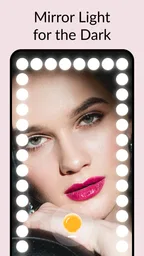
Lighting is the part I would pay attention to before judging the reflection. A dim bathroom can make a phone view look less useful, while uneven light can cast shadows that are not actually part of the makeup or shaving result. If the room is gloomy, moving closer to a brighter, more even light source is often a better first step than repeatedly changing your position. The app’s light-oriented purpose is helpful, but it cannot make every room’s lighting behave like daylight.
For makeup, I would use the mirror in two passes. First, check the detail close up while applying it; then step back and use an ordinary wall mirror or the phone’s normal camera preview to see whether the overall result looks balanced. A close view can make small differences seem more dramatic than they appear at conversation distance. This is a useful trade-off: the phone helps with precision, while a larger mirror is better for judging the whole face.
For shaving, a steady hold matters more than trying to inspect every angle at once. I would position the phone before starting, make a quick check, and avoid handling it with wet or soapy hands. That is common-sense care for a personal device, not a special requirement of this app. If you need both hands free throughout the task, a mounted mirror is plainly more convenient.
What setup can and cannot solve
The best setup is the one that keeps the phone stable, the light even, and the view private enough for the person using it. A phone stand or a clean, dry surface can help when the task needs two hands, but I would not assume the app itself supplies a stand, a hands-free mode, or a particular mounting system. The hardware around the phone often decides whether a mirror app feels effortless or awkward.
There is also a difference between using a personal phone and borrowing one. On a personal device, the app can become a handy routine for quick grooming checks. On a shared device, the owner should remain in charge of the phone’s general settings and app access. I would not hand a young child an unlocked phone simply because the mirror is rated for everyone; the age label describes the app’s content context, not whether every child is ready to use a household device independently.
For families, that is the important boundary: the app can serve different people in turn, but it does not create separate identities or household rules. If the device is already managed by a parent or another owner, keep those existing boundaries in place. If the main concern is separating personal accounts, controlling screen time, or managing what a child can access, the phone’s own family and account settings are the relevant tools, not a mirror app.
Who will find it worthwhile
I can see this being useful for someone who travels light, shares a bathroom, or wants a quick way to inspect a small detail away from a full-length mirror. It also suits people who dislike taking a selfie just to check their appearance. Because the app is free to install, trying it for that limited purpose is straightforward; optional in-app purchases range from $1.99 to $15.00 per item, so I would check the purchase screen carefully if I were considering anything beyond basic use.
The developer is Dairy App & Notes & Audio Editor & Voice Recorder. The app has a 4.7 average from around 27,000 ratings and has passed 5 million installs, which suggests that a lot of people find the simple mirror idea useful. It is rated for everyone and has been available since May 22, 2021. Those details are helpful context, but they do not change the core question: do you want a quick live reflection on your phone, or do you need a fuller beauty toolkit?
People who regularly do detailed makeup may prefer a magnifying mirror with a larger surface and hands-free positioning. Someone checking clothes or posture will likely be happier with a full-length mirror. And if the goal is to compare looks over time, save images, or edit portraits, a camera-based app is more suitable. I would skip this one if the phone’s small screen or the act of holding it would get in the way of the routine I actually need.
Keeping expectations sensible as the household grows
In a busy home, convenience depends on coordination more than on any feature hidden in the app. A simple shared understanding can prevent the phone from becoming a bottleneck: use it for a quick check, return it promptly, and do not assume that a shared device means shared access to someone’s private content. The mirror is at its best as a brief, low-friction tool between other routines.
Version 1.02.47.1106 is the current release, and the stated minimum operating system is Android 7.0. That makes compatibility worth checking on an older phone before relying on it as the household’s backup mirror. A newer device may also offer a more comfortable screen and clearer live view, although the practical result still depends on the phone’s camera, display, and lighting rather than the app alone.
My overall view is favorable when the need is modest and specific. Mirror App - Beauty Mirror makes sense as a pocket-sized grooming aid for quick checks, especially when a bathroom is occupied or a proper mirror is out of reach. It is not a substitute for a large mirror, a beauty camera, or good shared-device habits. If you approach it as a convenient way to see a close reflection—and keep the phone’s owner and privacy boundaries in mind—it is an easy app to justify keeping around.
What we like
- Quick access to a front-facing mirror without carrying a separate device.
- Screen brightness can help illuminate your face in dim settings.
- Useful for checking makeup or grooming while traveling.
- Simple controls make basic mirror checks easy.
- Can use the phone's front camera for a familiar viewing angle.
What could be better
- Image quality depends on the phone's front camera.
- Low light can make the reflected image grainy.
- Battery use may increase during extended camera sessions.
- The screen may be too small for detailed grooming.
- Camera permissions are required for the mirror view.





