



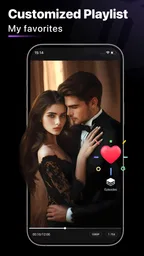
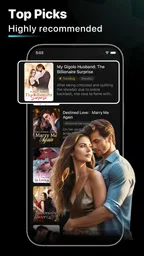
MiniDrama: Stream Drama Shorts review
 Analysis by Appsdrops
I approach MiniDrama: Stream Drama Shorts as a place to watch compact, serialised fiction rather than as a replacement for a full-length streaming service. That distinction matters: its appeal is the promise of stories that fit around a spare moment, while its main question for me is whether the viewing experience and spending choices suit the way you like to watch. I would treat it as an entertainment app for short-form drama fans, not assume that “short” automatically means effortless or free of trade-offs.
Short dramas, with a different kind of commitment
MiniDrama is a free entertainment app from Moboreader Technology USA Co Ltd. It is rated Teen, and its store summary describes a focus on short dramas presented as complete stories to binge-watch. The app has a 4.2 average from around 39,000 ratings, with roughly 2,300 written reviews and over 10 million installs. Those figures suggest an established audience, though they can’t tell you whether a particular story will match your taste.
The format is the clearest reason to try it. Instead of setting aside an evening for a film, you can dip into a dramatic storyline in brief sessions: while waiting for a ride, during a lunch break, or when you want something more involving than a quick social-media clip. The trade-off is that short episodes can make a story feel designed around the next beat. If you prefer patient character development, long scenes, or the room to pause and reflect, conventional television or a book may be more satisfying.
I’d also distinguish this from general video platforms. Those offer a wide mix of creators and formats; MiniDrama is more narrowly aimed at scripted, bite-sized drama. That focus can make it easier to settle into a particular kind of entertainment, but it also means the app is a less natural choice if you want documentaries, live content, or a broad catalogue of unrelated genres. Its strongest use case is having a little time and wanting a continuing fictional thread rather than an isolated clip.
Why the trust question is practical, not abstract
For an app built around ongoing viewing, trust is partly about whether you can make informed choices as you use it. The known basics are straightforward: it is free to install, while in-app purchases range from $0.99 to $199.99 per item. That wide span is worth noticing before you settle into a binge. “Free” describes the starting point, not a guarantee that every viewing path or optional purchase will cost nothing.
I would make a simple habit of checking any purchase prompt before confirming it, especially when an episode ends on a cliffhanger and the next step is presented in the moment. That is useful advice for any serial entertainment app, but particularly here because the format encourages momentum. Decide in advance whether you are comfortable spending at all, and use the app’s purchase confirmation flow and your device’s available purchase controls to avoid an impulsive tap.
The app is currently version 2.2.1 and requires Android 6.0 or later. It was released on May 9, 2025. Those details help establish basic compatibility and identify the app, but they do not answer questions about permissions, account options, or data handling. I wouldn’t use an install count or a favourable average rating as a substitute for checking those details on your own device and in the app’s current privacy information.
Check the choices you can actually see
Before watching, I’d review the permissions Android presents during installation or first use and consider each request in context. If a permission appears that does not seem necessary for viewing dramas, pause and decide whether to deny it; some functions may behave differently without access, so check the app’s explanation rather than guessing. The important point is to make the choice deliberately, not to assume that a popular entertainment app needs broad access to your phone.
Likewise, look for account and privacy controls inside the app and in the operating system settings. If you create an account, check what options are visible for managing it and whether you can change preferences later. I can’t responsibly promise a particular sign-in method, deletion control, tracking setting, or permission list without seeing it on the device. For a careful user, that uncertainty is a reason to inspect the actual screens before sharing information, not a reason to assume either safety or danger.
A useful workflow is to install the app, open its settings before beginning a long watch session, and review the available controls while you’re not being pulled along by a plot. Then check the purchase settings on your device and set a boundary that suits you. This small pause is more effective than trying to make a considered decision after an episode ends on a dramatic moment.
When viewing habits become data-sensitive
Watching any serial app can involve choices that feel personal: which stories you return to, how long you watch, and whether you make purchases. I don’t infer from that alone what MiniDrama collects or how it uses information. Instead, I recommend reading the privacy disclosures shown in the app store and any privacy notice available in the app, paying attention to the kinds of information described, the stated purposes, and any choices offered to you.
If you share a phone or tablet, think about the practical side of viewing as well. A drama recommendation or recently watched title can reveal what someone has been watching, even when the content itself is ordinary entertainment. Use the device’s own screen lock and account protections, and check whether the app offers viewing or account options that fit your situation. Avoid entering personal details simply because a prompt appears; first decide whether that information is needed for the way you intend to use the app.
Another non-obvious trade-off is that convenience and restraint can pull in opposite directions. Short installments make it easy to stop after a small break, but cliffhanger-led storytelling can also encourage “just one more.” I’d set a time limit before opening the app if I had a busy day, rather than relying on a natural stopping point in the story. That’s a practical way to enjoy the format without letting a quick check turn into a longer session than intended.
Who will enjoy it—and who may prefer another option
I’d recommend giving MiniDrama a try if you like fictional series, often watch in short bursts, and are comfortable deciding for yourself whether optional purchases are worthwhile. It may also suit someone who wants a compact story to follow while commuting or waiting, provided they have a suitable connection and a few minutes to spare. I’d start with a free viewing session, explore the app’s visible controls, and only then decide whether its catalogue and pacing are worth returning to.
I’d skip it, or at least approach it cautiously, if you want a clearly cost-free experience with no purchase decisions, dislike stories that push toward the next episode, or prefer to know exactly how an app handles your information before installing it. In those cases, a service with a subscription model you already understand, ad-supported television, or a library of books may give you a more predictable experience. The better alternative depends on whether your priority is price certainty, longer storytelling, or broader content variety.
The Teen age rating is another point for households to consider. It is a useful broad signal, not a guarantee that every story will suit every teenager or family’s preferences. If a younger viewer will use the app, I’d review the content together and use the device’s family and purchase controls where appropriate. That keeps the decision grounded in the actual material and the household’s rules rather than treating an age label as a complete guide.
A measured recommendation
My verdict is cautiously positive for people who specifically want short-form drama and are willing to stay attentive to spending and privacy choices. The focused format gives MiniDrama a clear purpose, and its large audience suggests many viewers find that kind of entertainment appealing. But an average rating can’t establish that you’ll like the stories, and a free install doesn’t settle what your own viewing might cost.
The best way to try it is to watch with a boundary in mind: check the permissions and privacy choices you can see, decide whether you’ll make purchases, and give the storytelling a short trial before committing to a longer binge. If the episodes fit naturally into your day and the available controls meet your needs, it can be a handy entertainment option. If you find yourself pressured by cliffhangers or uncertain about the choices presented, there’s no shortage of more predictable ways to spend a break.
On Android, the app is listed as free to install, with optional in-app purchases, and its current version is 2.2.1. For me, that makes it worth considering as a niche viewing companion rather than an automatic recommendation for everyone. I’d choose it for a quick, ongoing drama when I have time to spare—and choose a different service when I want longer-form storytelling, clearer cost planning, or a broader range of entertainment.
What we like
- Short episodes fit easily into spare moments
- A broad selection makes it easy to find a new series
- Vertical video works well for one-handed viewing
- Episodes often end on cliffhangers that keep stories engaging
- Personalized recommendations help surface relevant dramas
What could be better
- Many series rely on familiar storylines
- Some episodes require watching ads or spending coins
- Costs can add up when unlocking episodes
- A steady internet connection is needed for streaming
- Short runtimes may leave some storylines feeling rushed





