
Leonardo.Ai - Image Generator review
 Analysis by Appsdrops
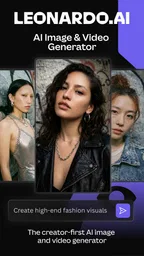
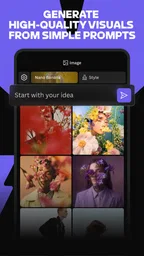
I would treat Leonardo.Ai as a creative workshop rather than a simple filter: it asks you to describe an idea, then uses generative tools to turn that brief into images or video. That makes it appealing when I have a visual concept but lack the drawing skills, time, or software to build it from scratch. It also means the result depends heavily on the prompt and on whether I’m comfortable handing a creative task to an AI service.
Creative power comes with a trust decision
Developed by Leonardo.Ai, this free art and design app is aimed at people who want to explore visual ideas on a phone. Its current version is 2.0.52, and it is rated for Teen audiences. It has an average rating of 4.6 from around 122,000 ratings, with more than 10 million installs. Those figures suggest broad interest, but they don’t tell me whether a particular image will match my needs or how I should handle sensitive material.
The key trust question is practical: what am I choosing to create, and am I comfortable using an AI-powered service for that purpose? I would use it for a fictional character, a mood-board concept, or a playful poster idea. I would be more careful with private photographs, confidential client work, unpublished product designs, or anything that contains personal information. That is a sensible boundary for any creative app that processes user prompts or media, especially when the user’s expectations about privacy and reuse matter.
I don’t assume that a polished interface means every image is private, nor do I assume that an AI tool handles all inputs in the same way. Before adding material that belongs to someone else or reveals something personal, I would check the app’s current privacy information and the choices shown in the app. If I could not establish that a particular use suited my needs, I would leave that material out and create a fresh prompt instead.
What the app is good at
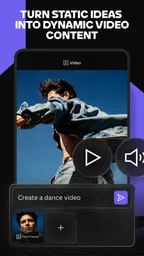
The app’s central appeal is the range of creative directions it brings together. Its store summary names Ideogram, Nano Banana, Kling, and more, presenting image and video generation as part of the experience. In practical terms, that makes it useful for moving from a rough visual idea toward an illustration, a stylized scene, or a short motion concept without first learning a full desktop design suite.
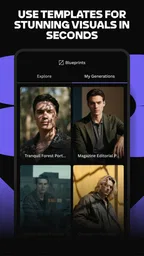
I find this kind of tool most valuable early in a project, when I need options rather than a finished asset. For example, if I were planning a community event, I could draft several poster concepts by changing the setting, mood, and color language in the prompt. I would then choose a direction and refine it outside the app if the final piece needed exact text, precise spacing, or brand consistency. That split—AI for exploration, conventional design tools for finishing—is a more reliable workflow than expecting a generator to handle every production detail.
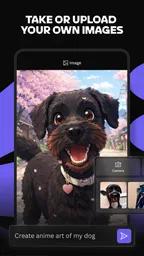
A useful prompt habit is to separate the subject from the visual treatment. I might first describe who or what should appear, then add the lighting, composition, and style in a second pass. If a result is close but too busy, I would simplify the description rather than piling on more adjectives. This makes changes easier to judge and helps reveal whether the problem is the idea itself or the way it has been expressed.
Another practical approach is to use the generator for variations with one controlled change at a time. If I want a character in a different setting, I would keep the character description stable and alter only the environment. If I change subject, style, palette, and camera angle together, it becomes difficult to tell which instruction improved the image. This is not a magic shortcut, but it makes experimentation more deliberate and less frustrating.
Where trust and control meet
When I use an AI art app, user agency means more than tapping a generate button. I want to understand what I’m asking it to do, what material I’m supplying, and which choices I can make before sharing or using the result. Leonardo.Ai is best approached as a tool that responds to user direction, not as an author that can be expected to infer every boundary or requirement from a vague prompt.
That matters particularly for work involving recognizable people or someone else’s creative material. I would avoid uploading a friend’s photo or a client’s confidential mock-up unless I had permission and had checked the service’s applicable terms and controls. For a personal concept, I can usually avoid the issue entirely by describing the scene in words or using a non-sensitive reference. This keeps the creative experiment useful without making privacy an afterthought.
I also recommend treating generated output as a draft until it has been checked. A visually convincing image can still contain awkward details, inconsistent objects, or text that is not usable. If the image is for a public post or a real project, I would inspect it closely, make edits where needed, and ensure that any intended use fits the relevant rights and platform rules. The app can accelerate ideation; it does not remove the user’s responsibility for what they publish.
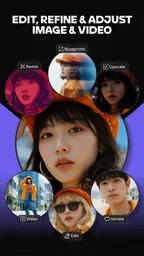
The broader choice is whether to work inside an AI generator or a traditional illustration app. A conventional drawing tool gives me direct control over every stroke and is usually the better fit when accuracy, repeatability, or manual craft is the point. Leonardo.Ai is more compelling when speed and breadth of possibilities matter more than exact control. It can help a non-artist make a compelling starting point, but it is not a substitute for a designer’s judgment when a project has strict visual specifications.
Everyday use without oversharing
Imagine I want a book-club announcement for a fantasy novel. I could ask for a moonlit library with a small group of readers, then try a warmer palette or a more playful illustration style. I would keep names, phone numbers, and private event details out of the prompt, adding those later in a layout app. That workflow gives me a distinctive background while keeping sensitive logistics separate from the generative step.
For a small business owner, the same division can help with early campaign ideas: generate a few broad visual moods, select one, then build the actual advertisement in software that provides exact typography and logo placement. If the design includes unreleased branding or a confidential product, I would first review the available account and data choices, or use a non-confidential stand-in. A generic shape can communicate the intended composition without exposing the real asset.
For personal use, the app may be a fun way to make a fantasy landscape or explore character concepts. Yet someone who wants to retouch a real photograph with predictable, pixel-level control may be happier in a dedicated photo editor. Likewise, anyone who needs a dependable final logo should not rely on a generative image alone: a logo needs clean geometry, legible lettering, and consistency across sizes, all of which deserve deliberate finishing.
Costs, friction, and who should pass
The app is free to install, but it includes in-app purchases ranging from $9.49 to $749.99 per item. I would check the purchase screen carefully before committing, especially if I were only testing whether the generation style suits me. A free entry point makes experimentation accessible, but the presence of paid options means it is wise to understand the offer and avoid treating every suggested upgrade as necessary.
There is also a learning curve in writing prompts that produce useful, consistent results. A short request may leave too much open to interpretation, while an overstuffed one can create competing instructions. I would start with a clear subject and a few visual priorities, then refine. If I need a precise composition on the first try or want to edit every component independently, the back-and-forth may feel less efficient than using a layer-based design app from the beginning.
The Teen content rating is worth keeping in mind for families. It is not a guarantee that every generated result will suit every younger user or household, so I would make the choice based on the person using it and the kind of prompts they are likely to explore. Anyone using the app for school or work should also follow the relevant organization’s rules about AI-generated content and sharing, rather than assuming that an entertaining experiment is automatically acceptable in a formal setting.
On a device running Android, the listed minimum operating system is version 7.0, which gives the app a broad compatibility baseline. That does not promise identical performance across every device or network, so I would test the workflow on the phone I plan to use before relying on it for a deadline. The app’s mobile format is convenient for quick concepting, but larger screens and desktop software can still be better for careful layout and finishing work.
A considered recommendation
I would recommend Leonardo.Ai to curious creators who want to turn written ideas into visual starting points, and who are willing to review the output rather than accept it blindly. Its mix of image and video generation makes it more ambitious than a basic filter app, while its mobile access makes casual experiments easy to fit into a spare moment. The strongest reason to try it is creative range; the strongest reason to pause is the need to make deliberate choices about prompts, uploads, and purchases.
If I were helping a friend decide, I would say to begin with an ordinary, non-sensitive idea, keep the first prompt simple, and see whether the results are useful enough to justify further exploration. Use it for mood boards, fictional scenes, and rough campaign concepts; move to a conventional editor when exact text, brand control, or precise edits matter. Check the app’s visible choices and current privacy information before sharing personal or confidential material. With those boundaries in place, it can be a genuinely handy creative companion, but it is not the right tool for every image-making job.
What we like
- The interface makes it easy to explore image creation tools.
- Prompt guidance can help newcomers get started.
- Multiple creation options offer room to experiment.
- Generated images can inspire ideas for creative projects.
- The app provides a convenient way to create art on mobile.
What could be better
- Results may not match complex prompts exactly.
- Creating polished images can take repeated attempts.
- Some tools or features may require a paid plan.
- Image generation depends on a stable internet connection.
- AI-generated details can look inconsistent or distorted.





