





KashKick: Get paid to have fun review
 Analysis by Appsdrops
KashKick is a lifestyle app built around a simple idea: earn rewards by spending time on activities such as playing games, taking surveys, and testing apps. I like that it brings several kinds of tasks together, so you can choose what sounds appealing rather than relying on a single way to participate. The key to enjoying it, though, is treating rewards as a small extra—not as a substitute for dependable income.
One app, several ways to take part
The most distinctive part of KashKick is its mix of reward activities. The app’s focus is not just gaming: surveys and app testing sit alongside games, giving the experience a broader feel than a simple play-to-earn title. That variety can make it easier to find something that suits your mood and available time.
In practice, this means you can approach the app in different ways. If you feel like playing, games are one option. If you would rather answer questions, surveys offer another kind of task. App testing provides a third route for people interested in trying apps. The common thread is that these activities are presented as ways to earn rewards, rather than as entertainment with no additional incentive.
That structure is useful because people do not always want to do the same thing every time they open a rewards app. A game may be appealing one day, while a survey feels like a better fit another day. Having several activity types under one roof gives the experience flexibility without making the basic idea hard to understand: choose an activity, take part, and work toward rewards.
What the reward-focused approach feels like
I find the strongest appeal here is the way it gives ordinary phone activities a clear purpose. Playing a game or trying an app can feel more engaging when there is a reward attached, while a survey offers a more direct task for moments when you do not want to play. The app’s pitch is easy to grasp, which helps newcomers understand why they might want to explore it.
Still, it is worth keeping expectations grounded. A rewards app is best viewed as an optional side activity. The time you spend should make sense to you even before you think about the reward. If an activity is not enjoyable or useful for your routine, the incentive alone may not make it worthwhile. That mindset keeps the experience casual and helps prevent the app from feeling like a job.
Getting started and choosing an activity
The first decision is simply which type of activity you want to try. The app’s central promise is broad enough to suit different preferences: games for people who enjoy playing, surveys for those comfortable answering questions, and app testing for users who like exploring apps. Rather than assuming that everyone wants the same experience, it gives you a few routes into the rewards concept.
For a first visit, I would approach each option with curiosity rather than trying to optimize everything at once. Pick an activity that sounds appealing, see whether its format suits you, and then decide if you want to make it part of your routine. This is a more comfortable way to judge the app than treating every task as something you must complete.
It also helps to keep your own time in view. A spare moment between other activities may be a good fit for a short session, while a longer stretch could suit someone who wants to explore a game or test an app. Since the experience is built around activities, not a single continuous game, you can choose when to participate instead of expecting the app to provide one uninterrupted form of entertainment.
Games, surveys, and testing in everyday use
The game option is likely to attract people who already enjoy mobile play. The reward angle can add a little extra motivation, but the game itself still needs to hold your interest. I would think of the incentive as a bonus for participating, not a guarantee that every game will match your personal taste.
Surveys offer a different kind of engagement. They are a better match for someone who prefers responding to questions over spending time in a game. This can be useful when you want a task with a more focused format, though it is still important to choose activities that feel comfortable and appropriate for you.
App testing rounds out the mix by appealing to people who like trying apps. It gives the overall experience a practical, exploratory side: instead of only playing or answering questions, you can spend time with apps as part of the reward-seeking process. For curious users, that variety may be the most appealing reason to give the platform a look.
The best scenario for using it
The best fit is a relaxed spare-time routine where rewards are a pleasant extra. If you already enjoy mobile games, sometimes answer surveys, or like checking out apps, the activities may blend naturally into time you would otherwise spend on your phone. In that setting, the app can add a small sense of purpose without demanding that you reorganize your day around it.
It is less compelling if you expect a dependable source of earnings or want a single, polished game experience. The app combines different kinds of activities, so its appeal comes from choice rather than deep focus on one format. Someone looking for a dedicated game may prefer an app designed solely for that purpose, while someone seeking a reliable financial plan should look elsewhere.
A good approach is to use it when you are already in the mood for one of its activities. If you enjoy a game, continue because it is fun, with the reward as an added benefit. If you prefer surveys or app testing, choose those when they fit your interests. This makes the app easier to enjoy on its own terms.
Tradeoffs worth considering
The range of activities is a strength, but it also means the experience may feel varied rather than uniform. Games, surveys, and app testing are different types of tasks, and users who strongly prefer one format may not care about the others. The app’s broad approach is convenient for flexible users, but it will not necessarily be ideal for someone seeking a narrowly defined experience.
Another important tradeoff is the relationship between time and rewards. The app encourages participation, but that does not mean every activity will feel equally worthwhile to every person. Your enjoyment, patience, and available time all matter. I would avoid measuring the experience only by the possibility of earning; it is more satisfying when the activity itself is something you are happy to do.
It is also sensible to be selective. You do not need to try every option just because it is available. Focusing on the activities that match your interests can make the app feel less like a collection of chores and more like a casual way to add rewards to things you already like. That personal choice is central to getting a positive experience out of it.
Who is most likely to enjoy it?
The app is a natural match for people who like having options and are comfortable with a casual, reward-oriented format. Mobile gamers may appreciate the chance to pair play with rewards, while survey takers and app explorers have their own reasons to browse the available activities. Users who switch between different kinds of phone use may find the mix especially convenient.
It may be less suitable for anyone who wants a guaranteed return, a full-time earning method, or a single activity with a highly focused design. Those expectations do not fit the casual appeal of a lifestyle app that brings together games, surveys, and app testing. Being clear about that distinction before getting started can save frustration later.
The app is free to use and has a Mature 17+ age rating, so it is intended for an adult audience. It was released on August 10, 2023, and its current version is 1.1.50, with a minimum operating system requirement of 10. Those details are useful when checking whether it is a suitable option for your device and age group.
A measured verdict
KashKick works best as a flexible way to explore reward activities during downtime. Its main appeal is the choice between games, surveys, and app testing, which gives different users a reason to try it without forcing everyone into the same routine. I appreciate that straightforward, multi-activity concept, especially for people who already enjoy spending some of their free time on a phone.
The app’s reputation suggests broad interest: it has an average rating of 4.5 from around 145,000 ratings, with roughly 18,000 written reviews. It has also passed five million installs. Those figures point to an established audience, though the right question for any individual user is still whether the available activities suit their tastes and expectations.
Overall, I would recommend approaching it as entertainment with a reward angle, not as a promise of easy money. Pick the activities you genuinely like, keep your time in perspective, and let the rewards remain a bonus. For adults who enjoy casual games, surveys, or trying apps, this can be a convenient way to bring several reward-focused activities together in one place.
What we like
- Offers several ways to earn rewards beyond playing games
- Displays task requirements before you start an offer
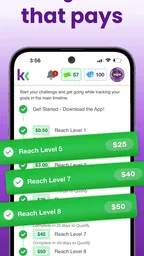
- Lets users track their progress toward cash rewards
- Has a low payout threshold for eligible withdrawals
- Signing up is free and requires no subscription
What could be better
- Some offers are available only to users in the United States
- Rewards can take time to appear after completing an offer
- Certain tasks require substantial time or in-app spending
- Missing tracking can make it difficult to claim an earned reward
- Cash-out methods and availability may vary by account





