



Home Assistant review
 Analysis by Appsdrops
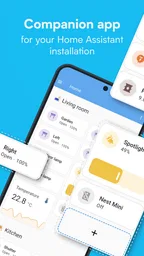
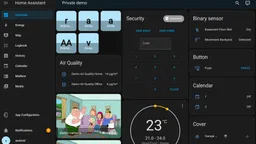
I think of Home Assistant less as a ready-made smart-home package and more as a way to bring a mixed collection of devices under one roof. Its official mobile app gives me a place to check on and control a home while I’m away, but how useful that feels depends heavily on the Home Assistant setup behind it. That distinction matters: the app is the companion to a flexible home-automation system, not a one-tap substitute for setting one up.
Control that depends on your setup
As a free House & Home app from the Open Home Foundation, Home Assistant has a clear appeal for people who want more control over how their connected home works. It is rated for Everyone, has an average rating of 4.3 from around 14,000 ratings, and has been installed over five million times. Those figures suggest a well-established audience, but they don’t tell you whether it will suit your particular devices or comfort level. The important question is whether you already use Home Assistant—or are willing to build and maintain that environment.
In everyday use, a central app is most valuable when a household has devices that would otherwise require several separate manufacturer apps. Instead of remembering which app handles a light, a sensor, or another connected device, I can use the Home Assistant interface as the place I return to. The benefit is not simply fewer icons on a phone; it is having a consistent view of the home, provided the devices and configuration are actually connected to the system.
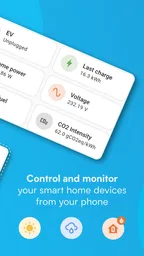
Remote access is especially useful for small decisions made while away. I might want to check a sensor before deciding whether to ask someone to look in on the house, or adjust a connected device without waiting until I get home. That convenience also makes reliability important. If a control or status depends on a particular integration or configuration, I would test it before relying on it for anything time-sensitive.
A companion, not a complete smart-home setup
The app makes the most sense when Home Assistant is already part of your home. I wouldn’t install it expecting it to discover every device automatically and make them all cooperate without further work. The system’s flexibility is a strength, but it shifts some responsibility to the user: choosing compatible equipment, connecting it, and deciding how the home should be organized.
That trade-off separates it from many brand-specific smart-home apps. A manufacturer’s app can be easier when all you want is to control that company’s products, and its setup may involve fewer decisions. Home Assistant is more compelling when you want a shared control point across a varied setup, or when the manufacturer’s app feels too narrow. In return, it asks for more patience and a willingness to understand the system rather than treating the phone app as the whole product.
A practical tip is to start with one room or one simple task, then expand only after you know how the devices behave together. This keeps troubleshooting manageable and helps reveal whether the interface suits the people who actually live in the home. A technically confident person may enjoy shaping the setup; someone else in the household may simply need clear, dependable controls. Both perspectives matter before moving every daily task into one system.
Where the app earns its place
One of Home Assistant’s less obvious strengths is the way a central system can make a mixed-device home feel more coherent. The useful outcome is not necessarily a clever automation. Sometimes it is just being able to find the relevant control in one familiar place instead of recalling which brand’s app owns it. That is a modest improvement, but it can make a difference when several people share responsibility for the home.
Another useful way to think about the app is as a remote window into the setup, not merely a row of switches. Checking the state of a device before taking action can prevent unnecessary trips or messages. For instance, if I’m away and need to decide whether a household task is already handled, having the relevant status visible can be more useful than issuing a command blindly. This depends on the device reporting meaningful information and on the home being configured to show it clearly.
For households with changing routines, central control can also reduce the friction of making adjustments. If a device’s role changes, I can think about how it fits into the Home Assistant setup rather than learning an entirely new app workflow. The payoff is greatest for people who like to refine their setup over time. If you only want a single device to work with minimal decisions, that flexibility may feel like unnecessary overhead.
What changes mean for existing users
Home Assistant was released on November 12, 2019, and the current app is presented as the official mobile companion to the wider project. That history gives the product a longer context than a newly launched control app, but a release date by itself does not show what has changed in the software or how any particular update affects a user. I would avoid assuming that longevity means a specific feature is available or that every setup behaves identically.
For an existing user, the most useful way to judge an app update is to try the everyday paths that matter: opening the app, finding a commonly used control, checking a device’s current state, and using remote access if that is part of the household routine. A change is beneficial when it makes those tasks clearer or more dependable on your own phone and configuration. If something important feels different, checking the app’s release notes and testing the affected workflow is more practical than relying on a general impression of the product’s evolution.
I would also keep the home’s essential controls understandable to other household members. A setup that makes perfect sense to the person who configured it can still be confusing to everyone else. Before changing a familiar workflow, I’d make sure the people who depend on it can still find the controls they need. That is a small but important maintenance habit for any system intended to serve an entire home rather than one enthusiast.
Where friction remains
The main limitation is the learning curve around the larger Home Assistant environment. If you are looking for an app that handles setup, device compatibility, and ongoing decisions for you, this may not be the smoothest route. The phone app can provide convenient access, but it cannot make an incompatible device compatible or remove the need to understand how your chosen setup is assembled.
There is also a difference between having one place to control devices and having a polished experience for every device. A central interface is only as useful as the information and controls available through the connected setup. Before committing, I’d check whether the devices that matter most to me are supported in the way I need, and whether the people at home will find the resulting controls straightforward. It is better to verify those basics early than to assume that a broad platform automatically covers every edge case.
For a person who owns only a few products from one manufacturer, the official brand app may be the better choice. It can keep the experience simple and focused, with less system-level setup to learn. Home Assistant is the stronger option when the value of combining devices outweighs the effort of maintaining a broader setup. Neither approach is universally better; the right choice depends on whether convenience through simplicity or flexibility across a home matters more to you.
Who should try it—and what to watch
I’d recommend Home Assistant to someone who already uses its system, enjoys bringing different devices together, or wants a more adaptable control point than a collection of separate apps. It is also worth considering if you are willing to learn in stages and troubleshoot occasionally. I would steer away from it if you need a fully hands-off setup, rely on a very simple manufacturer-specific routine, or do not want to spend time checking how devices and controls fit together.
If you are new, choose one concrete goal before installing anything: perhaps being able to check a particular device while out, or giving the household one place to find a commonly used control. Then confirm that the device and the rest of your setup can support that goal. This turns a broad smart-home project into a useful test, and gives you a fair sense of whether the app is helping rather than adding another layer to manage.
Looking ahead, I would watch for changes that improve clarity and consistency in the daily mobile experience, while separating those hopes from what is established today. The app’s value will ultimately be measured by how well it serves the devices and routines in your own home. My verdict is positive but conditional: Home Assistant is a compelling control app when you want flexibility and are prepared to take responsibility for the setup behind it. If you want a simple, self-contained controller, a narrower alternative may be a better fit.
What we like
- Local control can keep automations working when internet access is unavailable.
- Dashboards can be tailored to different rooms and household needs.
- A large community shares integrations and troubleshooting advice.
- Automation conditions support detailed control over when actions run.
- The companion app can provide location-based presence detection.
What could be better
- Initial setup can be challenging for users without technical experience.
- Some integrations require extra hardware or third-party configuration.
- Updates may occasionally require adjustments to custom integrations.
- Remote access setup can involve additional configuration or a paid service.
- The interface may feel overwhelming in homes with many devices.





