

Hobby Lobby Stores review
 Analysis by Appsdrops
I think Hobby Lobby Stores is easiest to judge as a companion to a particular kind of errand: finding inspiration for a craft or home project, then taking that idea into a Hobby Lobby store. It is a free lifestyle app from Hobby Lobby Stores, Inc., and its value depends less on being an all-purpose shopping tool than on whether you already like browsing this craft retailer. I would keep it on my phone for occasional project planning, but I would not expect it to replace a general craft guide or a broad shopping app.
A store companion, not a craft class
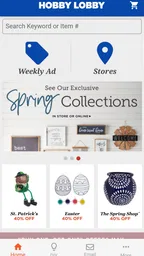
The app’s central appeal is simple: it brings the Hobby Lobby experience onto a phone. In practice, that makes it most useful as a starting point for thinking about what to make or what to look for during a store visit. It is not the same as an independent crafting resource, where instructions and ideas are the main event. Here, the retailer is the organizing center, so the app makes the most sense when your next step might involve shopping at Hobby Lobby.
That distinction matters. If I am choosing between several possible projects, I want to narrow down the idea before walking into a large craft store, where a quick browse can turn into an unfocused trip. A retailer-focused app can help keep that visit connected to a specific purpose. But if I need a complete tutorial, technique advice, or a community to troubleshoot a project, I would use a dedicated craft resource alongside it rather than assume the app will cover those needs.
The name is also a clue to its scope: Hobby Lobby Stores is a lifestyle app tied to one retailer, not a directory of craft shops. That focus can be a benefit when you already shop there, because your attention stays on that store’s projects and merchandise. It is a limitation if you prefer comparing products across several retailers or want recommendations that are not shaped around a single shopping destination.
Where it fits in the project process
I find it helpful to think of the app as belonging between inspiration and the shopping trip. First, decide what kind of project you are considering. Then use the app as a retailer-specific companion while you work out whether Hobby Lobby is a useful place to continue. That is a more realistic expectation than treating it as a full project planner, a craft encyclopedia, or a substitute for hands-on experience.
For example, someone planning a seasonal display at home may already have a rough idea of the look they want but not a settled list of materials. The app can be part of the browsing stage, helping keep that retailer in mind while the person decides what to seek out. The useful habit is to define the project before shopping: note the size, colors, and materials you still need, then use the app as one step in preparing for the visit. This reduces the chance of browsing without a goal.
Making a store visit more deliberate
The strongest everyday use case is not an elaborate workflow. It is avoiding a trip that begins with “I’ll see what catches my eye” and ends with supplies that do not work together. I would start with a concrete task, such as refreshing a wreath or assembling a small display, and identify what is already at home. Then I would use the app as a prompt to plan the Hobby Lobby part of the errand, rather than letting it define the whole project.
That small bit of preparation is especially useful for crafts that involve several kinds of materials. A project can look straightforward until you realize that the base, decorative pieces, and finishing supplies need to suit one another. Keeping a short written checklist outside the app is a sensible companion habit: it preserves your actual requirements even if you move between browsing, home, and the store. The app can support the shopping stage; your own checklist keeps the project coherent.
It is also worth deciding in advance what counts as a successful visit. If you need one particular item, a retailer companion may be less useful than contacting the store or checking another reliable source before setting out. If you are open to alternatives and want to browse with a project in mind, the app is a better fit. That distinction helps prevent a common frustration: expecting a mobile shopping companion to guarantee that a specific item will be available at a particular location.
When a different tool is better
Compared with general craft inspiration apps, this one has a narrower point of view. A broad idea library can be better when you are exploring techniques, comparing styles, or looking for a project that uses materials you already own. Hobby Lobby Stores is more compelling when the retailer itself is part of your plan. I would use a tutorial source for step-by-step learning and this app for the retailer-centered part of deciding what to browse or buy.
It is also not the best choice for someone who shops mainly at competing craft stores, wants a neutral price comparison, or prefers to order supplies from a variety of sellers. A single-retailer focus naturally limits the range of choices presented. That is not automatically a flaw: if Hobby Lobby is already your preferred store, concentration can make the app feel relevant. But it would be a poor reason to install it if your main goal is comparing the whole craft market.
Another practical tradeoff is that a retailer app can encourage shopping when what you really need is a plan. I would avoid opening it just to browse if I am trying to keep a project small or use up supplies at home. Instead, I would decide whether the project needs a store trip first. This makes the app more useful as a deliberate errand aid and less likely to pull attention away from the creative work itself.
Who is likely to get the most from it
I would recommend trying it if you regularly shop at Hobby Lobby, enjoy planning seasonal crafts, or often need a retailer-specific starting point for a home project. It may also suit someone who likes browsing before visiting a store and wants that planning to happen on a phone. The app is free, so trying it does not require a purchase; the bigger question is whether its one-store focus matches the way you shop.
People who want a neutral guide to crafts may be happier with a general inspiration or tutorial app. Likewise, if you rarely visit Hobby Lobby, the app may have little reason to stay installed. The right choice depends on the job: use a broad resource to learn and compare, and use this one when Hobby Lobby is already part of the plan. That division of labor is more useful than expecting one app to serve every stage of a project.
Hobby Lobby Stores has an average rating of 3.4 from around 15,000 ratings, with about 3,300 written reviews, and it has been installed over 5 million times. Those figures suggest it has a sizable audience, while the rating is a reminder that it will not satisfy every shopper equally. I would treat that as context rather than a verdict: a focused retailer companion can be useful to regular customers and less valuable to people who want a broader tool.
Compatibility and a sensible first try
The app is rated for Everyone and is listed for devices running version 8.1 or later. Its current version is 3.0.19, and it first appeared on November 9, 2012. I would still make my decision based on whether I shop at Hobby Lobby rather than on those technical details alone. If you install it, begin with one real project and see whether it makes planning the store portion easier; that is a more useful test than browsing without a goal.
My overall view is that Hobby Lobby Stores works best as a focused helper for people who already have a reason to visit the retailer. Its practical strength is the way it can connect a project idea to a store-centered errand; its main limitation is that the same focus leaves out people seeking independent instruction or cross-store comparison. I would keep it in my toolkit for a planned craft-shopping trip, but I would pair it with a tutorial source when I need to learn how to make something.
What we like
- The app makes it easy to browse Hobby Lobby products on a phone.
- Store listings help you find a nearby location.
- Product categories make craft and home decor items easier to discover.
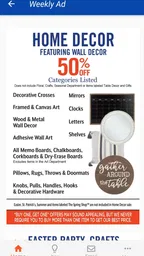
- The app can help you check current offers before shopping.
- It offers a convenient way to explore products outside store hours.
What could be better
- Product availability may vary by store.
- Some items may only be available for in-store purchase.
- Browsing a large catalog can take time.
- Prices and promotions may change without notice.
- The app is most useful to shoppers near a Hobby Lobby store.





