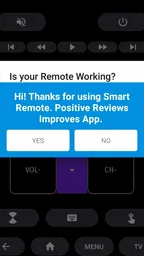
HiSense Smart TV Remote review
 Analysis by Appsdrops
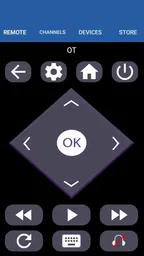
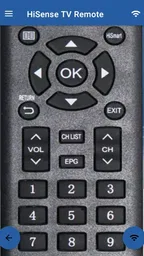
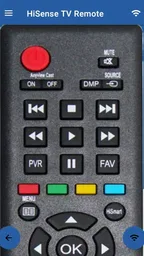
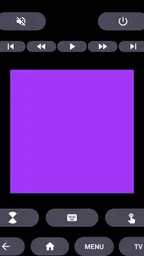
I can see the appeal of replacing a misplaced television remote with a phone, especially when the TV is already on and I only need to pause something or change the volume. HiSense Smart TV Remote, made by Naba, is a House & Home app built around that practical idea. It is free, rated for Everyone, and its audience has grown to over 500,000 installs. The basic promise is easy to understand; the more important question is whether a phone remote remains useful after the novelty wears off.
Useful from the first evening, if the connection works
In the first few days, HiSense Smart TV Remote is most appealing as a backup that is already in your hand. I reach for my phone constantly, so using it to control a compatible HiSense television can feel more convenient than searching between sofa cushions. The app’s 4.7 average from around 17,000 ratings suggests that many people find the idea useful, though a rating cannot guarantee that it will suit every TV setup.
The first practical test is not how polished the controls look; it is whether the phone can connect to the television. Before relying on it, I would check the TV’s network settings and make sure both devices are connected to the same home network if the connection process calls for it. I would also keep the physical remote nearby during setup. That turns a failed connection into a minor inconvenience rather than a frustrating evening spent trying to control a TV with no working input device.
A realistic use is settling in to watch a show and discovering that the remote has wandered into another room. A phone-based option can save that trip for ordinary adjustments. It can also be handy when someone else is using the physical remote, or when I want a control device within reach while carrying a drink or folding laundry. The benefit is small but recurring: less time looking for a separate object.
That convenience has a condition. This is not a universal remote for every television in the house; it is specifically aimed at HiSense TVs. If my living room has a different brand, or if I want one app to manage several kinds of home entertainment equipment, I would look for a broader alternative instead. The app makes most sense when the TV brand matches and phone control is a supplement, not when I expect it to replace every remote I own.
How to judge the setup before depending on it
I would treat the first session as a compatibility check rather than assume that installing the app is enough. Confirm that the TV is powered on, look for any network or device-discovery prompts on the television, and follow the app’s on-screen steps. If the phone cannot find the TV, checking that both are on the same Wi-Fi network is a sensible first move. Guest networks, separate network bands, or a router’s device-isolation settings can sometimes keep devices from seeing one another; checking those settings is more useful than repeatedly tapping a search button.
It is also worth testing the controls I actually use before putting the physical remote away. Try basic navigation and volume changes, then see whether the app remains responsive after the phone screen has been locked and reopened. I would not assume that every TV function available on the original remote is reproduced here. The sensible expectation is a handy phone control for everyday tasks, with the TV’s own remote kept accessible for setup, unusual menus, or anything the app does not handle.
Where the routine earns its place
The lasting value is less about a dramatic new way to watch television and more about fitting a simple control into an existing habit. If I already keep my phone nearby while watching, opening a remote app may become natural. If I usually leave my phone charging across the room, the physical remote will probably remain faster. Small conveniences only become durable when they reduce effort in the way someone actually uses the room.
There are a few useful habits that can make a phone remote less annoying. I would keep the app easy to find rather than bury it in a folder, and I would avoid closing it immediately after every adjustment if that forces me to repeat the connection process. If it stops responding, I would first check the TV’s power and network connection, then reopen the app and retry, rather than assume the television itself is broken. These are simple checks, but they help distinguish a temporary connection issue from a genuine compatibility problem.
For a shared household, it can be useful to think about who will actually use the phone as a remote. One person may appreciate having controls on their own device, while another may prefer buttons that can be found by touch without looking at a screen. A phone also needs to be unlocked and within reach. So I see this as a personal convenience or backup, not automatically the best main control for a family where several people change channels throughout the day.
The maintenance is modest, but not zero
A physical remote has its own maintenance: it can be misplaced, and its batteries may need attention. A phone app avoids keeping another dedicated controller close at hand, but it shifts the dependency to the phone, the app, and the connection between phone and TV. If the phone battery is low, the device is unavailable, or the home network is having trouble, the convenience can disappear at exactly the wrong moment. I would keep the standard remote somewhere predictable rather than discard it.
The app’s current version is 7.0, and it supports Android starting with version 4.4. That broad minimum makes it worth considering for an older Android device that is still used around the home, though the experience can depend on the particular phone and television. For iPhone owners, I would check the relevant app store for availability and compatibility before planning a setup; platform support should not be assumed from the Android requirements.
As a free app, it is easy to try without committing money, and that lowers the cost of finding out whether it fits a particular TV. The more meaningful cost is attention: keeping the phone connected, knowing where the app is, and troubleshooting when discovery fails. The app was released on June 28, 2022, and Naba continues to publish it. I would still approach it as a practical utility, not something that needs to become part of a complicated smart-home routine.
What may become tiring over time
The main source of fatigue is the difference between a touchscreen and a physical remote. Physical buttons are easy to locate by feel; a phone screen requires a glance and sometimes an unlock. That is a real trade-off when I am watching in a dark room or making frequent adjustments. If I only use the app occasionally to recover from a missing remote, this is barely a problem. If I expect to navigate menus for long stretches, the phone may feel less direct.
Connection reliability is another deciding factor. A remote app is only useful when it can communicate with the television. If the TV is not discoverable after network changes, or if the router separates devices, the app can turn a one-tap task into a short troubleshooting session. I would not blame every hiccup on the app, but I would judge it by how often it reconnects smoothly in my own home. A tool that works reliably most nights can earn a place; one that needs repeated setup will lose out to the physical remote.
There is also a subtle risk in treating the phone as the only controller. The physical remote can often handle a wider range of television-specific actions, while an app may be most convenient for routine control. Keeping both available is not a failure of the app; it is a practical arrangement. In my view, the phone option works best as a second route to the same TV, particularly for quick adjustments and moments when the original controller is missing.
Who should keep it installed
I would recommend trying HiSense Smart TV Remote if a HiSense television is part of your home, you often have your phone nearby, and you want an inexpensive backup for everyday control. It may be especially useful in a bedroom or guest room where a remote tends to disappear, or in a household where someone wants to adjust the TV without asking for the main controller. Its 882 written reviews add another sign that people are using it as a real utility rather than merely downloading it out of curiosity.
I would skip it if the TV is not a compatible HiSense model, if the home network makes device discovery unreliable, or if tactile buttons matter more to me than having controls on a phone. People seeking a single app for a mixed-brand entertainment setup should compare universal remote options instead. And anyone who rarely misplaces the original remote may find that the extra app does not improve their routine enough to justify keeping it open or readily accessible.
After the first-week novelty fades, the app’s value comes down to one straightforward question: does it save me small bits of effort often enough to become a habit? If the connection is dependable and the phone is already at hand, I can see it earning lasting space as a backup and quick-control option. If either condition fails, the standard remote remains the simpler choice. My verdict is positive but measured: it is worth trying for a compatible HiSense TV, while keeping expectations focused on convenience rather than a complete replacement for the original controller.
What we like
- Offers convenient TV control from a compatible phone.
- Keeps essential remote functions close at hand.
- Can be useful when the physical remote is misplaced.
- Provides an alternative for everyday channel and volume control.
- May reduce the need to replace a lost remote.
What could be better
- Requires a compatible HiSense TV to work.
- Phone and TV may need to share the same network.
- Some features may vary by TV model.
- A phone cannot control the TV when its battery is dead.
- Unstable Wi-Fi can interrupt remote commands.





