



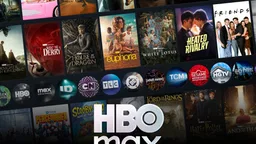
HBO Max: Stream TV & Movies review
 Analysis by Appsdrops
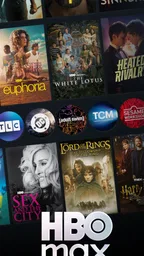
I can see why HBO Max makes a strong first impression: it puts a broad mix of scripted series, films, and reality entertainment under one roof, with familiar HBO-style storytelling at the center. In my view, the more useful question is what happens after the first burst of browsing. A streaming app earns a lasting place when it fits ordinary evenings, gives you a dependable reason to return, and doesn’t turn choosing something into a chore. HBO Max can do that for viewers who enjoy its particular range, but it is less compelling if you only want a specific title or prefer a service built around a different kind of library.
What the first week feels like
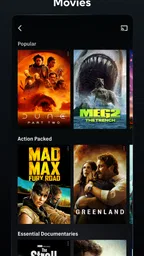
As an entertainment app, HBO Max is at its best when you arrive with a loose mood rather than a precise plan. I might want a substantial drama one night, an easy reality show another, and a film when I have a longer stretch free. Having those kinds of viewing in one place makes the app feel immediately useful, especially for a household where people don’t agree on one genre.
The first-week temptation is to browse as if the catalog were a complete answer to every mood. It isn’t. The service’s appeal depends on whether the available selection suits your taste at the moment you open it. I’d treat the home screen as a starting point, not a promise that every recommendation will land. If I know the kind of story I want, going in with a title or genre in mind is often more satisfying than scrolling indefinitely.
That distinction matters because a large entertainment library can create its own friction. A choice-rich service feels generous when you discover something you genuinely want; it feels tiring when every option seems to demand a decision. My practical advice is to save a short mental shortlist while browsing, then return to it when you actually have time to watch. That small habit makes the app more useful than opening it repeatedly and hoping inspiration appears.
HBO Max is free to install, but that should not be confused with free access to everything it offers. The app includes in-app purchases, with individual items ranging from a few dollars to more than two hundred dollars. Before committing to a purchase or recurring arrangement, I’d check the terms shown in the app store and make sure the cost matches how often I expect to watch. The distinction between installing an app and paying for ongoing entertainment is important for anyone comparing streaming options.
The app is developed by WarnerMedia Global Digital Services, LLC. It has a 4.8 average from around six million ratings and has passed 100 million installs, which suggests broad interest, though those figures don’t tell me whether its particular selection will suit an individual viewer. Its Teen content rating is also worth considering for families: I would not assume that everything inside is appropriate for younger children simply because the app itself carries that age label.
Make a viewing plan before the evening starts
A useful everyday scenario is a weeknight when several people share the television and nobody has the patience for a long search. I’d agree on a broad category first—perhaps a film rather than an episode, or reality entertainment instead of a drama—then narrow the choice. That avoids turning the app into the evening’s main activity. For a solo viewer, the same idea works on a smaller scale: decide whether you have time for a full film or want something you can watch in shorter sittings before browsing.
This approach is especially helpful when you’re trying a service for the first time. Give it a few sessions across different moods rather than judging it from one browsing session. A single evening can overemphasize whatever happens to be prominent at that moment. After a week, you’ll have a clearer sense of whether the library contains repeatable choices for you or merely a few titles that caught your attention once.
Whether it stays useful month after month
For me, lasting value comes from returning to a service without having to invent a reason. HBO Max has a plausible case when its mix of series, films, and reality programming covers several regular viewing habits. If one person wants a serialized story while another prefers a film, a shared app can reduce the need to move between services. But that advantage only holds when both people actually find things they want to watch.
Compared with a free, ad-supported video service, HBO Max is more suited to someone who wants a curated entertainment destination and is willing to pay for access under the available terms. Compared with a competing subscription streamer, the decision is less about which app has the biggest-sounding promise and more about whose catalog you return to. I would choose based on the shows and films I expect to watch repeatedly, not on a general feeling that one service must be essential.
One practical way to judge recurring value is to look back at your last few viewing sessions. Did you finish something you cared about, discover a new series, or use the app for a film you would otherwise have struggled to choose? If the answer is yes, it may be earning its place. If you mainly open it, browse, and leave, the convenience of having it installed does not by itself justify continuing to pay for access.
I’d also separate “there’s always something available” from “I have something I want to watch.” Streaming libraries can feel abundant while still missing the exact genre, mood, or title a viewer wants. HBO Max is not the right answer for someone who watches only one particular show and has no interest in the rest of its selection. In that case, a temporary subscription or a different service with a closer match may make more sense than treating it as a permanent household expense.
Build a routine, not a scrolling habit
The best long-term workflow is simple: use the app when you have a viewing window, choose a type of entertainment before you begin browsing, and stop if the selection is not working for you. That last step sounds obvious, but it prevents a common streaming trap—spending so long searching that there is little time left to enjoy anything. I’d rather switch to a book, a downloaded film I already own, or another service than mistake endless browsing for entertainment.
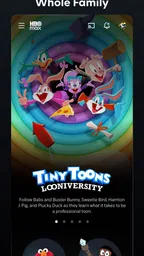
For a household, it helps to talk about what each person actually watches before deciding that one streaming app can cover everyone. HBO Max may suit a family with varied tastes, but the Teen rating calls for parents to make their own choices about what younger viewers should access. For a viewer who wants a service focused on children’s programming, live channels, or a narrow specialist genre, a more targeted alternative may be the better fit.
Another useful test is to notice how often the app becomes part of a real routine. Perhaps it is the place you turn to on Friday nights for a film, or the service you use when you want to follow a series over multiple evenings. A recurring occasion is a stronger reason to keep it than vague intentions to “watch more later.” If no such occasion develops, the app may be easy to forget once the novelty of exploring a new library wears off.
The maintenance is mostly about managing attention and cost
HBO Max does not require a complicated setup to understand its basic purpose, but keeping any streaming service worthwhile takes a little personal maintenance. I’d periodically review whether I still watch it, whether the current selection fits my interests, and whether the payment arrangement makes sense for my household. The app can remain on a device for convenience, yet that convenience can make recurring spending less visible. Checking the subscription or purchase details through the app store is a sensible part of using it responsibly.
There is also a mental maintenance cost: remembering what you meant to watch, coordinating shared viewing, and resisting the urge to keep searching for the perfect pick. If you use several entertainment apps, the problem grows because each one asks for a slice of your attention. In that situation, I’d keep only the services that regularly deliver something specific for me. HBO Max deserves space when its own programming—not simply the general availability of streaming—keeps bringing me back.
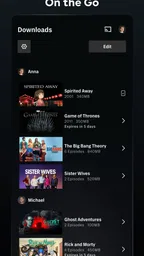
For travel or unreliable connections, I would not assume that a particular viewing or download option is available without checking the app itself and the relevant title. The safer plan is to confirm the choices shown for your device and content before depending on them. That is a small but important distinction: a streaming app may be convenient at home, while a trip requires a different plan if uninterrupted viewing matters.
Where viewing fatigue can set in
The main source of fatigue is not that there is nothing to watch; it is that an abundance of possibilities can blur into a long, indecisive session. HBO Max works better for me when I arrive with a preference, even a broad one. It also helps to stop treating every evening as an opportunity to sample something new. Rewatching a familiar favorite or choosing a film quickly can be a better use of the app than chasing novelty every time.
Another possible frustration is mismatch. A service can have a strong reputation and still be wrong for a viewer whose favorite genres or viewing habits lie elsewhere. If you mainly want short clips, live coverage, or a highly specialized catalog, a different category of app is likely to serve you better. HBO Max is most persuasive when you genuinely want professionally produced series and films rather than simply looking for any screen-based distraction.
It may also lose appeal if your household watches in bursts. Someone might explore the service enthusiastically, finish a few shows, then go weeks without opening it. That pattern does not mean the app has failed; it means a continuous subscription may not match that person’s habits. I would decide based on actual use, not on the fear that a favorite title might appear at some point. A service that is excellent for one season of your life does not have to be a permanent fixture.
My long-term verdict
I’d recommend HBO Max to someone who regularly watches a mix of scripted series, films, and reality entertainment and wants those choices gathered in one entertainment app. The app has a strong first-week appeal, but its lasting value depends on whether the catalog keeps matching your tastes after the first wave of exploration. Use it with a loose plan, pay attention to what you actually watch, and review the cost rather than assuming that more available titles automatically mean better value.
I would skip it, or treat it as an occasional option, if you need a very specific kind of programming, rarely watch long-form entertainment, or find that browsing takes longer than watching. I’d also be cautious about choosing it for younger viewers without adult oversight, given the Teen content rating. The name HBO Max may be familiar, but familiarity alone is not a reason to keep a streaming service.
Overall, I see HBO Max as a worthwhile regular choice for viewers who can name the kinds of shows and films they return to, not as an automatic must-have for everyone. Its best long-term quality is the range of viewing moods it can cover; its biggest risk is becoming another app you open, scroll through, and forget. If it gives you a dependable evening ritual and enough genuine discoveries to justify the expense, it earns its space. If not, choosing a more focused alternative—or stepping away for a while—is the more sensible decision.
What we like
- Downloads let you watch selected titles offline.
- Profiles help keep recommendations separate for each viewer.
- Parental controls can restrict content by age rating.
- The watchlist makes it easy to save titles for later.
- Subtitles and audio options support a more accessible viewing experience.
What could be better
- Downloads are limited to supported titles and devices.
- Some content may leave the catalog without notice.
- Streaming quality depends on your internet connection.
- Ad-free viewing may require a higher-priced plan.
- Availability and features vary by country.





