Hairstyle Try On Hair AI review
 Analysis by Appsdrops
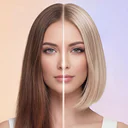
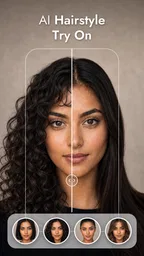
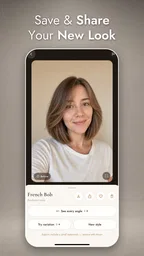
Trying a new haircut or hair color can feel like a gamble, especially when a picture in your head does not match what you see in the mirror. Hairstyle Try On Hair AI is aimed at making that decision a little easier: it lets you preview hairstyles, hair colors, makeup, and beards on a photo of yourself using AI. I like the idea because it turns a vague “would this suit me?” into something more concrete, while still leaving the final call where it belongs—with you and, if you choose, your stylist.
What the app is designed to do
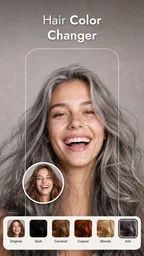
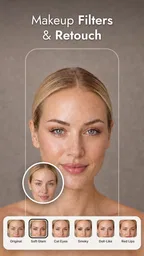
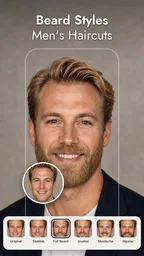
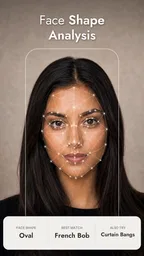
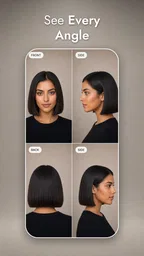
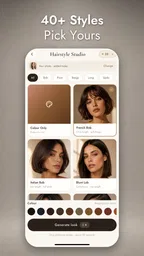
Hairstyle Try On Hair AI is a beauty app built around personal-photo previews. Its central appeal is straightforward: rather than browsing looks on someone else and guessing how they might translate to your face, you can explore styles on your own image. The same concept extends beyond haircuts to hair color, makeup, and beards, giving the app a broader role as a quick appearance-planning tool.
That focus makes the app easiest to understand as a visual aid, not a replacement for professional advice or a promise of an exact real-world result. A digital preview can help you compare ideas and notice which direction catches your eye. It cannot settle every question about how a style will work with your hair’s texture, upkeep, or the practical details a stylist would consider. I’d use it to narrow down possibilities, then treat the images as conversation starters rather than instructions.
The app is free to install, and it has optional in-app purchases, with individual items listed from $0.99 to $49.99. That range is worth keeping in mind before making a purchase: check what an item includes and whether it is relevant to the way you plan to use the app. The basic idea is easy to evaluate without assuming that every option is included at no cost.
Where people can get stuck
Photo-based tools depend on having an image that works well for the task. If a preview does not look convincing, the first thing I would examine is the photo itself rather than immediately blaming the app. A picture that clearly shows the face and hair gives an AI styling tool a more useful starting point than one where those details are hard to see. This is a general consideration for trying looks on a personal image, not a guarantee that every photo will produce the same result.
It can also be easy to expect too much from a preview. A hairstyle shown on a photo is a visual suggestion, not a physical cut or a salon consultation. Hair can behave differently in real life, and lighting, camera angle, and the source image all influence how a look appears on screen. I find it helpful to compare broad impressions—such as whether I prefer a darker or lighter color, or a shorter or longer silhouette—rather than judging the preview as a precise forecast.
Another common sticking point is simply deciding what to try. With hair, color, makeup, and beards all within the app’s stated scope, it helps to start with one question at a time. If you are mainly choosing a haircut, focus on that first; if you are weighing a color change, keep the comparison centered there. This makes the results easier to interpret and avoids turning a quick experiment into a pile of unrelated possibilities.
Checks before you begin
Before exploring styles, choose a photo that makes the subject clear. A straightforward image is usually a sensible starting point for any tool that applies appearance changes to a person’s picture. If the first result seems off, try another suitable photo and compare the overall effect. This simple check can help distinguish an awkward input image from a look that genuinely does not appeal to you.
It is also useful to decide what you want from the session. Are you looking for inspiration, comparing a few colors, or gathering ideas to discuss with a barber or stylist? A clear goal helps keep the process practical. For a salon conversation, you might focus on a couple of looks that feel close to your taste, rather than expecting the app to supply a complete plan for achieving them.
The app is free to download, but optional purchases are available. I’d take a moment to review any purchase prompt before confirming it, especially if you only want to test the general concept first. The listed price range is $0.99 to $49.99 per item, so checking the specific item and its cost is a sensible step. Avoid tapping through a purchase screen on autopilot; make sure you understand what you are choosing.
Compatibility is another basic setup check. The current version is 3.2.2, and the stated minimum operating system is version 7.0. If installation or opening the app becomes an issue, checking that the device meets this requirement and that the app has finished installing is a reasonable first move. The app is rated for Everyone, which describes its content rating, while actual device compatibility still depends on the operating system requirement.
A practical workflow for recovering from a poor result
If a look does not come out as expected, pause before drawing a firm conclusion. Return to the original photo and ask whether the face and hair are easy to make out. If not, choose a clearer image and try again. Changing one factor at a time is useful here: keep the photo steady while exploring a different look, or keep the look in mind while switching to a more suitable photo. That makes it easier to see what may be affecting the result.
If the image is clear but the style still feels wrong, treat that as helpful feedback about your preference. You may learn that a particular color is not for you, or that a shape you liked on someone else does not match the impression you want. The point of a try-on tool is not to convince you to adopt every option. It can be just as valuable when it helps you rule out an idea before making a real-world change.
For a more useful comparison, keep your notes simple. Remember which looks felt promising and what you liked about them: the color family, the general length, or the overall mood. Then bring those references to a professional if you want advice on what is achievable with your hair. A stylist can account for details a photo preview cannot resolve, such as your current hair and the work involved in reaching a particular result.
If the app appears to behave unexpectedly, take the ordinary steps first: close and reopen it, confirm that installation completed, and check that the device has a compatible operating system. If a particular screen or purchase prompt is involved, read it carefully rather than guessing what a button will do. These are general troubleshooting habits, not claims about a specific failure or a guaranteed fix.
When the app may not be the cause
A disappointing preview does not necessarily mean the app is malfunctioning. The result is based on a photo, so the source image and the difference between a digital illustration and real hair both matter. A look can appear unusual because it does not suit the picture’s angle or because the preview simply does not match your taste. Try a different image or another style before concluding that something is broken.
Likewise, a real hairstyle depends on more than its appearance in a photo. Hair type, length, condition, and daily routine can all affect whether a cut or color is practical. The app’s purpose is to let you try looks on your own image; it should not be treated as a technical assessment of what a salon can achieve. If you are considering a major change, use the preview to explain the direction you like and ask a professional about the details.
There can also be a difference between app-level trouble and device-level trouble. If installation is slow or an app will not open, checking the operating system requirement and making sure the download has completed are sensible starting points. If the issue appears tied to a purchase, review the purchase information in the app store and on the confirmation screen. Keeping these possibilities separate can save time and prevent a simple setup issue from being mistaken for a problem with the styling concept itself.
Who may find it useful
I can see the appeal for anyone who enjoys testing appearance ideas before committing to them. A person considering a new haircut may use it to collect inspiration, while someone thinking about hair color can explore visual directions before talking to a stylist. The makeup and beard try-on options also make the app relevant beyond haircut planning, although the main practical value remains the same: seeing possible changes on a personal photo.
It is a lighter fit for someone who expects a perfect salon simulation or detailed professional guidance. The app is best approached as a creative preview, with realistic expectations about what an image can communicate. Used that way, it can help make brainstorming more personal and may give you a clearer sense of what you want to ask for.
There is already a modest audience around the app: it has more than 50,000 installs, a 4.2 average rating, and 569 ratings. Those figures offer a little context, but they do not tell you exactly how it will work with your own photo or preferences. Ratings are best read as broad feedback, not as a guarantee that every person will get the same experience.
My practical verdict
Hairstyle Try On Hair AI has a clear, approachable purpose: preview hairstyles, hair colors, makeup, and beards on your own photo with AI. I like that the concept can help turn browsing into a more personal comparison, especially when you are undecided about a change. The most sensible way to use it is to start with a clear image, focus on one decision at a time, and treat any result as inspiration rather than a promise of the final look.
For a free app in the beauty space, it is worth considering if you want a visual starting point before changing your appearance or talking with a stylist. Just stay mindful of optional purchases, check each item before buying, and keep expectations grounded in what a photo-based preview can show. If you approach it as a low-pressure way to explore ideas—not as a substitute for real-world advice—it can be a handy addition to your style-planning routine.
What we like
- Preview hairstyles on your own photo before committing to a new look.
- AI-generated options make it easy to explore styles beyond your usual choices.
- Useful for sharing hairstyle ideas with a stylist.
- A quick way to compare different looks from one photo.
- Can help narrow down choices before a salon visit.
What could be better
- Results may not accurately reflect how a style looks in real life.
- Photo quality and lighting can affect the preview.
- Some styles may not suit your face shape or hair texture.
- The app may require in-app purchases to access certain features.
- Uploading personal photos may raise privacy concerns.





