


Genera: AI Video Generator review
 Analysis by Appsdrops
I’m cautious about apps that bundle several AI effects under one roof: they can be fun to explore, but a crowded interface or unpredictable results can make them harder to use than a single-purpose editor. Genera: AI Video Generator is aimed at people who want to turn photos into playful visual experiments, including face-focused effects and image enhancement. My main question when assessing an app like this is not just whether the results look striking, but whether someone can find the right tool, understand what to expect, and use it comfortably in their own circumstances.
Genera is a free Art & Design app from AMOBEAR TECHNOLOGY GROUP. It has a 4.1 average from around 7,700 ratings, and more than 500,000 installs. The age rating is Everyone. Those figures suggest a broad audience, though they don’t tell me whether every effect will suit every person, device, or comfort level. I’d approach it as a casual creative tool rather than a dependable substitute for a carefully controlled photo or video editor.
Finding your way through a collection of effects
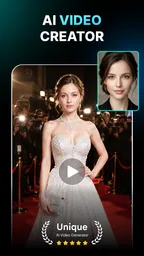
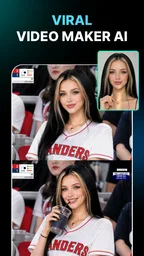
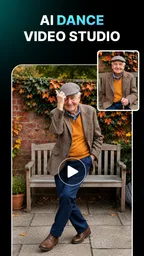
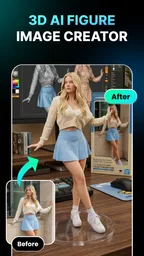
The app’s appeal lies in the range of transformations it brings together. Its focus includes generating AI video, imagining a future version of yourself, animating a face, swapping faces, and enhancing photos. That variety can be useful if you want to try several kinds of edits without moving between separate apps. It can also make the first decision less obvious: a person opening the app for one simple retouch may need to work out which tool best matches that goal.
For readability and navigation, I’d judge the experience by how clearly each effect is named and what the app shows before asking you to choose an image. In a tool-driven creative app, plain labels matter: “enhance” suggests a different outcome from “face dance” or “swap,” and people should not have to guess whether a choice will alter a still image or make it move. I recommend starting with one effect and following its flow from image selection to preview before exploring the rest. That makes it easier to understand the app’s logic and avoid treating every option as interchangeable.
There is a practical distinction between using an effect for a quick laugh and using it to improve an image you plan to share professionally. Face animation and swaps are inherently transformative; they are best treated as playful edits, not as faithful representations of what someone did or looked like. Photo enhancement has a different purpose, but an AI interpretation can still change details. If accuracy matters, keep the original and compare the result rather than assuming “enhanced” means objectively corrected.
A useful workflow is to choose a clear, well-lit portrait when experimenting with a face-based effect. This is not a guarantee of a better result, but it reduces avoidable ambiguity: the subject is easier to distinguish, and there is less competing detail for an effect to interpret. I’d also make a copy of an image before editing if I care about preserving the untouched version. That simple habit is especially helpful when testing several styles or deciding later which result feels most like the person in the photo.
What the mixed toolkit is best at
I see the strongest fit in quick, personal projects: making a lighthearted clip for a family chat, testing how a portrait might look after an enhancement, or trying a face effect before deciding whether it is worth sharing. The app’s combination of still-image and motion-oriented ideas gives curious users room to experiment. It is less compelling if your priority is a precise timeline, fine control over every adjustment, or a consistent visual style across a set of images.
Compared with a conventional photo editor, Genera’s distinguishing idea is the emphasis on AI transformations rather than manual control. A traditional editor is usually the better choice when you need to adjust a specific crop, tone, or detail predictably. Compared with a dedicated animation app, Genera may be more convenient for someone who wants a quick face-led result, while a specialist tool is likely a better fit for a longer project that needs deliberate timing and repeated refinements. The trade-off is convenience versus control.
Motor and sensory comfort
Different people interact with creative apps in different ways. A person who has difficulty with precise taps may find a workflow involving small effect tiles, tightly packed controls, or repeated choices tiring. I would suggest trying the app with a photo that is easy to recognize and avoiding a long session at first. If a control is awkward to reach or select, pausing and changing how the device is held may be more comfortable than rushing through the edit.
Face-focused effects also have a sensory dimension. A moving face, altered expression, or sudden visual transformation can be entertaining for one person and unpleasant or disorienting for another. I’d preview results privately before showing them to someone else, especially a child or anyone who may find unexpected facial changes uncomfortable. If motion is not enjoyable, the photo-enhancement side may be a calmer place to begin, provided the person is comfortable with AI altering an image at all.
Audio and animation can also affect how suitable a result feels in a shared setting. If you are checking a clip in a quiet room, on public transport, or around someone sensitive to sound or motion, it is sensible to review it in a way that does not surprise people nearby. I would not assume that every effect is equally comfortable just because the app is rated Everyone; age suitability is not the same as an individual’s sensory preference.
One non-obvious tip is to separate “making” from “reviewing.” First select the portrait and create a draft; then, after a short pause, look at the result with fresh eyes. That helps catch awkward face alignment or an expression that reads differently from what you intended. It also gives you a natural stopping point if the effect feels too intense. For a shared family activity, let the person in the photo decide whether they want to see or keep the result rather than treating consent as automatic.
Using it in different everyday situations
Imagine you have a clear portrait from a birthday gathering and want to make a short, silly clip for relatives. I’d first check that the person in the picture is happy to be included, then try one face effect, preview it, and share only the version everyone is comfortable with. If the result looks strange, I would not keep retrying on the same image indefinitely; a different, simpler portrait may be a better test. This keeps the task light and avoids turning a small joke into an uncomfortable surprise.
For someone with limited time or attention, the most useful approach is to decide on an outcome before opening the app. “I want to see whether this portrait can be improved” is easier to act on than browsing every effect without a goal. For someone who prefers step-by-step exploration, test one category at a time and take a break between results. These small choices can make a broad creative toolkit feel less demanding without assuming any particular accessibility setting or hidden feature.
Genera may also suit a person who wants to explore AI image changes but is not ready to learn a full editing suite. The low-commitment appeal is that it is free to install, while the practical boundary is that in-app purchases range from $5.49 to $59.99 per item. I would check the purchase details in the app before committing to anything and avoid assuming that every effect or continued use is included at no cost. That matters particularly if a child is exploring it or if you are trying to keep spending predictable.
Where friction remains
The main limitation is uncertainty about control. AI effects can interpret a face or photograph in ways that do not match the user’s intention, and a fast result is not necessarily a faithful one. If you need exact retouching, dependable identity preservation, or an edit that must meet a professional brief, I’d choose a more controllable editor and treat Genera as an idea generator. It is better suited to experimentation than to work where small visual errors have consequences.
Another consideration is the range of comfort levels around face swapping and future-self imagery. Some people enjoy imagining alternate looks; others may dislike seeing their appearance manipulated or may worry about how a transformed image could be interpreted. Ask before using another person’s face, and be thoughtful about where a result is shared. A playful effect does not remove the need to respect someone’s preferences or to make clear that an image has been altered.
The app requires Android 8.0 or later, so the device’s operating system is a practical first check for Android users. The current version is 1.1.9_20261014, and the app was released on March 30, 2026. Those details can help someone decide whether the app is relevant to their device and whether they are looking at the current release, but they do not by themselves tell you how smoothly it will run on a particular phone. I’d try a modest, non-sensitive image before building a project around it.
There is also a difference between a friendly age label and a fully inclusive experience. The Everyone rating makes the app broadly approachable in age terms, but it cannot settle questions about visual comfort, ease of tapping, understanding effect labels, or whether a person wants their face altered. Families and support workers should still let the individual guide the pace and choice of effects. A calm introduction is more useful than assuming that a general audience rating means universal suitability.
A considered choice for curious creators
My overall view is that Genera is worth considering if you want to experiment with face-centered AI edits in a casual setting and appreciate having several kinds of transformation together. It is particularly suited to people who enjoy visual play, want a quick result to share privately, or are curious about how an image might change. I would skip it as a primary tool if you need detailed manual editing, predictable results, or a workflow designed around precise accessibility requirements.
The app is rated 4.1, and its current version is 1.1.9_20261014. I’d treat its reputation as a reason to investigate, not as a promise that every effect will work equally well for every face or user. Start with one clear portrait, preview before sharing, keep the original, and pay attention to both the visual result and how comfortable the process feels. That is the most practical way to decide whether its creative shortcuts fit your needs.
For an inclusive experience, the best test is personal: can you find an effect without strain, understand what it will change, and stop or switch directions comfortably? Genera can make casual experimentation accessible in the everyday sense of being approachable to try, but its face transformations may not suit every sensory preference or task. I’d recommend it as a playful AI studio, not as a universal editor—a useful distinction for anyone deciding whether a quick creative tool is enough or a more controlled alternative would serve them better.
Genera: AI Video Generator is most appealing when curiosity matters more than precision. If you keep that boundary in mind, protect the original image, and involve the people whose faces appear, it can be a fun addition to a casual creative routine. If your needs center on predictable adjustments or a particular comfort requirement, choose an editor built for that purpose instead.
What we like
- Turns text prompts into short videos with minimal effort
- Offers a quick way to explore AI-generated visual ideas
- Can help creators produce content without filming
- Useful for making social media clips and concept previews
- Video generation can save time on early creative drafts
What could be better
- Generated scenes may not match the prompt precisely
- Results can vary in quality between attempts
- Long or detailed prompts may be difficult to interpret
- AI-generated motion can look unnatural
- Some features may require a paid plan





