
Future Self™: AI Face Aging review
 Analysis by Appsdrops
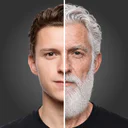
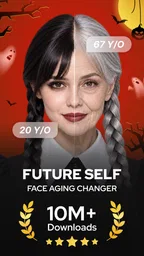
Some photo apps make their best effects hard to find beneath menus and editing controls. Future Self™ takes a more focused route: it is an art-and-design app built around changing a face’s apparent age, with a background remover that can help create a more dramatic Halloween image. I see its appeal in that clear, playful purpose. It is less a general photo editor than a quick way to turn a portrait into a themed visual, and that focus makes it approachable while also setting limits on what it can do.
Making the main idea easy to follow
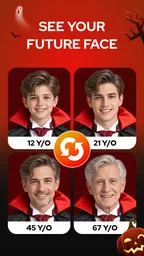
The central concept is understandable even if you have never used an AI photo effect: start with a face image, explore an older-looking version, then consider how removing the background might help the result fit a Halloween scene. For someone who wants a quick visual transformation rather than a full editing lesson, that is a sensible starting point. The app’s store summary points to those two creative tasks, so I would approach it expecting a focused experience rather than a large collection of drawing or retouching tools.
I find that distinction useful for deciding whether to install it. Traditional photo editors often offer layers, detailed adjustment panels and a wide range of controls; those options are valuable, but they can make a simple experiment feel like work. Future Self™ is more appealing when the goal is a single striking portrait, a costume idea or a shareable seasonal image. If you want precise control over every facial detail or a polished composite assembled from several sources, a dedicated editor is likely a better fit.
The app is free to download and is developed by AMOBEAR TECHNOLOGY GROUP. It has an average rating of 4.1 from around 64,000 ratings, with about 1,100 written reviews and over 10 million installs. Those figures suggest that the basic idea has found a broad audience, but they do not tell me whether the effect will suit every face or every creative brief. I would treat it as a low-commitment experiment, not a guarantee of a particular result.
Its age rating is Everyone, which makes the playful transformation idea easy to understand as casual entertainment. Still, the effect itself can look uncanny or intense depending on the original portrait and the degree of change. If you are preparing an image for a child, a family group chat or a public post, it is worth previewing the finished face first and checking that the person in the photo is comfortable with the joke.
What makes a portrait work better
A useful first step is to choose a photo where the face is easy to distinguish from the background. A close, reasonably clear portrait gives an age effect more to work with than a distant group shot, where faces may be small or partly turned away. This is practical advice for AI portrait tools generally, not a promise that every image will process perfectly. If the first result feels oddly dramatic, trying a different source photo is often more productive than repeatedly editing the same unsuitable one.
There is also a helpful creative trade-off between a natural-looking portrait and a Halloween image. A believable older appearance usually benefits from a straightforward photo with clear facial features; a spooky or comic composition can tolerate a more exaggerated result. I would decide which outcome matters before choosing the picture. That small bit of planning helps avoid expecting a realistic portrait and ending up disappointed by a deliberately theatrical effect.
Visual and motor comfort
Age transformation and background removal are primarily visual tasks, so the experience depends on being able to inspect a face and judge whether the result looks right. People with low vision may find detailed comparison difficult, especially if facial changes are subtle or if controls and previews are visually dense. I would not assume that a portrait effect can be evaluated comfortably by everyone without testing it on the device and display they use.
For someone who has difficulty with precise touch, the key question is how much fine positioning or repeated adjustment the chosen workflow demands. A simple, focused effect can be easier to approach than a full editor packed with tiny controls, but that does not automatically make every interaction easy. If tapping small targets or holding a phone steadily is challenging, try the app when you have time and a comfortable grip rather than treating it as a quick task in a crowded or moving setting.
People who are sensitive to visual changes may also want to approach face aging gradually. A transformed face can feel strange even when the intention is humorous, and that reaction can be stronger for someone who finds altered faces unsettling. I would preview privately before showing the image to others, and stop if the effect is unpleasant rather than pushing through just to finish a themed picture.
There is a practical distinction between making an image and understanding its contents. Someone who relies on a screen reader may need labels and spoken feedback to navigate controls, while a person with hearing loss may be unaffected by a visual editing task unless important guidance is delivered only through sound. I cannot infer the quality of those supports from the app’s creative purpose alone. If assistive technology is essential to your workflow, test the relevant steps before relying on the app for an event or deadline.
Using it in different situations
A realistic use case is planning a Halloween look with friends. You could try an aged portrait to see whether a silver-haired character, an eccentric relative or a spooky persona feels right, then use background removal as part of a more themed image. The useful part is not simply the novelty of seeing a changed face: it is being able to explore a look before spending time on makeup, props or a more involved design. I would still keep the result in the “visual idea” category rather than treating it as a dependable costume preview.
It can also suit a casual family activity, provided everyone agrees to be included. A playful “what might I look like later?” image can start a conversation, but people may have different feelings about aging, appearance and having their face edited. I would ask before transforming someone else’s portrait, especially if the image will be shared beyond the people who made it. That is a small courtesy with a real effect on whether the app feels fun rather than intrusive.
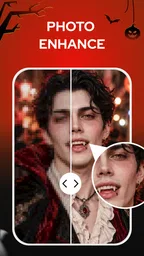
For a creator making a quick seasonal post, the background-removal angle may be more useful than it first sounds. Separating a portrait from its original setting can make it easier to place the subject into a themed composition elsewhere. The trade-off is that removing a background does not, by itself, provide a complete design workflow. If you need typography, precise lighting, layered props or careful edge refinement, you may still want a conventional editor after creating the portrait.
Context matters for access, too. A bright, quiet room and a few minutes to inspect a preview are more forgiving than a dim commute or a rushed queue. On a small screen, fine facial details can be harder to judge, and distractions make it easier to accept an awkward crop without noticing. I would make the image where I can pause and review it, then share it later rather than trying to finish the whole process on the move.
Where the focused approach stops helping
Compared with a general photo editor, Future Self™ asks you to trade breadth for a narrower creative purpose. That is a fair exchange if you want an aging effect and a Halloween-oriented image, but it is less attractive if your main need is everyday photo cleanup, color correction or detailed retouching. Likewise, someone looking for a broad library of artistic filters may prefer an app designed around many styles rather than one centered on the future-self concept.
The quality of a face transformation is inherently dependent on the image being transformed. A partially covered face, an unusual angle or a photo with several people can make it harder to get a result that feels convincing. Even a technically usable result may not match the person’s idea of “older”: some people want subtle changes, while others expect a dramatic character effect. I would try more than one portrait before deciding that the app itself is unsuitable, but I would not spend a long time trying to rescue a poor source image.
Cost is another point to understand before building a regular workflow around it. The app is free, with in-app purchases ranging from $2.99 to $69.99 per item. That makes casual testing possible without an upfront purchase, but the range is wide enough that I would check the purchase screen carefully before confirming anything. If you only need one seasonal image, consider whether the free experience meets that specific need before spending money; if you expect frequent use, compare the available purchase terms with what you actually plan to make.
The version listed is 1.0.9.8_19092026, and it runs on Android 8.1 or later. That gives a useful baseline for device compatibility, but a minimum operating-system requirement does not guarantee that every older phone will feel comfortable for visual editing. Screen size, display quality and general responsiveness can all affect how easy it is to judge an effect. I would check that the app installs and behaves well on the device you intend to use before planning around it.
Privacy and consent deserve a place in the decision, even for a lighthearted filter. A face is personal, and a transformed image can be more revealing or embarrassing than its creator expects once it leaves the phone. Before uploading or sharing a portrait, think about who is pictured, where the image may end up and whether the subject would be happy with that use. For a child’s photo or a workplace joke, I would be especially careful and keep the audience limited.
Who I would recommend it to
I would recommend giving it a try if you want a straightforward way to play with an older-looking portrait, make a Halloween character concept or create a visual gag without learning a complex editing suite. It is particularly suitable for people who enjoy experimenting with their own photos and are happy to treat the output as entertainment or a starting point. The fact that it is free to install lowers the barrier to trying that idea, while the in-app purchases make it sensible to stay attentive when exploring paid options.
I would skip it if accessibility depends on specific screen-reader behavior, if you need precise professional retouching, or if you want a complete poster-making tool in one place. I would also avoid using it for a serious identity-related image or a result that must look reliably realistic. In those cases, a tool with stronger manual controls, a workflow you already know or help from a designer will give you more control than a focused AI effect can promise.
Future Self™ is an approachable idea with a clear seasonal use, and I like that its age effect and background-removal purpose can support both a quick joke and a more deliberate Halloween composition. Its accessibility in practice will depend on the person, the device and the task, so I would test the controls and previews rather than assume the focused design removes every barrier. For a casual portrait experiment, I think it is worth trying; for detailed editing or a workflow with essential accessibility requirements, I would choose a more suitable alternative.
What we like
- The aging preview offers a quick way to imagine a future appearance.
- The simple interface makes photo transformations easy to try.
- Results can be saved for sharing or personal keepsakes.
- The playful concept works well for casual entertainment.
- It can create conversation starters for friends and family.
What could be better
- Generated aging effects may not accurately predict how someone will look.
- Results can vary depending on photo quality and lighting.
- Some features may require payment or a subscription.
- Uploading a face photo may raise privacy concerns.
- The novelty may wear off after a few transformations.





