
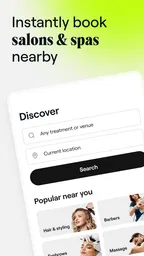
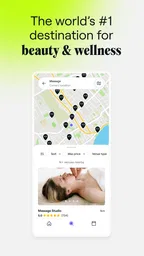
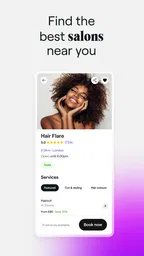
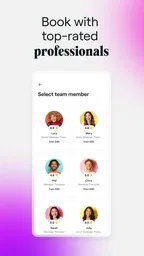
Fresha for customers review
 Analysis by Appsdrops
I’d use Fresha when I’m trying to arrange a haircut, beauty appointment, or wellness visit without juggling a string of calls and messages. It is a customer-facing beauty app from Fresha.com, and its strongest appeal is practical: it gives me a place to look for local services and make a booking in a more organized way. For a household sharing one phone or planning several people’s appointments, that convenience can help—but it works best when everyone is clear about whose booking and account they are using.
One phone, several people, and a booking to sort out
A familiar household situation is a free evening when someone remembers they need a haircut, another person wants a salon appointment, and nobody can remember which business has availability. With Fresha, I can use the app to explore beauty and wellness appointments rather than starting with a search engine, then contact each business separately. That makes it a useful starting point for comparing options and getting a booking arranged in one session.
The app is free to download, so there is little downside to trying it as a way to discover participating services. That does not mean every appointment or treatment is free; the free part is the app itself. I would still check the details shown for the specific service and business before confirming anything, especially if I am booking for someone else or trying to stay within a budget.
Shared-device use calls for a little care. If family members take turns using the same phone, I would avoid treating a booking as a household-wide calendar entry unless the people involved have actually agreed to that arrangement. A customer account and a booking represent someone’s appointment, not a general family plan. Before tapping through, check that the selected service, business, and appointment are the ones the intended customer wants.
This is also a reasonable way to help a relative who is less comfortable arranging appointments on a phone. I can sit beside them, search together, and let them make the final choice. That small distinction matters: using the app as a helper is convenient, while silently choosing a treatment or time for another adult can create confusion later.
Keep the customer and account clear
When a device is shared, I would be deliberate about who is signed in and who is making each booking. Avoid assuming that one person’s account is automatically suitable for everyone in the household. If someone else needs to manage their own appointments, they should use the appropriate account setup and review the booking themselves. This keeps confirmations and appointment details from becoming mixed up.
For parents arranging a service for a teenager, I would treat the app as a booking tool rather than a substitute for a conversation with the salon or practitioner. First decide together what service is appropriate, then check the business’s own requirements and appointment details. The app’s general age classification does not answer every question about a particular service or a provider’s rules.
A practical habit is to pause at the final review stage and read the booking details aloud if another person is involved. Confirm who the appointment is for, what service is selected, and when it is scheduled. That is especially helpful when one person is navigating and another is making the decision. It takes only a moment and reduces the chance of booking the right business but the wrong treatment or time.
Making appointment coordination less messy
Fresha is most useful to me when I know roughly what I need but have not settled on a provider. I can start with the service I want, consider the available options, and make a decision before the day gets busy. For recurring household needs, such as keeping up with haircuts, it can also provide a consistent place to begin each time instead of rebuilding the search from scratch.
There is a useful trade-off when coordinating several people: putting all the searching in one place can save effort, but it does not automatically make one person responsible for everyone’s schedule. I would record or share the confirmed appointment details through whatever calendar or messaging routine the household already uses. The app helps with arranging the booking; household reminders and communication still need a clear owner.
If I am booking several services in one outing, I would plan the order before confirming appointments. A salon visit and a wellness treatment may involve different businesses and separate booking details, so I would not assume that choosing them in the same app makes them a combined appointment. Check travel time and the specific appointment information yourself, particularly when coordinating for more than one person.
Another useful approach is to let each person choose from a shortlist rather than asking them to browse everything. I can find a few plausible options, then hand over the phone for the person receiving the service to decide. That keeps the search manageable without taking away their say. It is a small workflow improvement, not a special family feature, and it suits the app’s role as a booking aid.
What it offers compared with calling around
The usual alternatives are calling businesses one by one, messaging them on social platforms, or searching online and then moving to a separate booking process. Fresha’s advantage is that it brings service discovery and appointment booking into a customer app, which can make the first step less fragmented. I especially like that approach when I am open to different local options rather than committed to one salon already.
Calling remains better when I have a complicated request, need to explain a particular concern, or want to ask questions that are not answered in the appointment details. A direct conversation can clarify whether a provider is suitable before I commit. Similarly, if I already have a trusted salon and prefer its own booking method, there is no strong reason to add another app just for the sake of it.
The app’s value depends on whether the businesses and services I want are available to browse and book through it. It is not a guarantee that every preferred local provider will be a match. If my first search does not turn up a suitable option, I would broaden the search or contact a business directly rather than spending time expecting the app to cover every need.
Age context, trust, and careful choices
The app is rated for Everyone, which makes its general audience broad. That label is about the app’s content classification; it does not mean every beauty or wellness service is appropriate for every age, or that every provider has identical requirements. For younger users, I would involve a parent or guardian in choosing the service and checking the business’s conditions.
Trust comes down to making an informed choice, not simply seeing a convenient booking option. I would read the service description carefully, check that the selected appointment matches what I want, and contact the provider when anything important is unclear. This is particularly sensible for a first visit, a treatment with specific preparation, or an appointment booked on behalf of someone else.
It also helps to distinguish between the app and the individual business. Fresha.com develops the app, while the service itself is provided by the selected salon or wellness business. My experience with the booking interface cannot tell me everything about the quality or suitability of a particular provider, so I would consider the business’s details and my own needs before deciding.
Where the app fits—and where I would skip it
Fresha is a good fit for someone who wants a straightforward way to explore beauty, hair, and health or wellness appointments, especially if they are open to finding a new provider. It is also useful for a household member who often helps coordinate bookings, provided the person receiving the service remains involved and everyone keeps account boundaries in mind.
I would skip it if I only book with one provider who already offers a method I prefer, or if I need a detailed conversation before deciding what to book. It may also be less helpful when the household expects one shared login to manage everyone’s appointments automatically. A shared phone can make the search convenient, but it should not blur whose account, information, or appointment is being handled.
The app has a 4.9 average from around 127,000 ratings, and it has passed a million installs. Those figures suggest it is widely used, though they cannot tell me whether a particular local business is right for my needs. Fresha is free, and its current version is 2026.11.1; it supports iOS 8.0 or later. I would still judge it by the services available in my area and how easily I can find the appointment I actually want.
A sensible household verdict
For me, Fresha works best as a shared starting point for finding and arranging individual appointments—not as a family organizer that removes the need to communicate. It can make the search and booking process feel more contained than calling around, and it is handy when one person is helping another compare options. The important step is to keep the customer, account, service, and appointment details straight.
I would recommend giving it a try if you regularly book beauty or wellness services and want to explore providers in one place. For a shared-device household, agree on who is signed in, have the intended customer approve the service, and pass along the confirmed details afterward. If your needs are unusual or you prefer a trusted provider’s direct advice, a call may still be the better choice. Used with those expectations, Fresha is a practical convenience rather than a replacement for good communication.
What we like
- Book appointments online at any time.
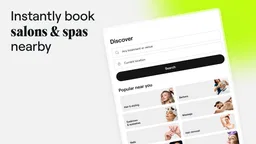
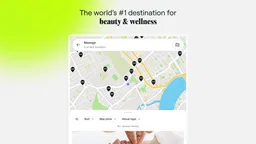
- Discover salons and independent beauty professionals nearby.
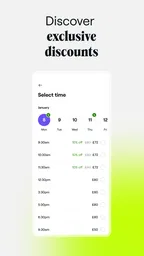
- View service prices before choosing a provider.
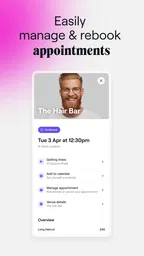
- Manage upcoming appointments from your account.
- Find and rebook with professionals you have visited.
What could be better
- Available providers depend on your location.
- Some services may require advance payment or a deposit.
- Cancellation policies vary by provider.
- Appointment availability can change before booking.
- The app may request access to personal information.





